Chapter 2 WCDMA Call Mode
Common elements of the call mode menus
WCDMA Options Version 6.20
41
Status
Signaling status from the 4400’s point of view.
The large display field below provides more details and a short signaling history.
On some of the menus, you can even scroll back within the history using the
P
GUP, PGDN, UP and DN keys.
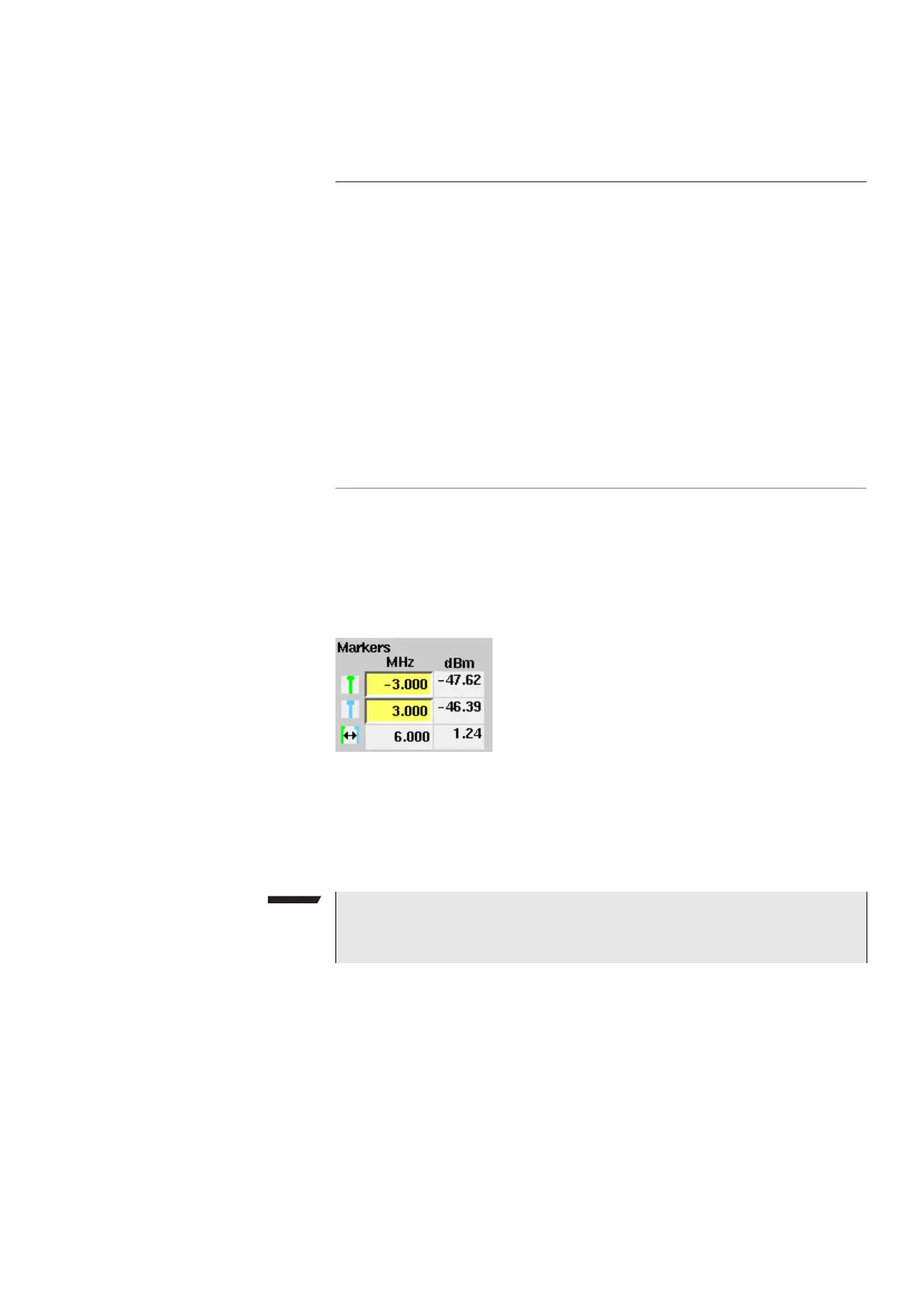
Display markers
The 4400 offers two markers for easy reading of graphical displays. On the input
fields in the first column you set the markers to the required horizontal positions.
The corresponding result fields in the next column shows the measurement
values obtained for the respective positions. In the display field below the two
marker fields the distance between the two markers set is displayed.
Idle
This is the status as long as there is no signaling active.
Call active
Indicates that there has been a call established.
Paging
This will be displayed as long as the 4400 pages the
mobile.
Loopback
Mode
Indicates that a call has been established in loopback
mode, i.e. using the NB Call Loopback softkey and thereby
utilizing the Reference Measurement Channel of 12.2 kbps.
For further details regarding the RMC refer to Table 4 and
Table 5 on page 69.
- - - - - -
(six
hyphens)
This indicates that the call setup has not been started yet
or that there has not been any communication between
the 4400 and the mobile so far.
NOTE
Display markers are available on the OBW and SEM spectrum measurement
menus.



 To Next Page