CELL-DYN 3000 System Operator’s Manual 5-103
9140240E — May 1995
Chapter 5 Operating Instructions
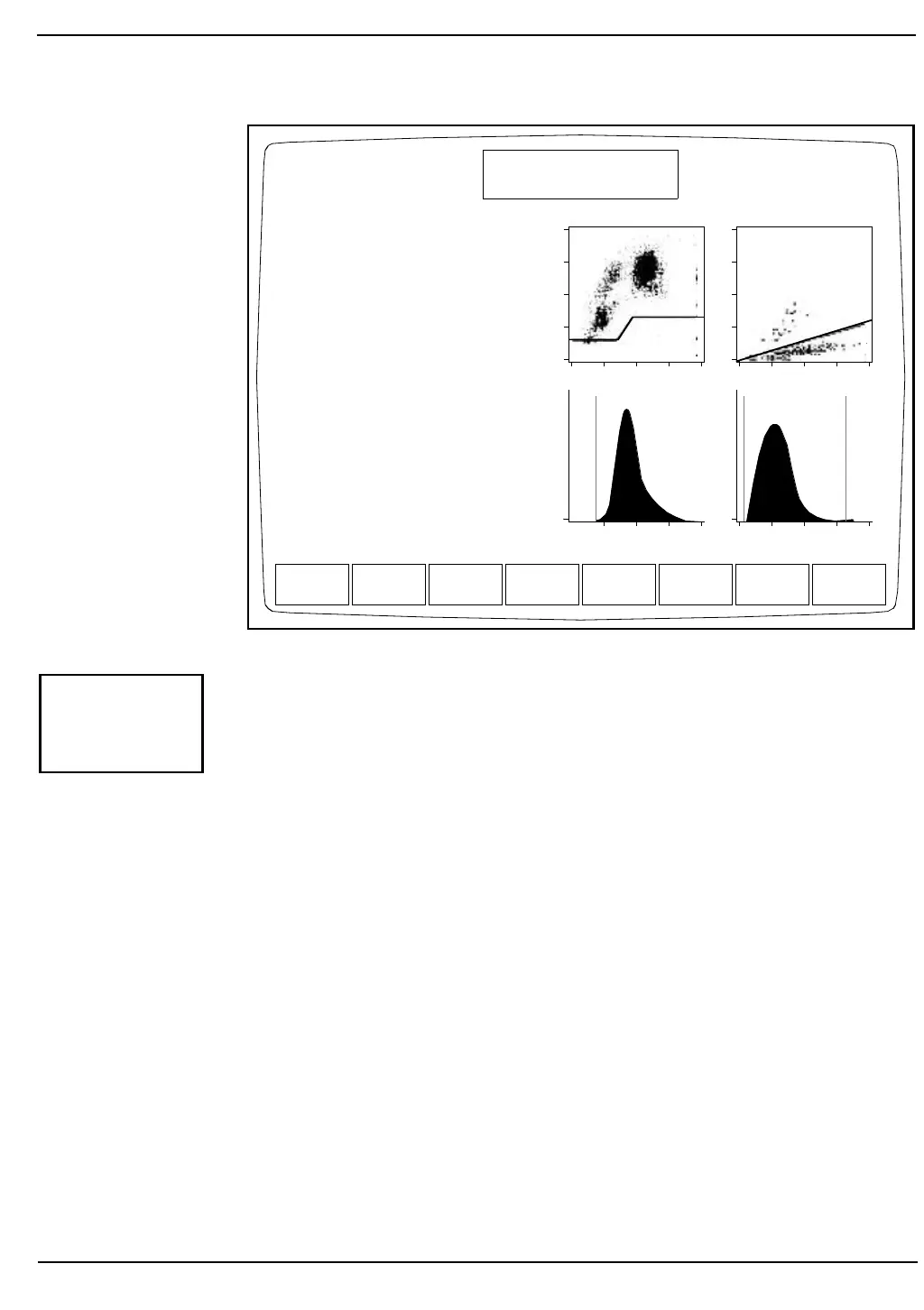
Figure 5.37: Display Specimen Screen
The [DISPLAY SPECIMEN] key is used to display the results for the
record indicated by the cursor position. (See Figure 5.37.) The following
soft key labels are displayed when the [DISPLAY SPECIMEN] key is
pressed:
PREVIOUS SPECIMEN*
NEXT SPECIMEN**
EDIT SPECIMEN
CUSTOMIZE REPORT
TRANSMIT SPECIMEN
PRINT TICKET
PRINT REPORT
RETURN
* This key is not displayed when the first specimen in the log is
on the screen.
** This key is not displayed when the last specimen in the log is
on the screen.
NOTE: The FLAGGING DIAGNOSTICS Screen is displayed
by pressing the Page Down key.
Spec ID R5 T1
Patient_____________
Sex(M/F):-DOB:--/---/--
Dr_____________
Param Set: 1Limits: 1
WBC:5.9 K/uL
NEU: 3.2 54.0%N
LYM:2.0 33.7%L
MONO:0.6 9.8 %M
EOS: 0.1 1.9 %E
BASO:0.0 0.5 %B
RBC: 5.29 M/uL
HGB: 16.0 g/dL
HCT: 47.8 %
MCV:90.3 fL
MCH:30.3 pg
MCHC:33.6 g/dL
RDW:13.2 %
PLT: 229. K/uL
MPV:8.9 fL
PREVIOUS
SPECIMEN
NEXT
SPECIMEN
EDIT
SPECIMEN
CUSTOMIZE
REPORT
TRANSMIT
SPECIMEN
PRINT
TICKET
PRINT
REPORT
RETURN
DISPLAY SPECIMEN
Ready
Dec 18 1992
Operator ID
Sequence #
09:43
734
0630
Open Sampler
D
E
P
O
L
S
I
Z
E
COMPLEXITY ORTHOGONAL
RBC PLT
CT:6.35
Sequence # 2856
DISPLAY
SPECIMEN



 To Next Page