7.7.2
3D sensor Network Interface board configuration
It is required to set the Interface Card (NIC) connected to the 3D sensor with the
configuration explained in the following setting procedure:
1.
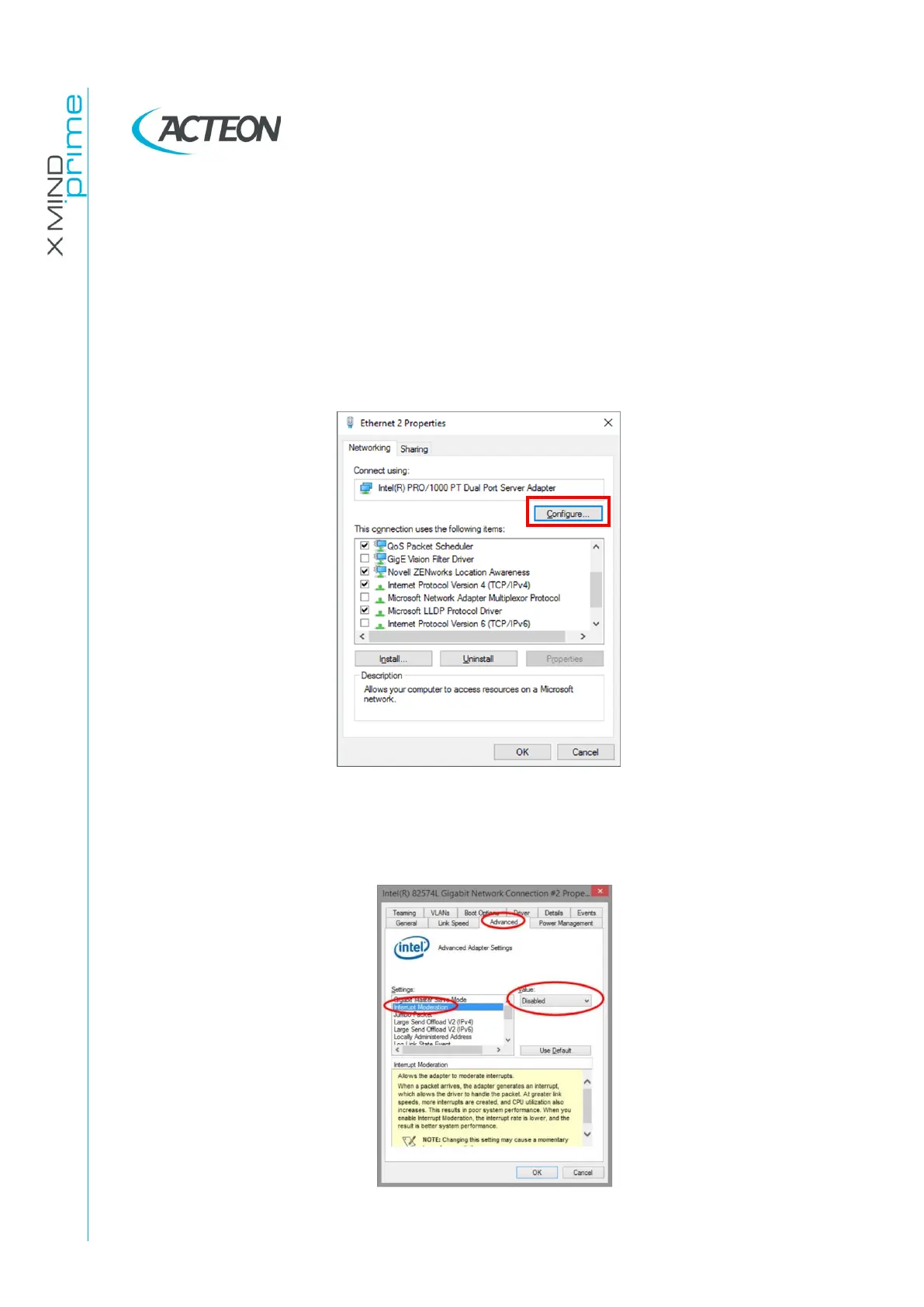
Open the “Network Settings” menu of the Ethernet board connected to the 3D
sensor by right clicking on its icon and select “Property”.
2.
On the Ethernet board property window click on “Configure…”:
3.
Select the “Advanced” sheet on the network board configuration window.
4.
Set the following network settings (see Figures below):
•
Interrupt Moderation = Disabled















 To Next Page