7.13.2
Verification of Exposure parameters with NON
invasive method
The exposure parameters (kV, time and dose) can also be verified using the so
called “non-invasive method”.
The exposure parameters can be checked with a non-invasive instrument by
performing the following procedure:
1.
Place the probe of the dosimeter on the center of the sensor area (black
rectangle on the sensor plastic cover).
2.
Open the PhD_C_Test software (located at C:\Program Files (x86)\Acteon
Imaging\Panoramic X-Mind Prime Ceph) and check that the unit is connected
to the PC (the message “MCU is connected” is displayed in the bottom left
corner of the program window).
3.
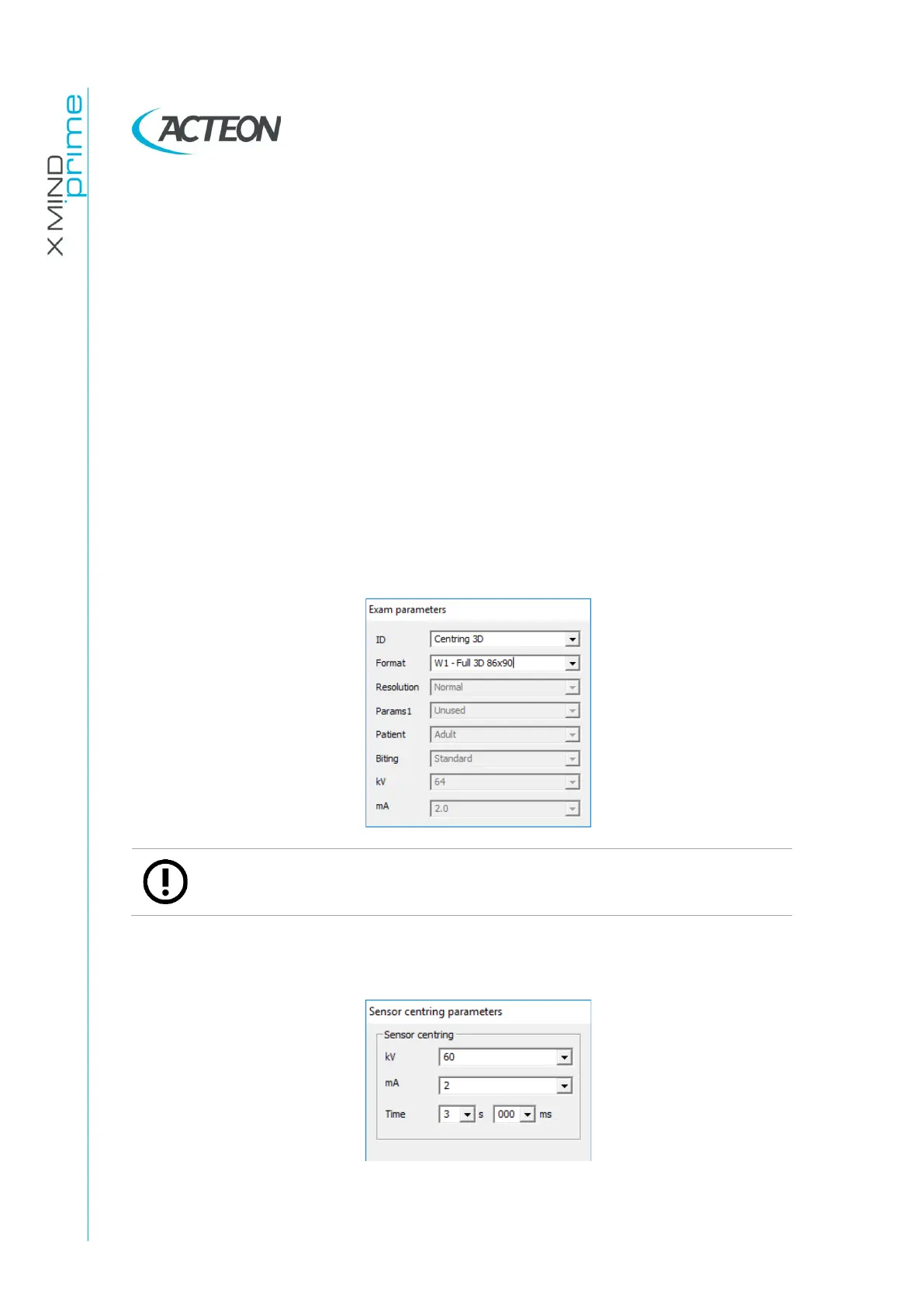
From the “Exam parameters” panel select the ID as “Centring 3D”. Select format
as “W01 –Full 3D 86x90”.
Note
The “Centring 3D” choice allows you to carry out the dosimetry test without
the rotation of the tube-head arm.
4.
In the “Sensor centring parameters” panel set the following exposure
parameters: 60 kV, 2 mA, 3 s.















 To Next Page