Service Manual - Description
SERVICE MANUAL • X-MIND prime 3D • (19) • 11/2019 • NXMPEN080A
4.3
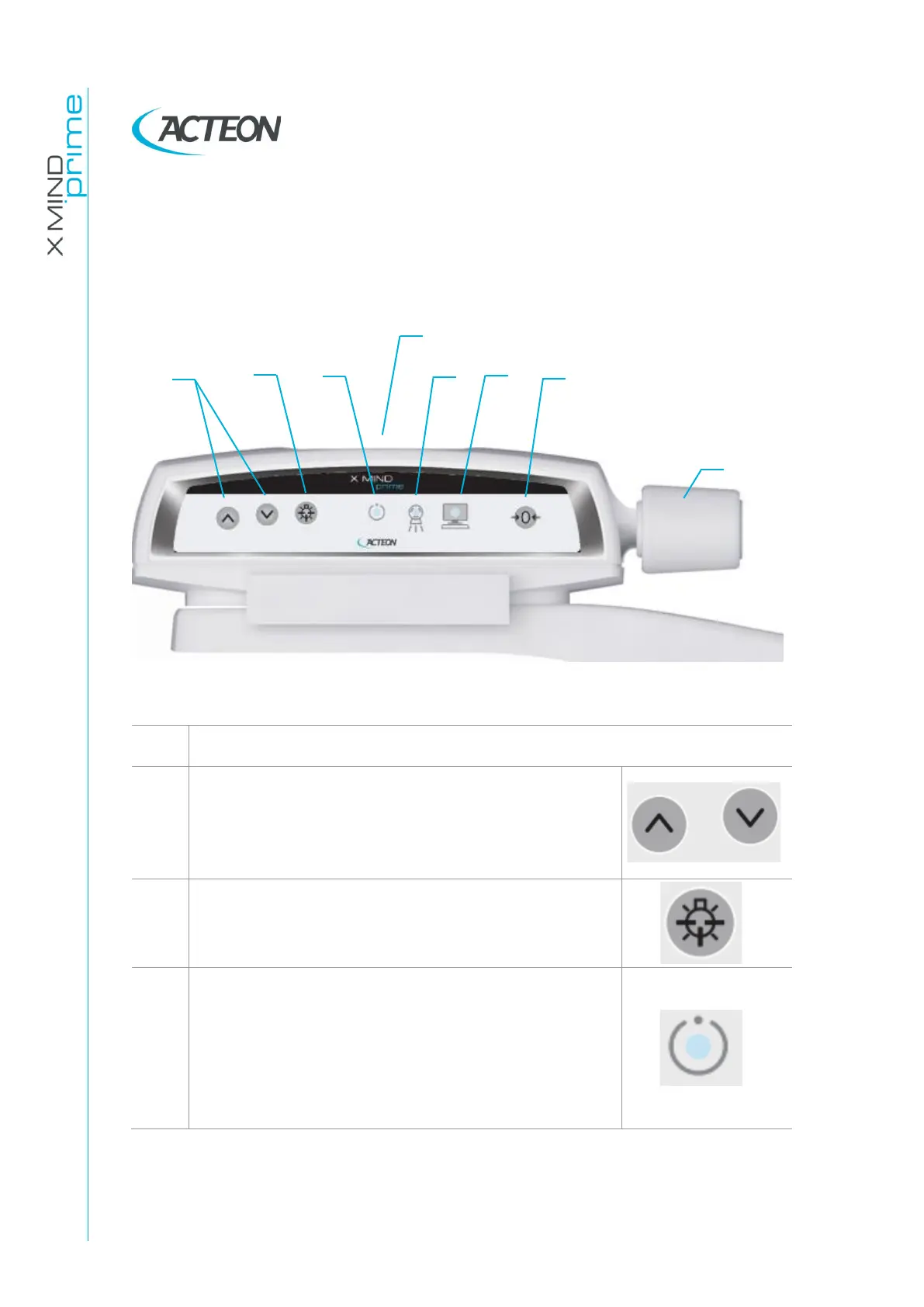
Keyboard - Description and functions
Figure 4 shows a general view of X-MIND prime 3D control Interface.
Figure 4 - Keyboard
The up/down movement of the column is controlled
by the corresponding keys. The movements are
enabled during equipment setting.
Column movement is not possible if the emergency
button is pressed.
The "Luminous centring device" key turn the laser
centring devices ON/OFF, allowing the correct
positioning of the patient.
Light indicator of "Machine Ready" status:
•
Green fixed, alerts the user that by pressing the
X-ray button, X-ray emission will start
•
Green blinking slowly, indicates that by pressing
>0< button, axis reset will start
•
Green blinking fast, indicates the equipment
cooling status.















 To Next Page