Service Manual – Service programs descriptions
SERVICE MANUAL • X-MIND prime 3D • (19) • 11/2019 • NXMPEN080A
8.4
Machine configuration and setup
In addition to the Service Programs available in the Graphical User interface, other
Service Programs and the machine configuration can be done by running the
"PhD_C_Test"
program located in the directory C:\Program Files (x86)\Acteon
Imaging\Panoramic X-Mind Prime Ceph.
To access the machine configuration:
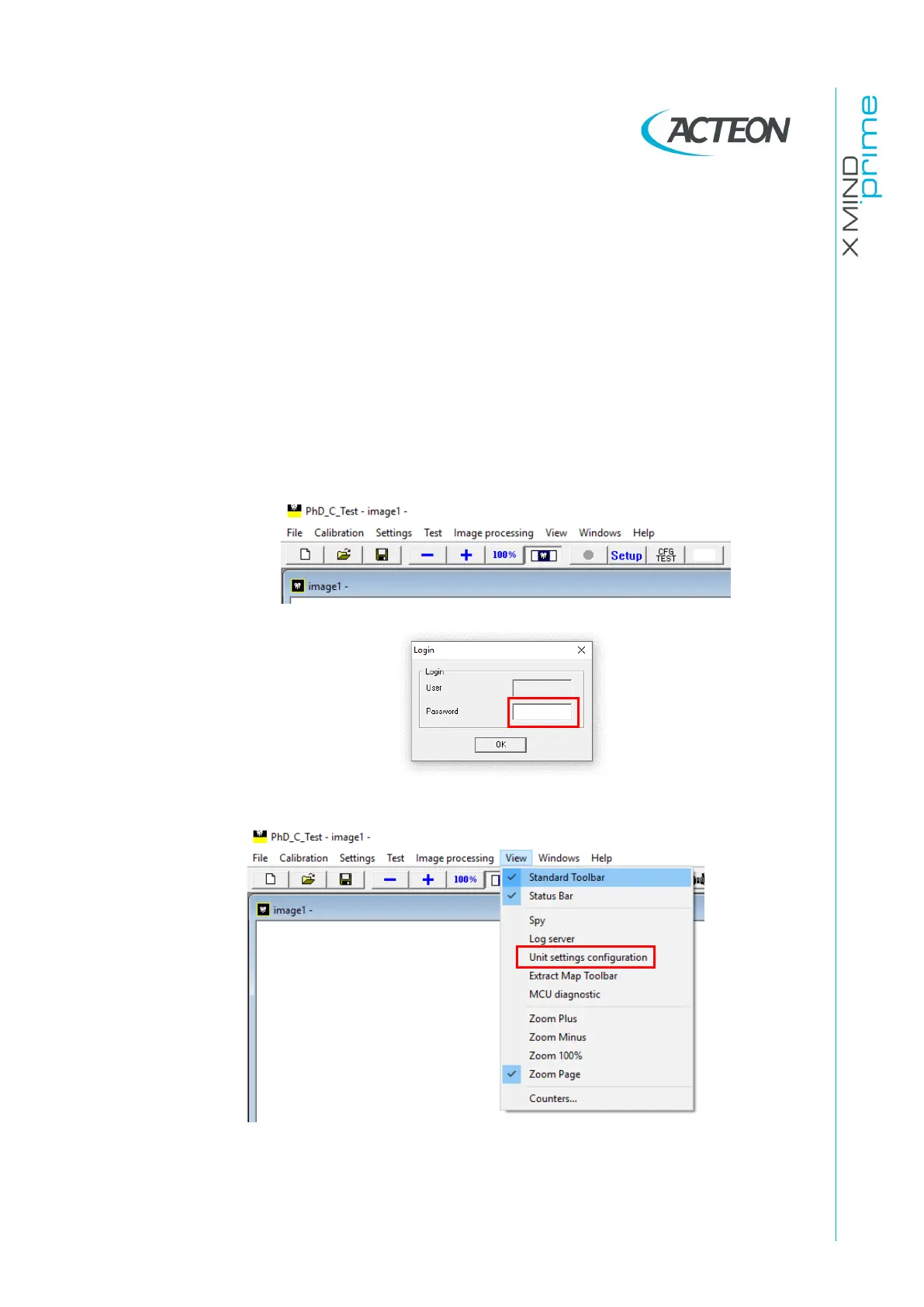
• Run the software "PhD_C_Test"
• Click on the SET-UP button and in the windows that will open type the password
PhdAccess
• In the View menu select Unit Setting configuration















 To Next Page