EasyManua.ls Logo

Acteon X-MIND prime 3D ceph - Chin Support Replacement

Acteon X-MIND prime 3D ceph
376 pages
Print Icon
To Next Page IconTo Next Page
To Previous Page IconTo Previous Page
Loading...
Service Manual Corrective maintenance
SERVICE MANUAL • X-MIND prime 3D • (19) • 11/2019 • NXMPEN080A
326
11.3.12
Chin support replacement
1.
Remove the upper cover. Remove cover from MCU board.
2.
Set DIP-switch 3 to OFF (1 and 2 ON) in order to enter in Service Mode (see
paragraph 4.2.2.1).
3.
Switch ON the unit and wait until the green LED blinks.
Note
In service mode NEVER press up/down column keys as they change
rotating position.
4.
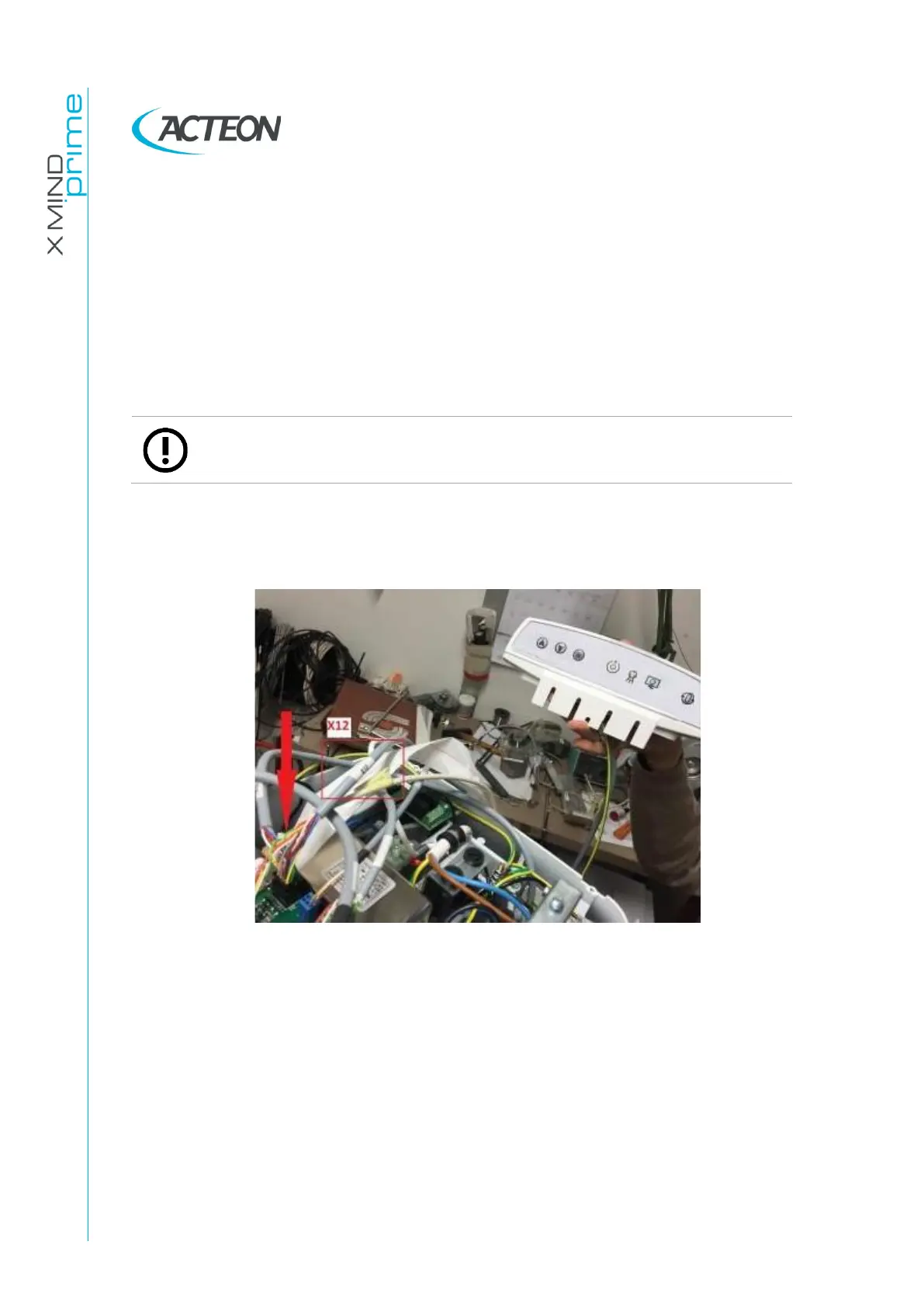
Unplug the broken cable X12 and connect the X12 of the new chin support.
Use its keyboard for the next step.
Figure 60
5.
Press the >0< button
6.
Position the panoramic tool on chin support.

Table of Contents

Related product manuals