Service Manual – Corrective maintenance
SERVICE MANUAL • X-MIND prime 3D • (19) • 11/2019 • NXMPEN080A
11.2.4
Network interface board drivers upgrade
In case of problems with 3D/ceph sensor Ethernet connections (Errors E1400÷1404,
E371 and E370) or with the X-MIND prime 3D connection, a verification of the
network board driver update is suggested:
1.
Connect the PC to Internet.
2.
Open the system “Device Manager” (Control Panel
→
System and
Security
→
System).
3.
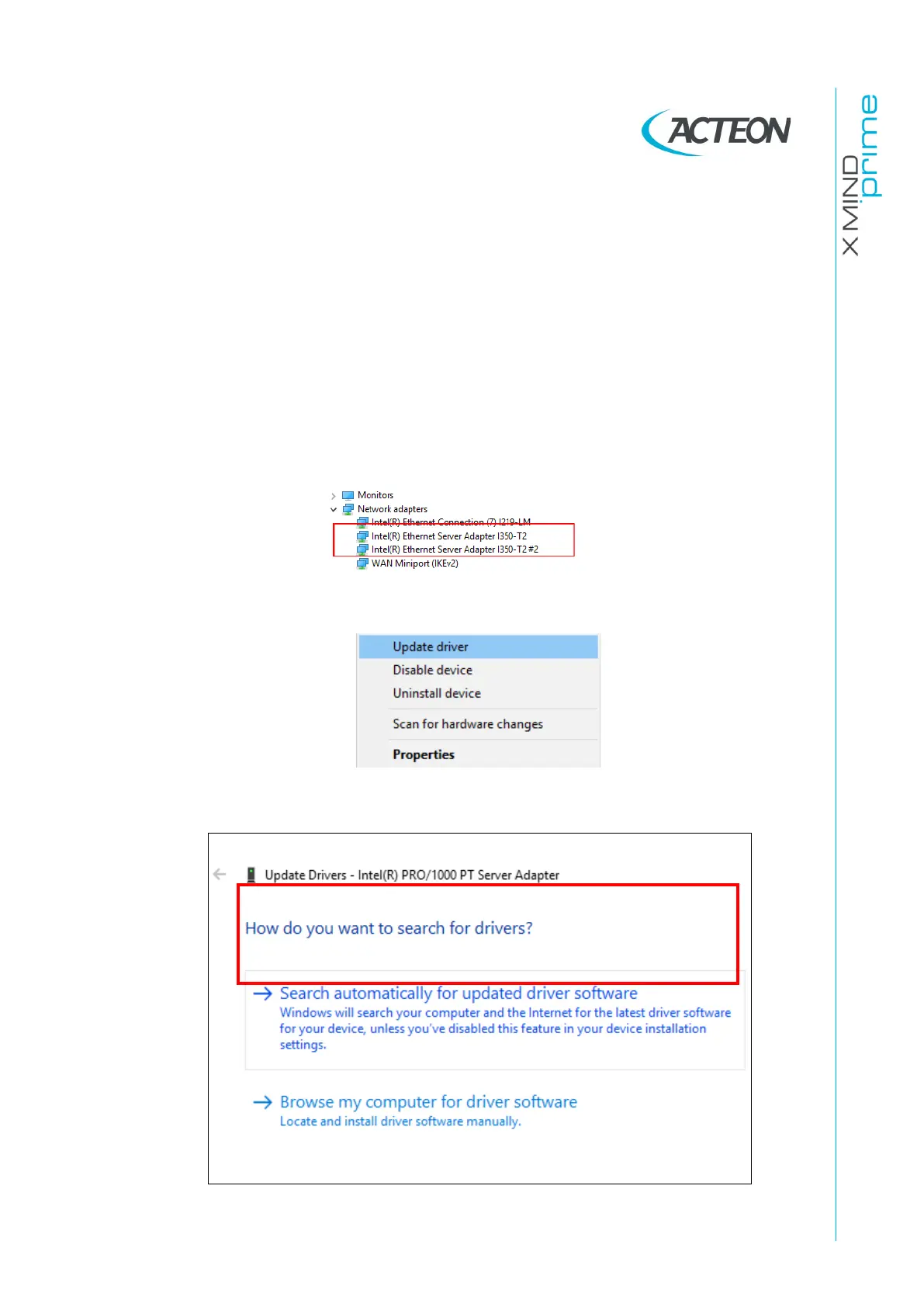
Click on Network adapters and right click on all the boards names connected
to the unit:
4.
Click on Update driver:
5.
Click on “Search automatically for updated driver software”:















 To Next Page