EasyManua.ls Logo

Acteon X-MIND prime 3D ceph - Corrective Maintenance; Firmware Upgrade

Acteon X-MIND prime 3D ceph
376 pages
Print Icon
To Next Page IconTo Next Page
To Previous Page IconTo Previous Page
Loading...
Service Manual Corrective maintenance
SERVICE MANUAL • X-MIND prime 3D • (19) • 11/2019 • NXMPEN080A
226
11.
CORRECTIVE MAINTENANCE
11.1
Firmware upgrade
Note
To update MCU and CCU boards be sure the ehternet board connected to
the machine is properly set as described in paragraph 7.7.1.
11.1.1
MCU Firmware upgrade
1.
Copy in a working directory of the PC the MCU firmware to upload (the file
name is in the form MCUet-YYYY-MM-DD-vM.mm.bbb.hex).
2.
Power ON the machine. Open "PhD_C_Test.exe" service program (C:\Program
Files (x86)\Acteon Imaging\Panoramic X-Mind Prime Ceph).
3.
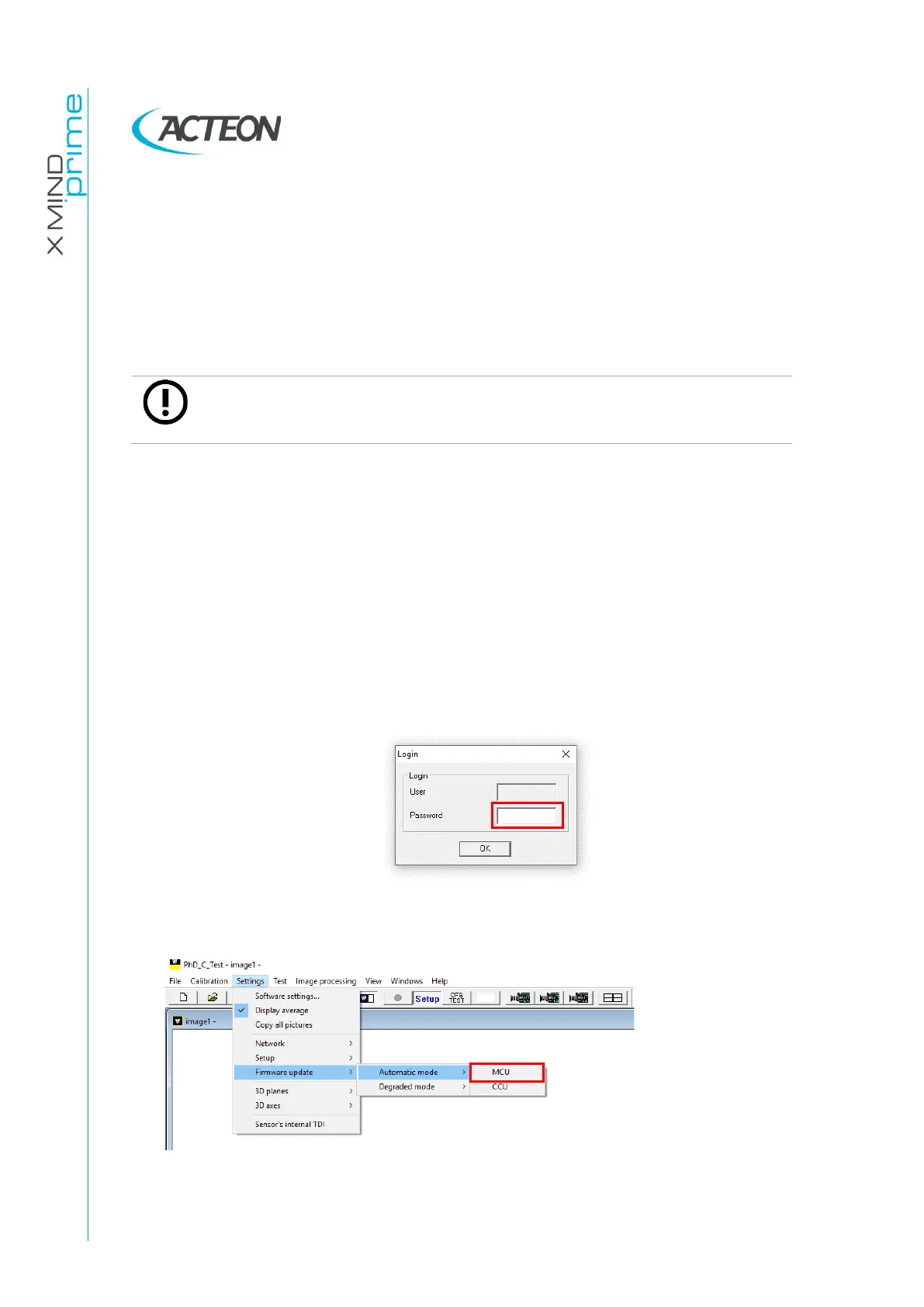
Click on SETUP button and in the Login windows that will open insert the
password
PhdAccess
and click OK
4.
From the menu
Settings
select
Firmware update
>
Automatic mode
>
MCU
.

Table of Contents

Related product manuals