9.2.6
Error with code from E600 to E680
9.2.6.1
E600, 601, 611
These errors are related either to a CCU board malfunction or to a CAN bus
problem between MCU board and CCU board.
Note
It may happen that at the end of CCU board firmware upgrade the error
E600 is displayed in the PhD_C_Test program. In this case power off the
machine and restart the software. If the error is persistent continue the
troubleshooting.
1.
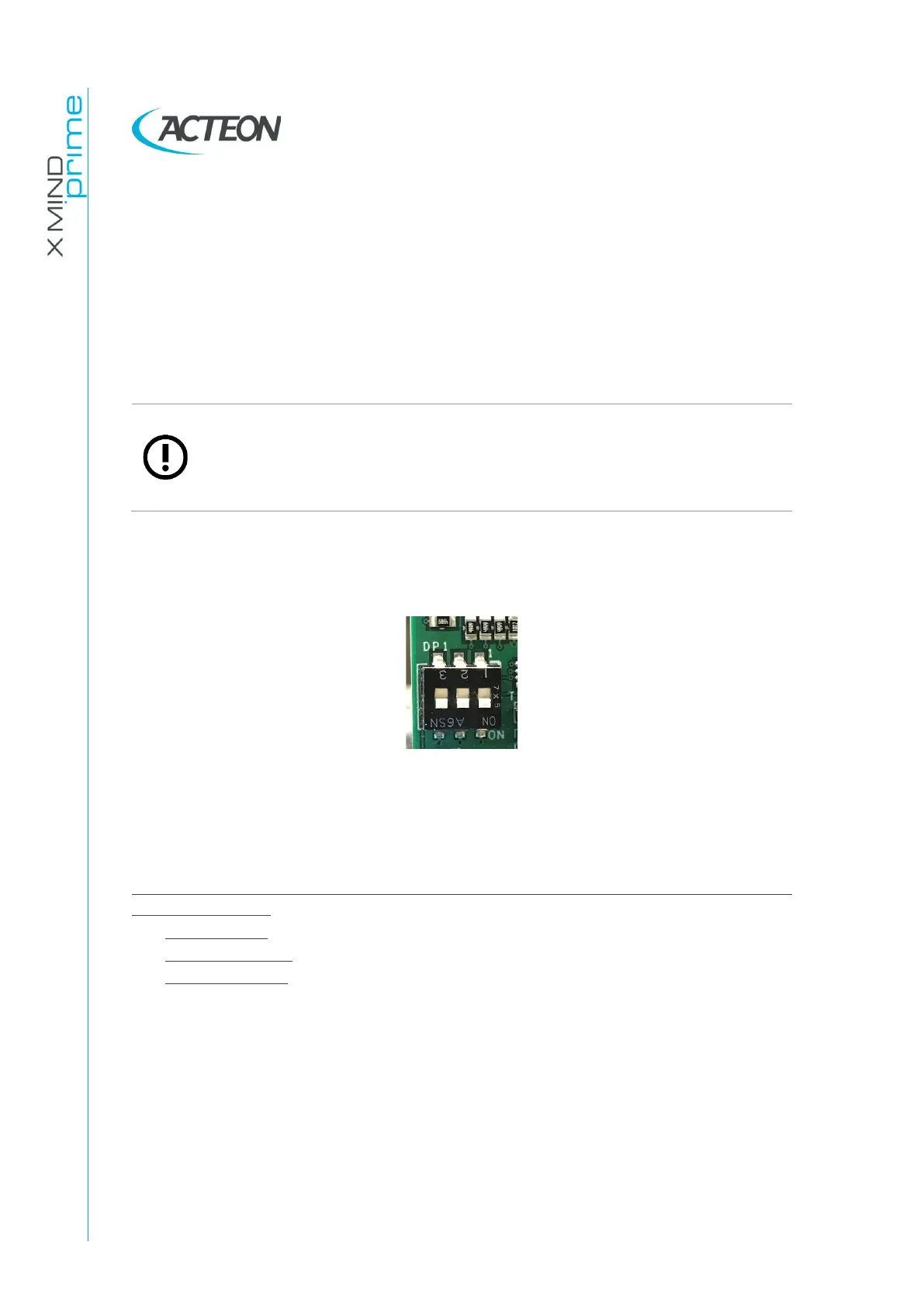
Check that CCU dip switches are all in the ON position (down), if not place
them as in the picture and power off the machine and power it on again.
2.
Check the CAN bus cable X9-X9 between CCU board and MCU board:
replace or fix it if defective and then verify if the problem is still present.
(See Paragraph 9.2.6.11)
3.
Check the CCU voltage power supply and the CCU leds.
Technical Service additional information required
: try to reproduce the error keeping
the following logs:
-
Software logs
-
MCU SD card log
-
CCU SD card log
9.2.6.2
E602 The flat panel isn’t open, but should be
This error is shown when the Flat Panel sensor is not in ceph exam position while
the unit is in a status which requires the sensor to be open in ceph position. Eg.
ceph exam preparation or execution.
Checks:
1. Check that the sensor has not been accidentally hit by the operator or that
is has not intentionally been closed by the operator during a ceph status.















 To Next Page