Service Manual – Corrective maintenance
SERVICE MANUAL • X-MIND prime 3D • (19) • 11/2019 • NXMPEN080A
11.2.10
3D Reconstruction adjustment
In order to adjust the 3D reconstruction and remove possible artefacts, it is
necessary to use the software "Phd_C_Test" you can find in the directory
C:\Program Files (x86)\Acteon Imaging\Panoramic X-Mind Prime Ceph.
1.
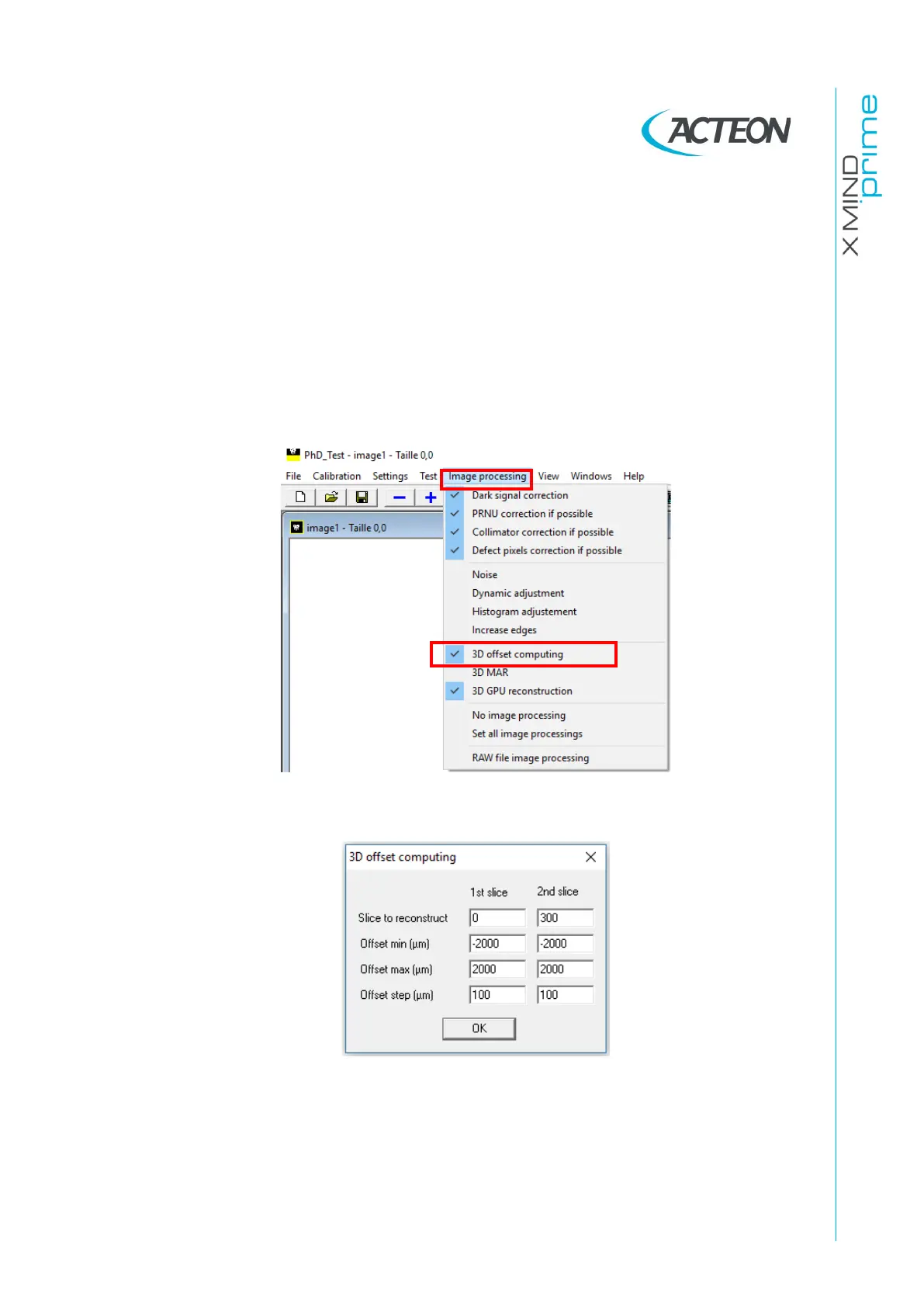
Once you start the software, select on the menu "Image processing" the
modality "3D offset computing".
2.
On the window that opens set the following parameters:















 To Next Page