10.2
Sensor Calibration
1.
In order to perform calibration, place a copper filter of 1.5mm in front of the
tubehead in such a way as to cover the entire X-ray beam.
2.
Open the “PhD_C_Test.exe” service program (C:\Program Files (x86)\Acteon
Imaging\Panoramic X-Mind Prime Ceph).
3.
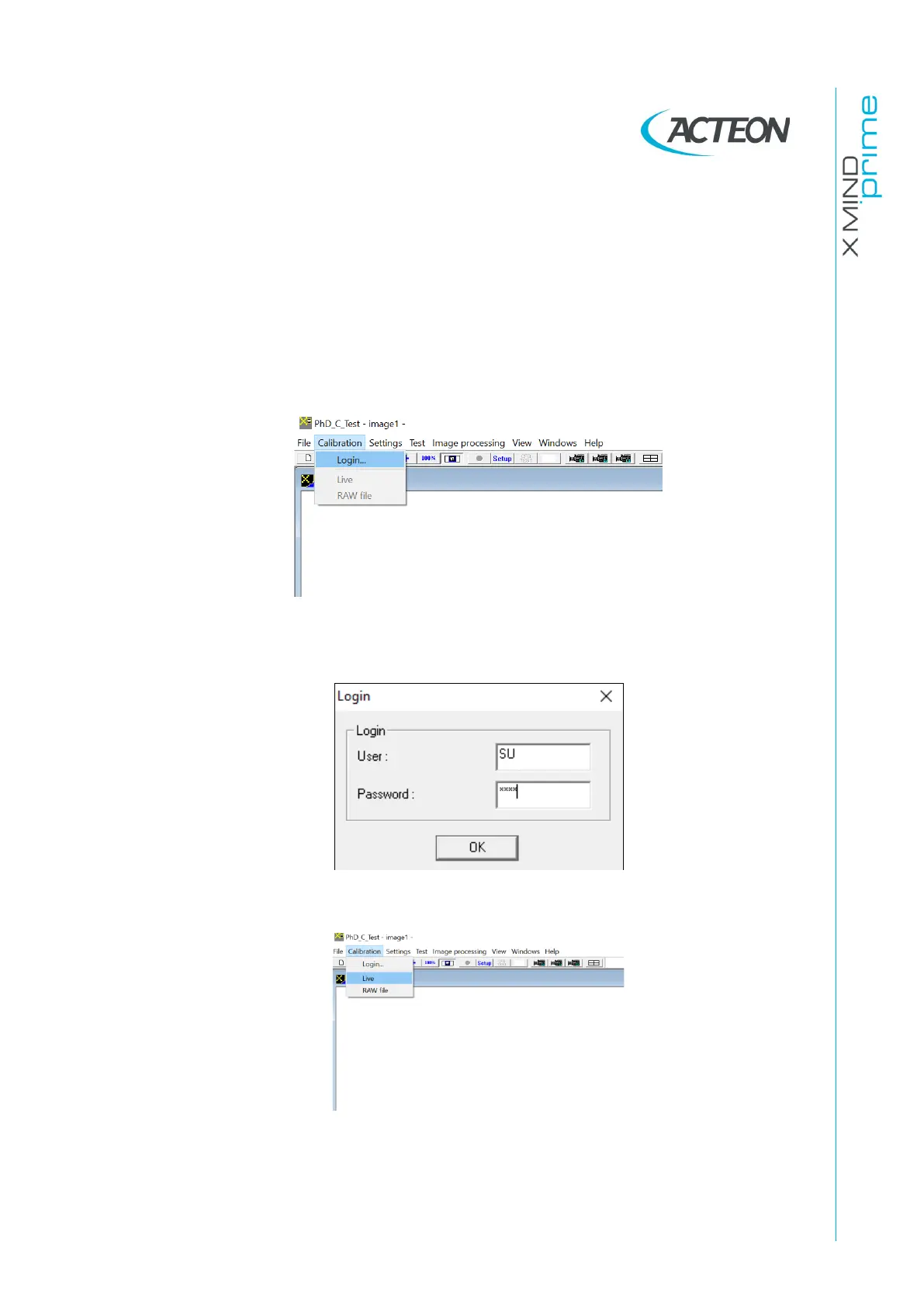
Open the “Calibration” panel from the menu and select “Login”.
4.
In the “User” field type in capital letter “SU”. In the “Password” field type the
password (see password generation on paragraph 10.2.1).
5.
Open the “Calibration” panel and select “Live”.
6.
Make sure that no objects are present in the X-ray field (including temple rods
and chin support).















 To Next Page