Service Manual – Corrective maintenance
SERVICE MANUAL • X-MIND prime 3D • (19) • 11/2019 • NXMPEN080A
11.2.9
Primary collimator alignment
11.2.9.1
Primary collimator beam alignment check
In order to make an exposition without rotating the arm it is necessary to use the
software "PhD_C_Test" you can find in the directory C:\Program Files (x86)\Acteon
Imaging\Panoramic X-Mind Prime Ceph. This function is useful to verify and adjust
the x-ray beam alignment on the digital sensor and also to measure exposure
parameters (see paragraph.7.13). This function is required in case of tubehead or
digital sensor replacement.
Note
Before acquiring and image remove any object from the x-ray beam field
including the chin support and the panoramic temple clamps.
•
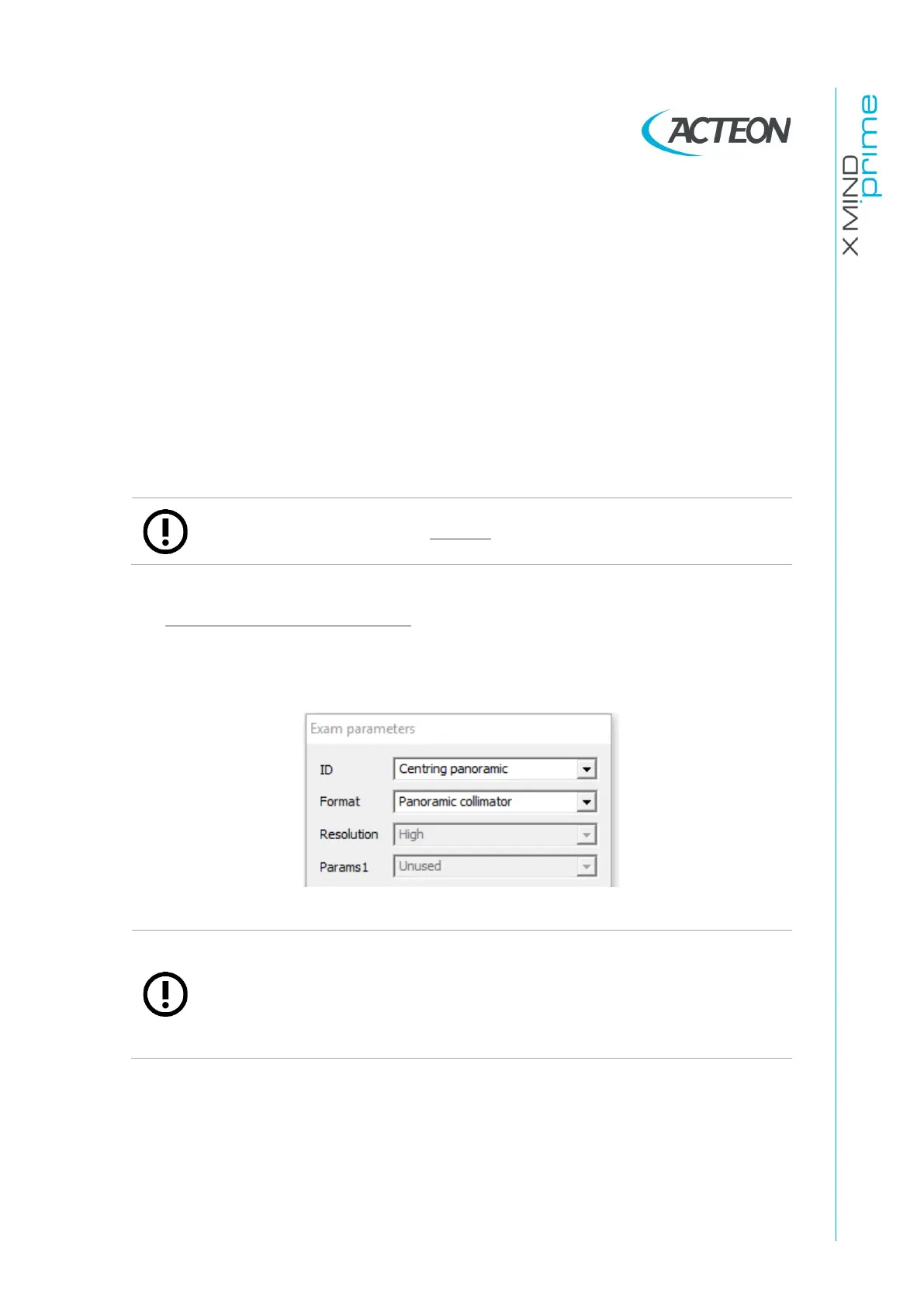
Panoramic collimator checks
1.
From the "Exam parameters" window select the exam ID "Centring
panoramic" and the Format "Panoramic collimator".
Note
In order to make a static exposition with the 3D collimation select the exam
ID "Centring 3D" and the Format "W01 - 86x90 full 3D.
While the recommended IDs for the measurement of exposure parameters
with non-invasive method are “Centering emission” or "Centring 3D" with
“No Collimator” Format















 To Next Page