Service Manual – Corrective maintenance
SERVICE MANUAL • X-MIND prime 3D • (19) • 11/2019 • NXMPEN080A
8.
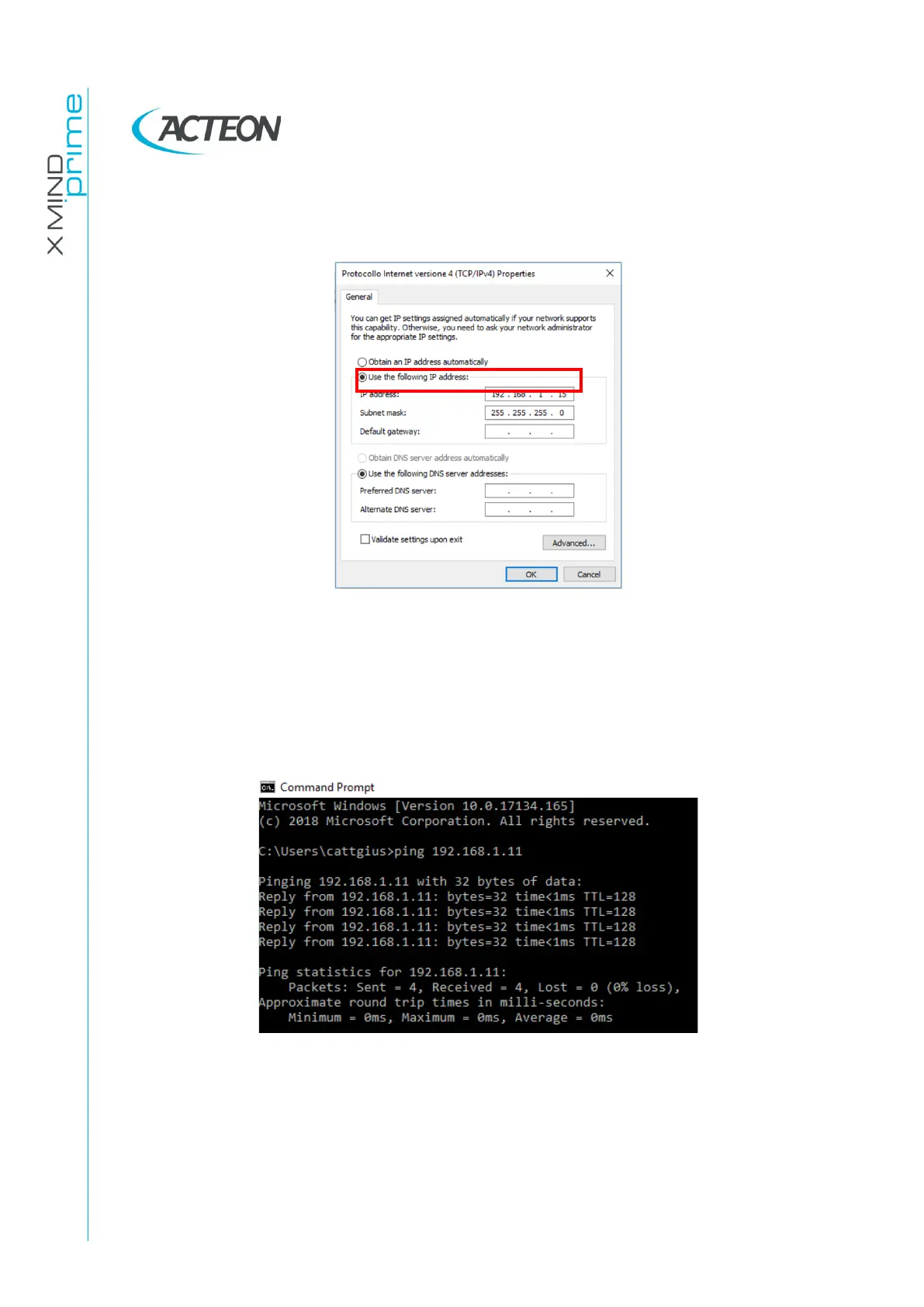
Set the network board connected to the 3D sensor with a valid static IP address:
E.g.: in the case reported in the image above, the last number must be different
from 11
9.
Switch the unit OFF and then power it ON again.
10.
To check that the connection is properly configured, run a command prompt
and type “ping [3D sensor IP address]” (e.g. ping 192.168.1.11). Press Enter and
verify that the unit reply to the ping as shown in the figure below:
11.
IF the sensor does not reply, refer to Error E1402.















 To Next Page