Service Manual – Corrective maintenance
SERVICE MANUAL • X-MIND prime 3D • (19) • 11/2019 • NXMPEN080A
7.
Open the image in SyMage software application (C:\Program Files
(x86)\Acteon Imaging\Panoramic X-Mind Prime Ceph\SyMage)
8.
In the menu bar select the “Rectangle Selection” tool
9.
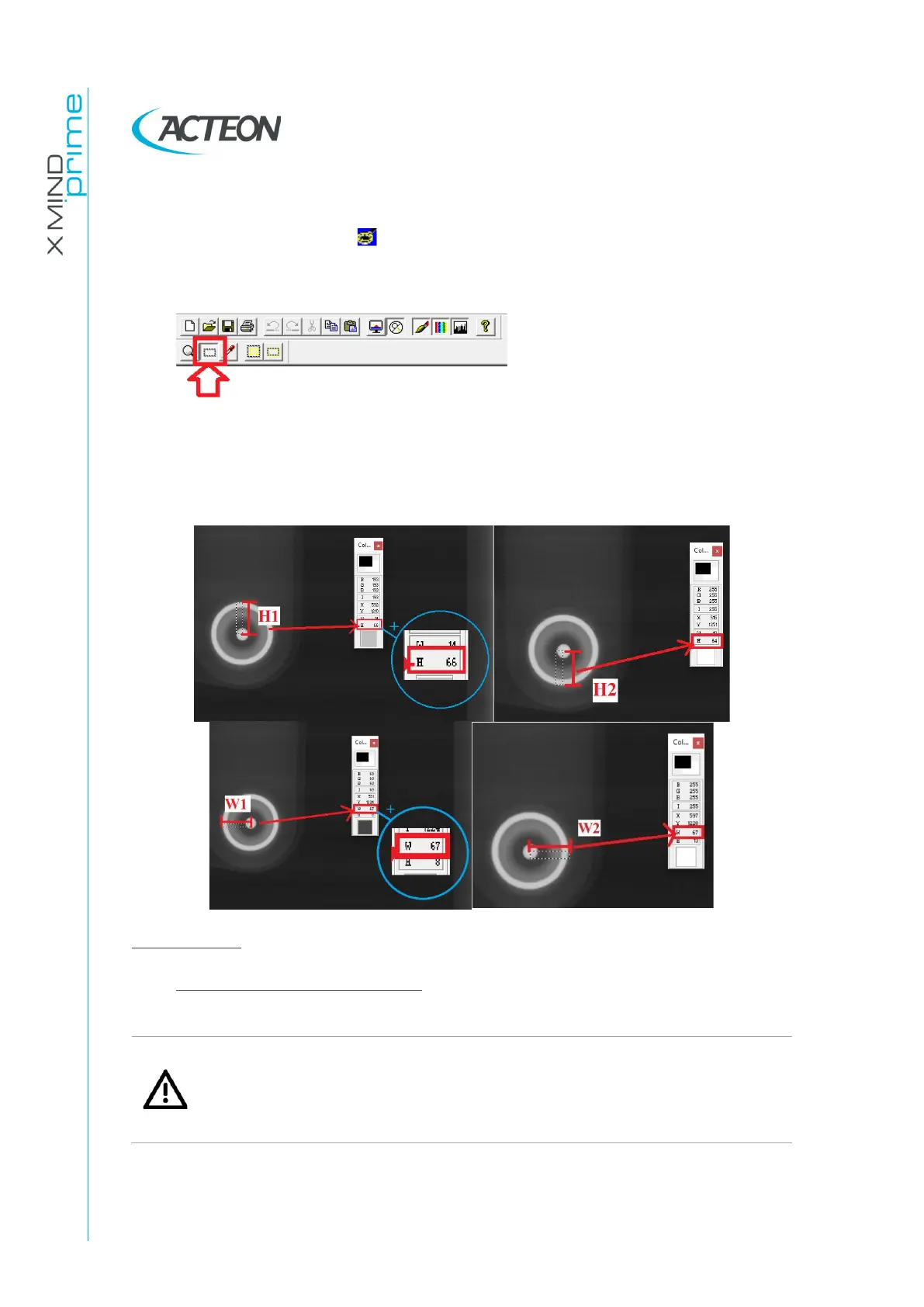
Verify that the that the misalignment between the centres of the inner dot
and the outer circle is not more than 15 pixel (0.099mm/pixel) both in vertical
and horizontal directions:
|H1-H2|≤15pixels
|W1-W2|≤15pixels
Adjustments
•
Vertical ear rods corrections:
Warning
The vertical regulation of the ear rods will affect also the projection of the
secondary collimator on image plane, which will vary the upper and lower
not exposed borders position. Therefore after this adjustment repeat the
tests images requested by paragraph 7.12.















 To Next Page