Cleaning and Inspecting Fibers and Ports
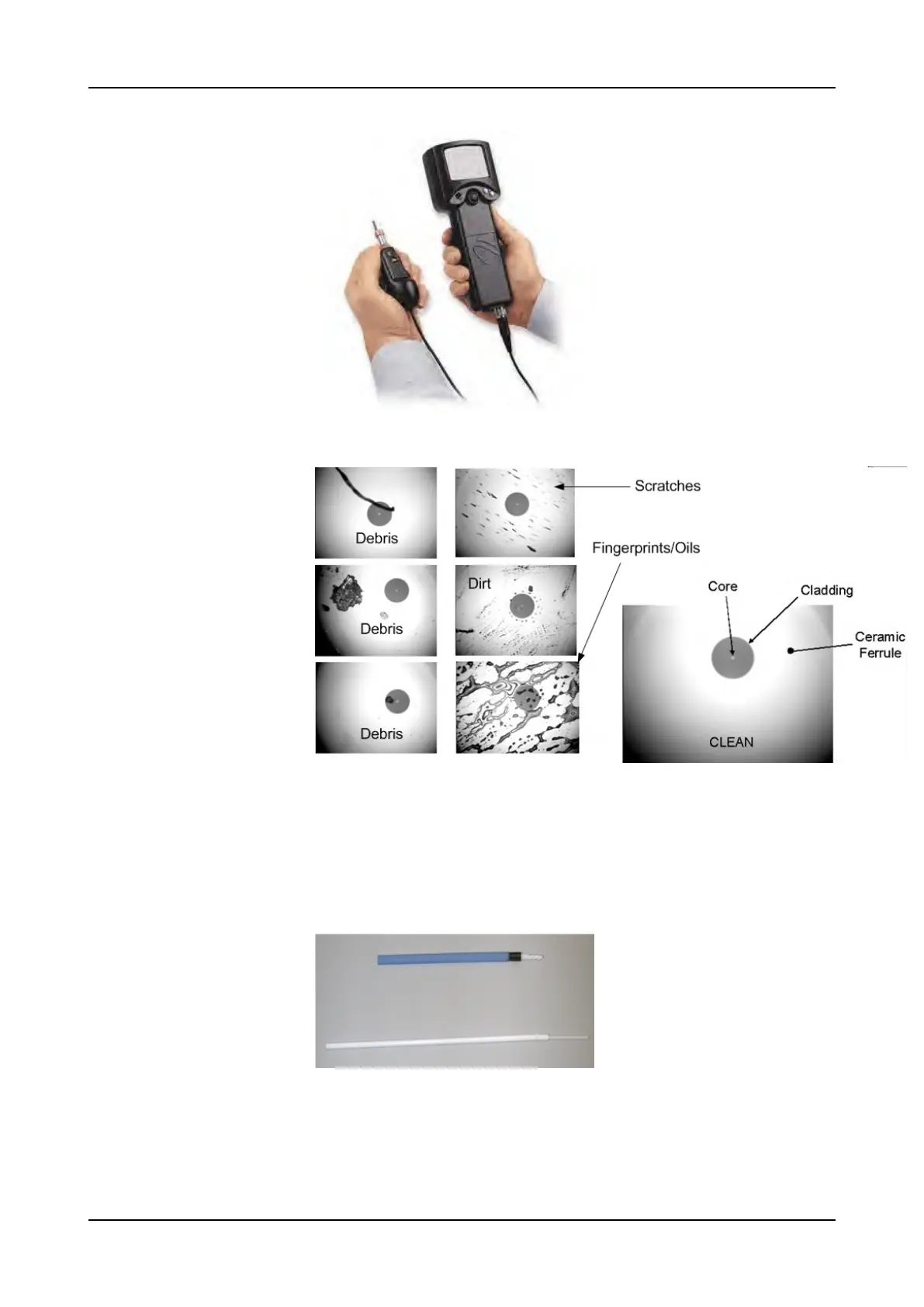
Figure 1: Video Scope
Figure 2: Clean, damaged, and dirty fiber ends
Step 7 If the ports require cleaning, open one or more port connector hinged caps from
the circuit packs.
Step 8 Blow off any accumulated dust or loose debris from the ferrules with canned,
oil-free compressed air.
Step 9 Clean the ports by using 1.25 mm cotton swabs.
Figure 3: 1.25 mm Cotton Swabs.
Step 10 After cleaning and inspecting a port, close the cap immediately on any port that
you are not cabling, to prevent contamination of the connector.
Step 11 If the connector is still dirty, repeat the dry cleaning technique.
36 FSP 3000R7 Maintenance and Troubleshooting Manual - Product Release 16.2 - Document Issue A



 To Next Page