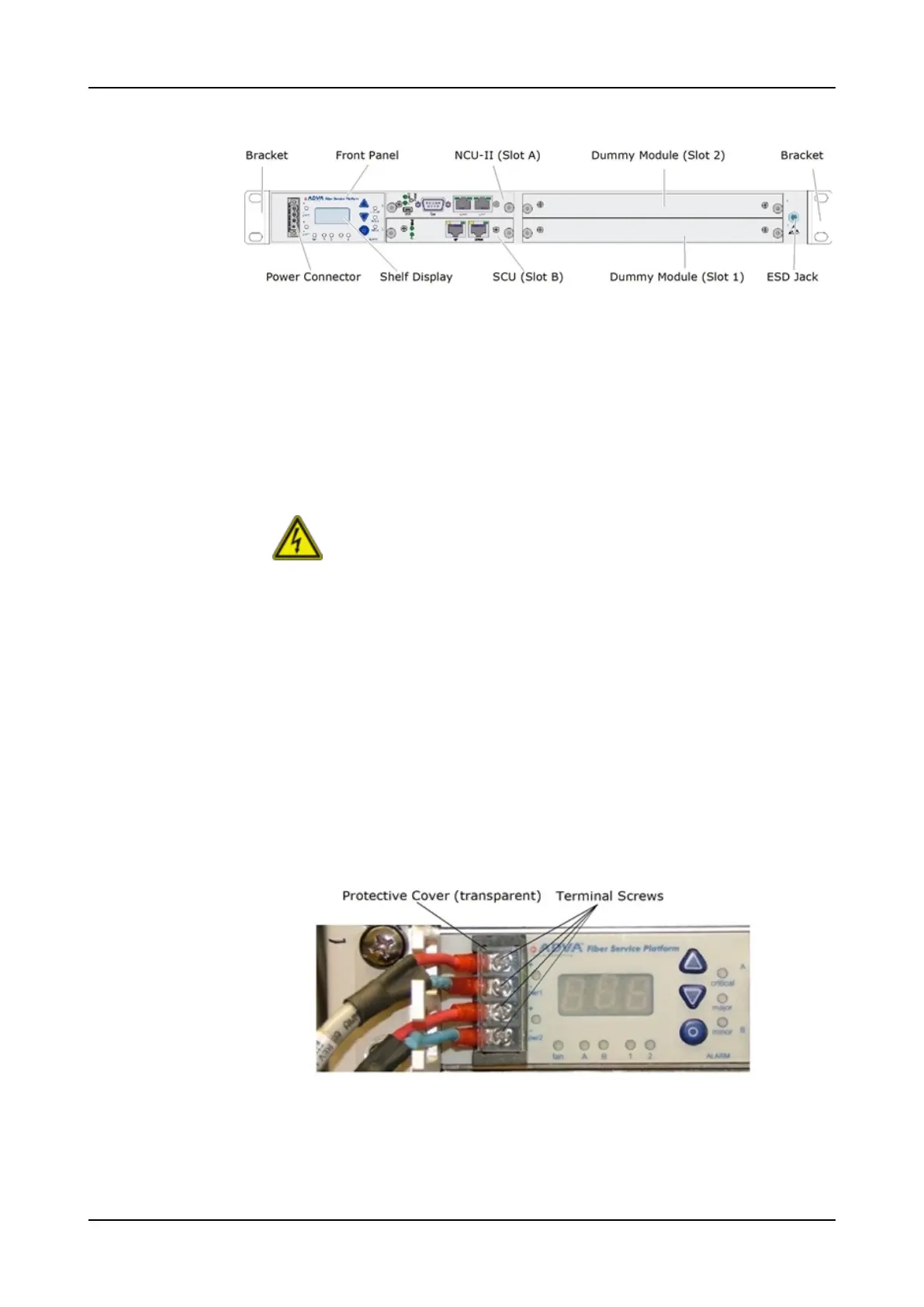
Replacing an SH1HU Shelf
Figure 72: Example of an SH1HU Shelf Front View (SH1HU-HP/2DC)
Step 5 Remove the power cables from the shelf power supply following the
appropriate steps depending on the shelf type:
• If you replace an SH1HU-F/2DC shelf, refer to Step 6 through Step 14.
• If you replace an SH1HU-HP/2DC or an SH1HU-HP/E-TEMP/2DCshelf,
refer to Step 15 through Step 18.
• If you replace an SH1HU-R shelf, refer to Step 19 through Step 20.
WARNING
Risk of electric shock!
Make sure, that the power supply unit is disconnected from the DC
power source. Do not disconnect a live cable.
Risk of electric shock and short-circuits!
Before disconnecting the DC power cord make sure that no voltage
is applied to the power cord. Adhere the sub-steps above.
Ignoring this instructions may result in undesired operation,
damage to the unit and personal injury.
SH1HU-F/2DC
Step 6 To remove the protective cover, use your thumb and slide the cover upwards if
possible. Otherwise, use your finger tips of the right hand and with some force,
pull the clipped cover towards you.
Step 7 Lay the cover aside for later use.
Step 8 Using the appropriate screwdriver (Phillips size 2), loosen the four screws on
the terminal block until they are free. Figure 73 illustrates the terminal block
and its screws with the transparent protective cover on top.
Figure 73: Power Supply of the SH1HU-F/2DC Shelf
Step 9 Lay the screws aside for later use.
Step 10 Take off the DC power cord wires.
Step 11 Lay the DC power cord aside for later use.
754 FSP 3000R7 Maintenance and Troubleshooting Manual - Product Release 16.2 - Document Issue A



 To Next Page