Replacing Air Filter Pads
Replacing Air Filter Pads
This section describes how to replace an air filter pad of a PSU/1HU-R-AC-200 and of a
7HU or 9HU shelf.
The replacement procedures for the different air filter types are described in the following
subsections:
“Replacing a PSU/1HU-R-AC-200 Air Filter Pad” on p.746
“Replacing a 7HU/9HU-Shelf Air Filter Pad” on p.747
“Replacing the SH1HU-R/PF Shelf Air Filter Pad” on p.749
Replacing a PSU/1HU-R-AC-200 Air Filter Pad
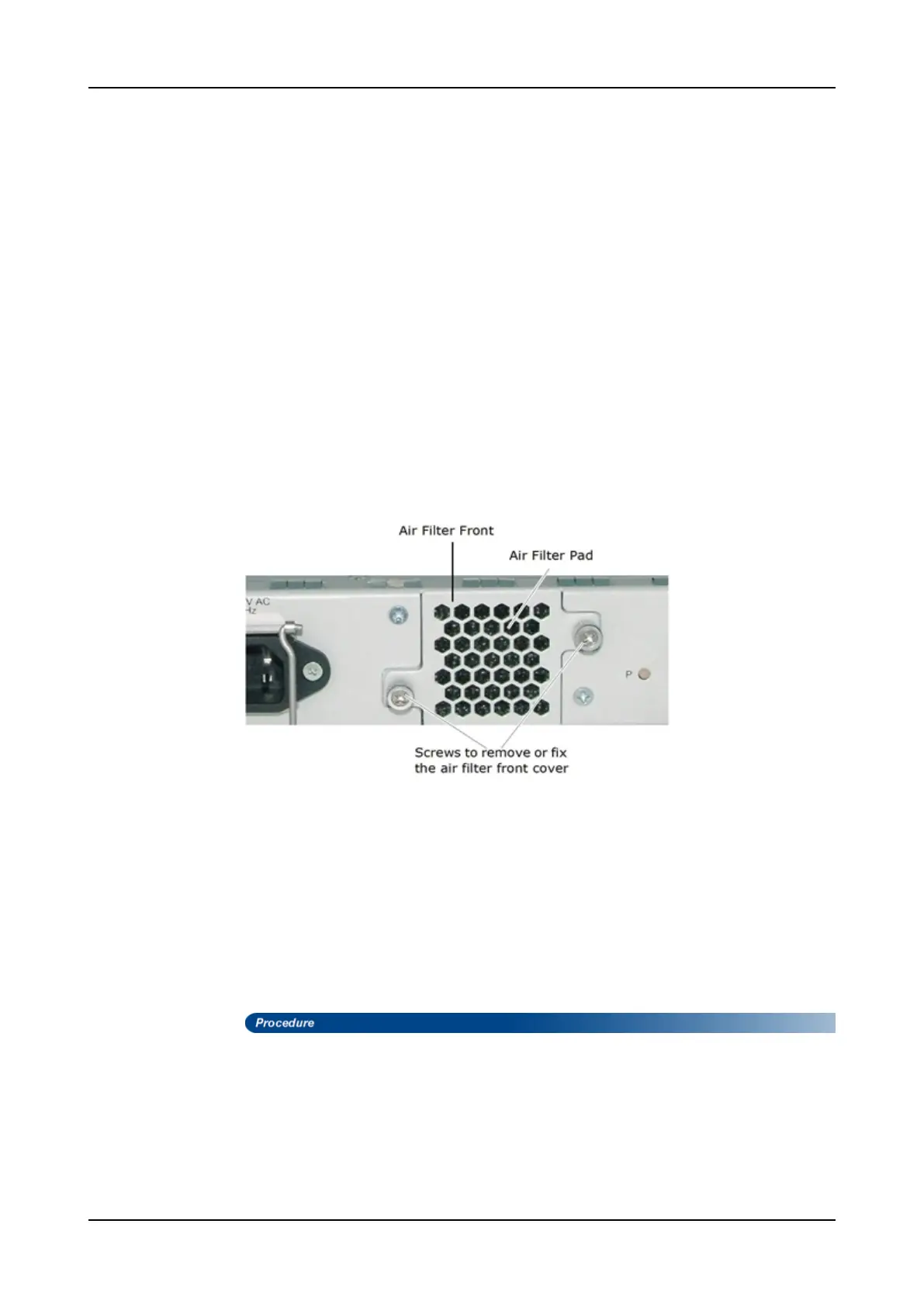
The air filter pad is directly located behind the air filter front cover on the PSU front panel
as shown in Figure 63. It can be replaced by the user and during system operation.
Figure 63: Front View of the Air Filter Unit
Equipment Required
Before starting the procedure, ensure the following is available.
• No.2 Phillips screwdriver to assist in loosening the knurled screws
• Replacement air filter pad of same type and size
• ESD-preventive wrist strap or other personal grounding device
• Suitable grounded surface or an antistatic mat for placing the power supply unit
Follow these steps to replace the air filter pad.
Step 1 Attach a wrist strap to your wrist and fasten the grounding wire onto the ESD
grounding point on the shelf (if available) or to a bare metal surface onto the
rack.
Step 2 Using your fingers or a No.2 Phillips screwdriver, turn the two knurled screws
in counter-clockwise direction until they are loose.
Step 3 Firmly pull on the screws to remove the air filter front cover.
746 FSP 3000R7 Maintenance and Troubleshooting Manual - Product Release 16.2 - Document Issue A


 To Next Page