Troubleshooting Shelves
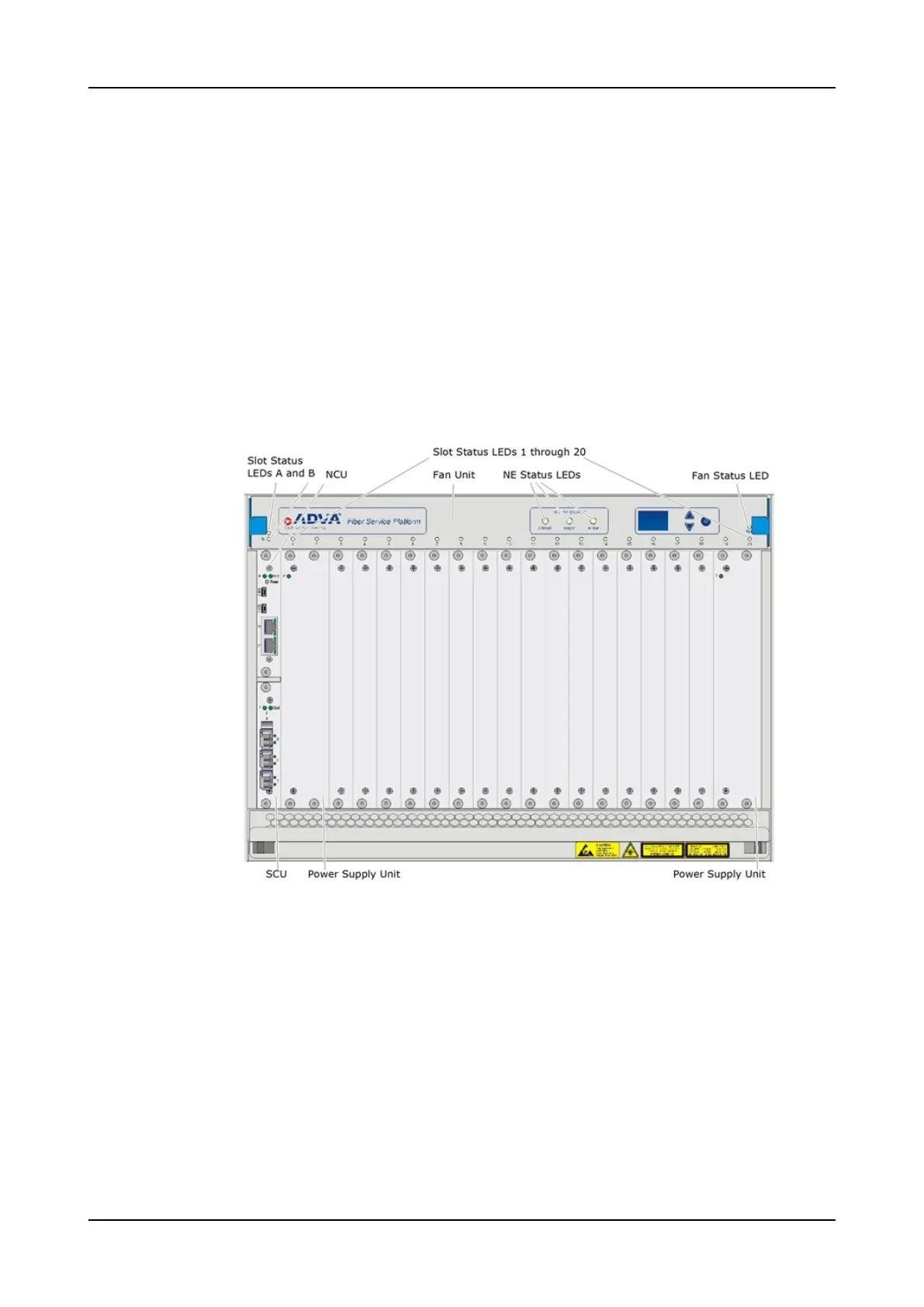
SH7HU(-R) Shelf LEDs
This section describes the LEDs of the SH7HU and SH7HU-R shelves. Both shelf types
feature the same LED behavior. Their LED indicators are located on the fan unit
(FAN/Plug-In) front panel.
SH7HU Versus SH7HU-R
Figure 12 shows the SH7HU shelf supporting the PSU/7HU-AC(-HP) or PSU/7HU-DC(-
HP). A mix of both PSU types in one shelf is also possible.
The SH7HU-R shelf as rear-access shelf is identical to the SH7HU shelf. The SH7HU-R
shelf only differs in the power supply unit as it supports the PSU/7HU-R-DC(-HP).
For more information about PSUs and a figure of the SH7HU-R shelf, refer to “Shelves
and Components” in the Hardware Description.
Figure 12: SH7HU Fan Unit LED Indicators
Refer to these subsections describing the different LEDs and their behavior of the
SH7HU shelf and SH7HU-R shelf.
“SH7HU(-R) Fan Status LEDs” on p.76
“SH7HU(-R) Slot Status LEDs” on p.77
“SH7HU(-R) Network Element Status LEDs” on p.79
For information about the shelf power status, refer to “Troubleshooting Power Supply
Units” on p.88.
FSP 3000R7 Maintenance and Troubleshooting Manual - Product Release 16.2 - Document Issue A 75



 To Next Page