Replacing an NCU
information about backing up the database, refer to “Backing Up and Restoring the
Database” on p.610.
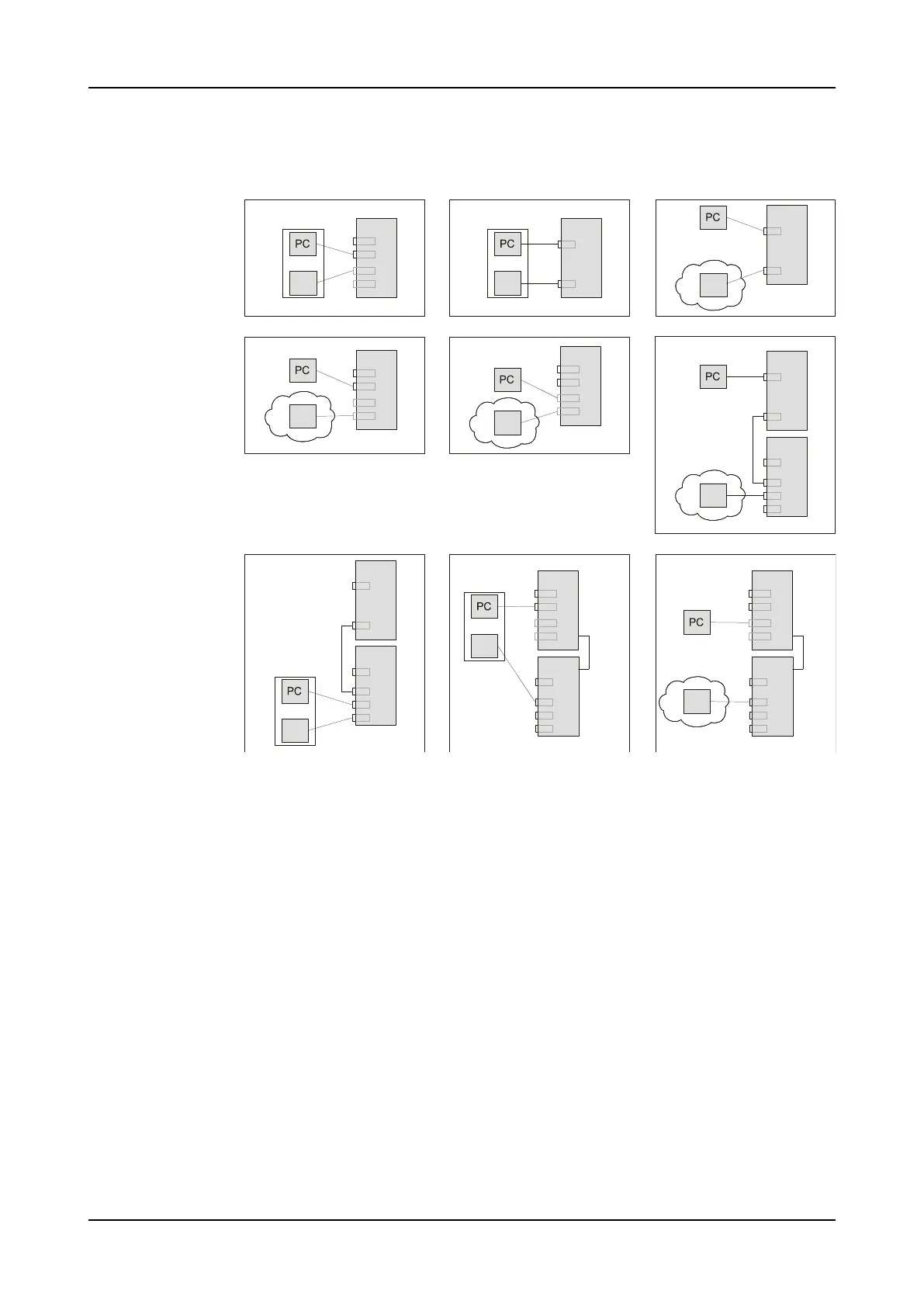
Figure 28: NE, Management, and FTP Server Connection Options
FTP
FTP
FTP
FTP
FTP
FTP
FTP
FTP
FTP
NCU
NCU
NCU
OSCM
OSCM
NCU
Ser
Ser
Ser
front cable
front cable
N
N
Ser
C
C
C
C3
C3
C2
C2
C1
C1
C
NCU2E
USB2
USB1
C2
C1
NCU2E
USB2
USB1
C2
C1
NCU2E
USB2
USB1
C2
C1
2
6
7
8 9
3
4
5
1
OSCM
backplane
N
C3
C2
C1
NCU2E
USB2
USB1
C2
C1
OSCM
backplane
N
C3
C2
C1
NCU2E
USB2
USB1
C2
C1
You can manage the NE using a serial connection or an Ethernet connection. In general,
when you use a serial connection to manage the NE, you should not have any problems
accessing the NE after a reboot.
When you use an Ethernet connection between the management computer and the NCU,
pay attention to the following to successfully access the NCU:
• You must always know the IP address of the NCU Ethernet port.
• Ensure that the NCU Ethernet port is not disabled.
The NCU must have an Ethernet connection to an FTP server. The FTP server can either
be located on the management computer or in the same subnet as the NE.
If the FTP server is located on the management computer, use a direct Ethernet
connection between the management computer and the NCU. In this case, keep note of
the following:
• At all times you must know the IP address of the NCU Ethernet port that your
management computer is connected to.
• Adjust the management computer IP address to be in the same subnet if the NCU IP
address changes (for example, after a reboot following a database restoration you
may also have to adjust the computer IP address).
528 FSP 3000R7 Maintenance and Troubleshooting Manual - Product Release 16.2 - Document Issue A



 To Next Page