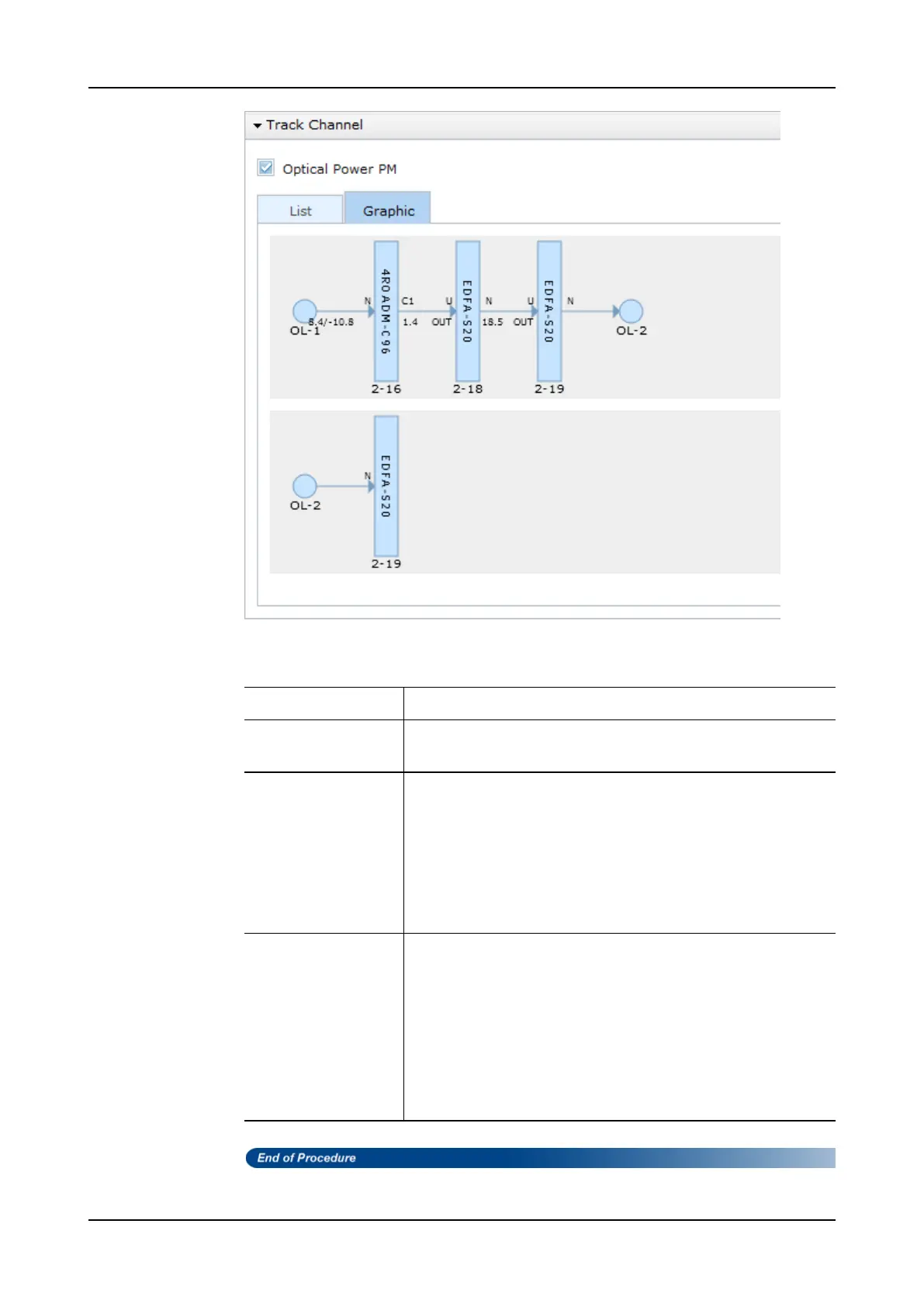
Tracking a Channel in a Node
Column Name Description
ID Each number represents a different uni-directional path for the
channel.
Route Type Describes the segment:
• Fiber
• Cable
• Equipment (EQPT)
• Provisioned (PROVND)
• Backplane (BACKPL)
total/ppc
total
indicates the measured optical power for the interface. It
is displayed when supported.
ppc
indicates the measured optical power per-channel for the
channel. It is displayed after
total
and
/
, when supported.
"OUTAGE”
is displayed when performance monitoring is
supported, but the facility is not operational. For example, the
port has a Loss of Signal (LOS) alarm.
“n/a”
is displayed when performance monitoring is supported
but the optical power value is not returned.
Table 97: Track Channel
FSP 3000R7 Maintenance and Troubleshooting Manual - Product Release 16.2 - Document Issue A 587



 To Next Page