Cleaning and Inspecting Fibers and Ports
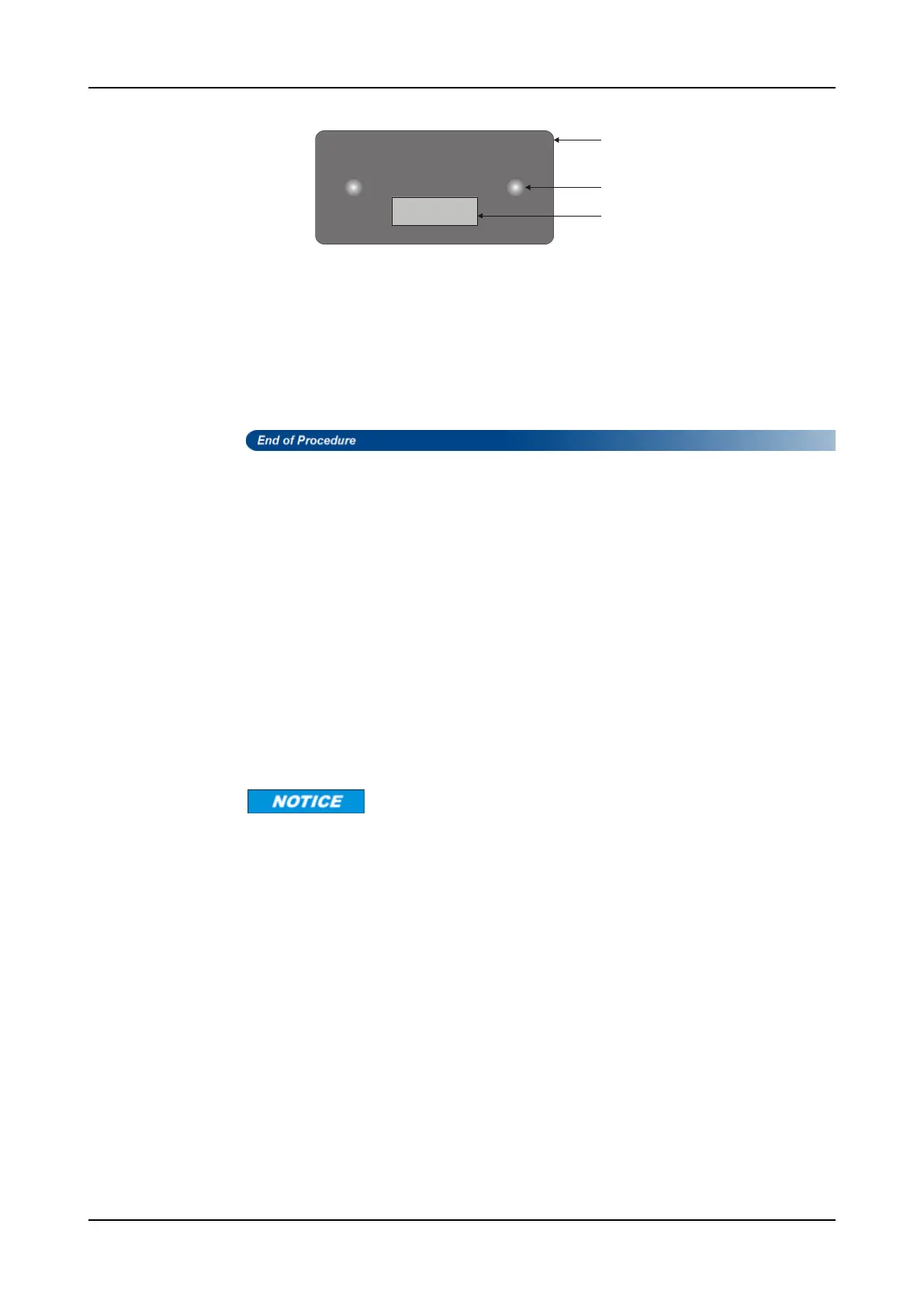
Figure 7: MTP Male Connector Tip Diagram
MTP tip face
Alignment pin
Fiber termination area
Step 2 Use the tip of a 2.5 mm clean-room swab to clean the fiber termination area on
the female MTP connector.
Step 3 Using a fiber scope or videoscope outfitted with an MTP tip, inspect the
connectors you have just cleaned.
Step 4 Contact ADVA Optical Networking to obtain a list of MTP inspection
equipment suppliers.
Step 5 Mate the MTP connectors together.
Cleaning Recommendation for Optical Ports of Pluggable
Transceivers
The contamination of the optical port of a pluggable transceiver may also lead to network
failure. Therefore, optical ports of pluggable transceivers also require proper cleaning to
ensure the fiber transmission performance.
When to Clean?
In general, if you have cleaned your optical connectors, but still experience low-power
output from an optical transceiver or a fault signal from your equipment, you should clean
the optical port of the transceiver. Try cleaning, if necessary only, e.g. if the OPT or OPR
differs more than 3dB from the real value.
How to Clean?
Do not use wet cleaning on the optical port of a pluggable transceiver because the
connectors can trap the alcohol and re-contaminate the connector.
For cleaning no use of any chemical solutions is allowed. Only mechanical wiping
method is considered to be developed.
Improper cleaning with solvents can cause possible damage to electronics.
1 For cleaning the transmitter or receiver of optical transceivers only dry cleaning is
recommended to use with lint-free sticks.
2 Do not use clean blast at all.
3 Do not use liquid cleaner or alcohol. Liquid cleaner may pollute the fiber stub or the
receiver lens. Alcohol is hygroscopic. A thin water film will remain on the lens after
the alcohol has evaporated. This water film may attract dust.
4 Do not use compressed air. There is a high risk that blowing gas will condense at the
receiver lens or the fiberstub of the transmitter. This blowing gas may attract dust as
well.
5 Do not use one-click cleaner. Depending on the type it will not reach the lens.
FSP 3000R7 Maintenance and Troubleshooting Manual - Product Release 16.2 - Document Issue A 45



 To Next Page