Replacing Air Filter Pads
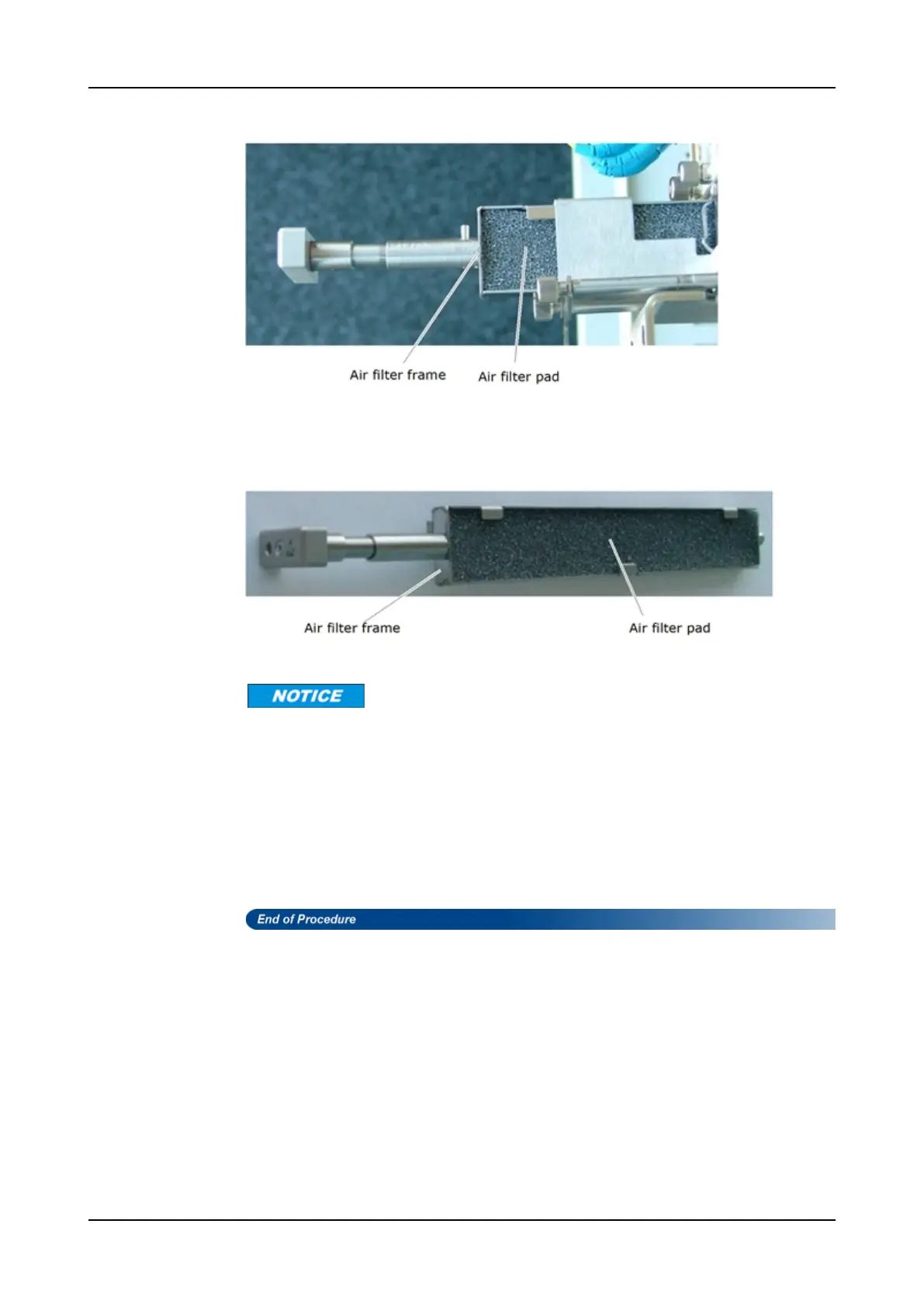
Figure 70: Pulling out the Air Filter Pad
Step 3 Remove the air filter pad from the air filter frame as shown in Figure 71.
Figure 71: Removing an Air Filter Pad
Use only ADVA Optical Networking's original air filter pads for replacement.
Step 4 Insert a replacement air filter pad of the same type and dimensions into the air
filter frame as shown in Figure 71.
Step 5 Grasp the handle of the air filter frame and slide it all the way in as shown in
Figure 70.
Step 6 Push the handle forward and turn it through 90° clockwise to lock the air filter
frame.
FSP 3000R7 Maintenance and Troubleshooting Manual - Product Release 16.2 - Document Issue A 751



 To Next Page