Replacing an NCU
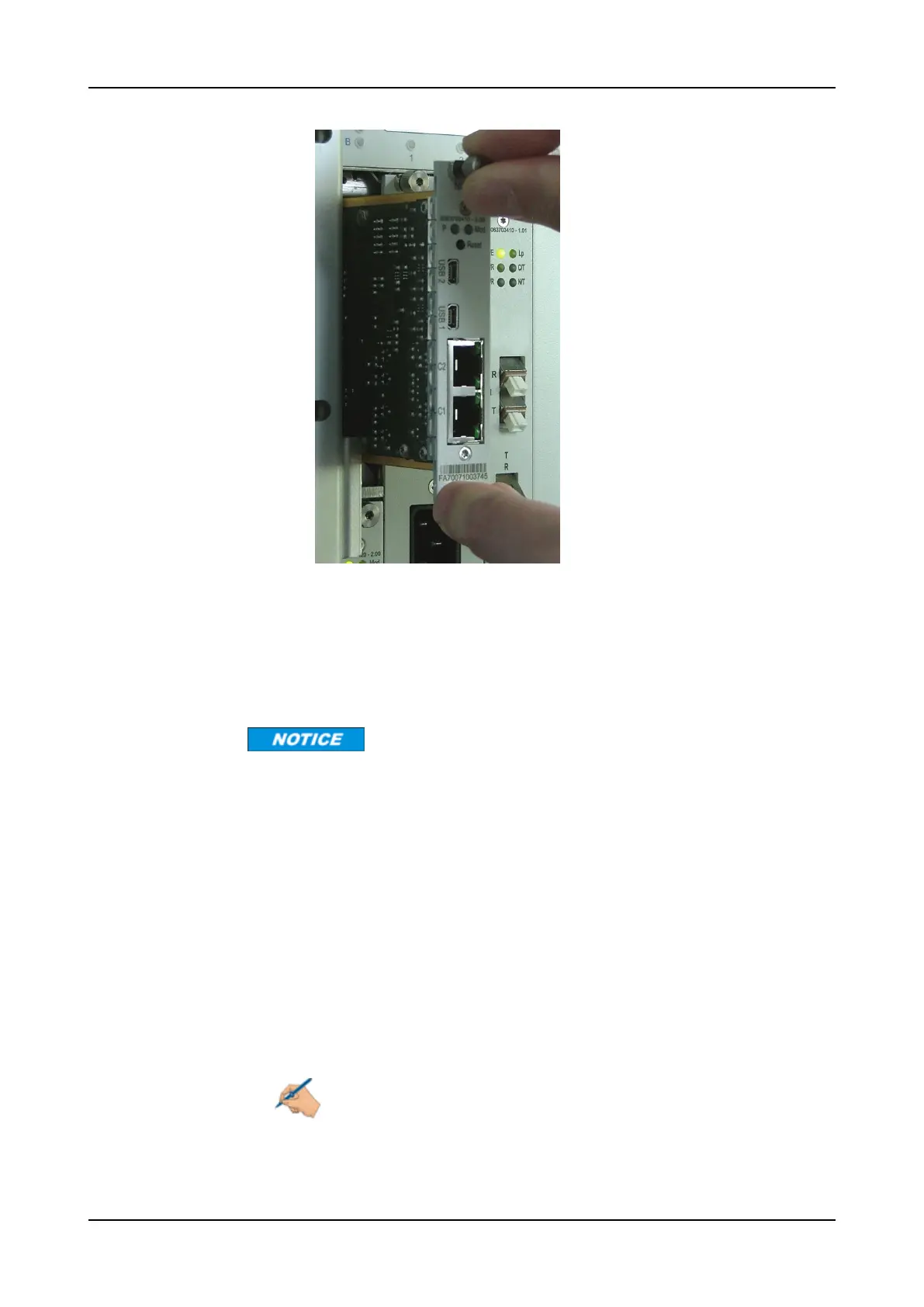
Figure 30: Inserting an NCU into Slot A of an SH7HU Shelf
b) Align the upper and lower edges of the module with the upper and lower
tracks in the slot. If the module is in the correct position, carefully slide it
into the slot a few millimeters while guiding the upper and lower edges of
the module in the tracks.
c) Using moderate force, push gently until the module connectors mate
properly with the backplane connectors.
Risk of module damage!
If you need a force greater than 45 Newton (10.1 lbf) to push in the module, stop
immediately.
d) Ensure that the module is properly and completely inserted into the slot.
The module is properly and completely inserted when
• its faceplate is flush with the faceplates of the adjacent modules and
the shelf panels
• it receives power.
Step 10 While the replacement module restarts, the MOD LED blinks. The restart is
completed when the NCU beeps four times and the MOD LEDchanges from
blinking to solid green. Check also the P LED to ensure that the module is
operating correctly. Refer to the module LED indicator description in
“Management and Switch Modules” on p.385.
Note
If the module does not respond, remove it from the slot. Insert a dummy
module into the empty slot.
534 FSP 3000R7 Maintenance and Troubleshooting Manual - Product Release 16.2 - Document Issue A



 To Next Page