Troubleshooting Shelves
SH9HU and SHX9HU Fan Status LEDs
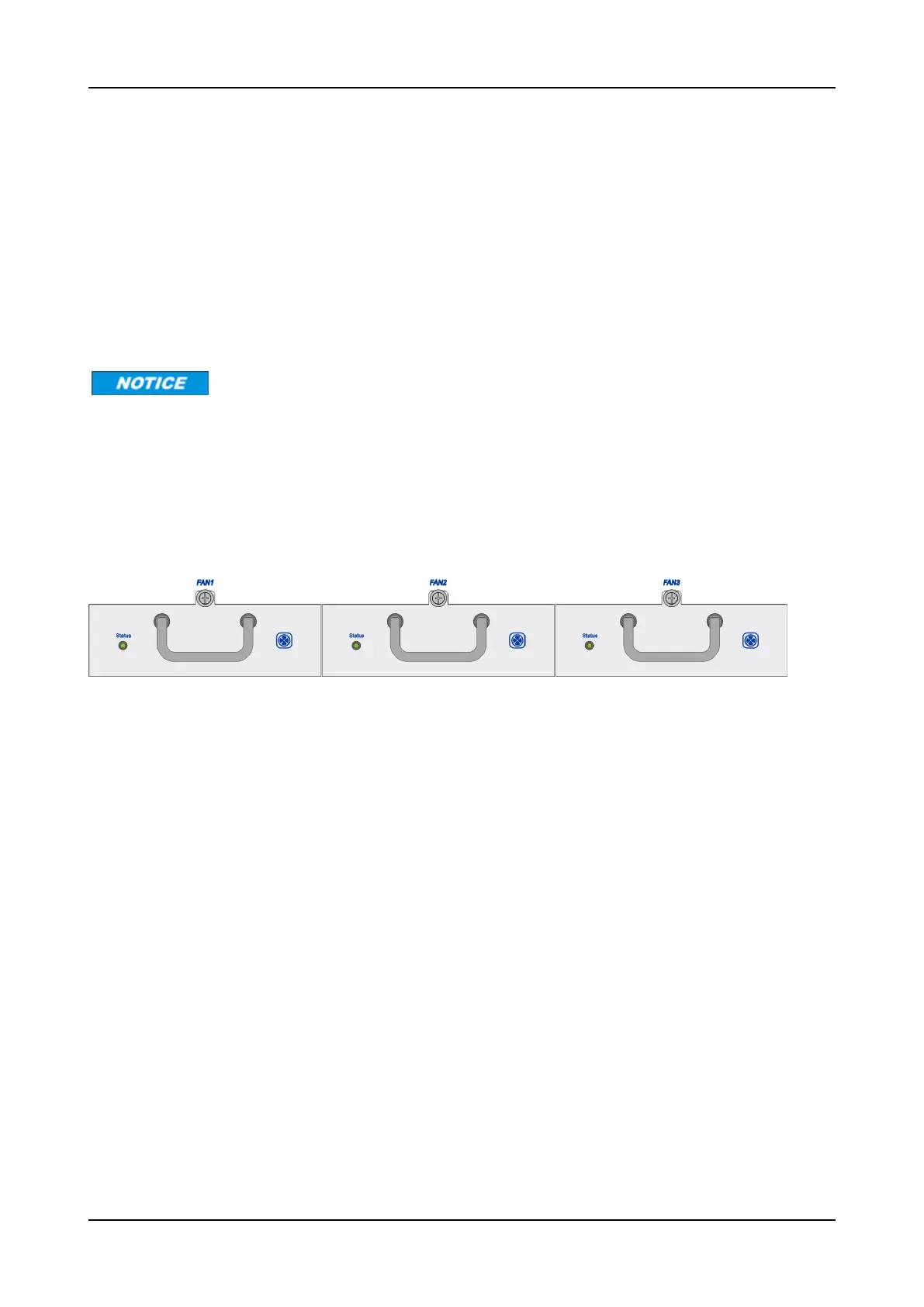
The SH9HU contains three independent plug-in fan modules (FAN/9HU), as shown in Figure 14. They are
located on top of the SH9HU shelf above the CEM/9HU as illustrated in Figure 13 on p.81.
Similarly, the SHX9HU contains three independent plug-in fan modules (FAN/X9HU). They are located on top of
the SHX9HU shelf above the CEM/9HU.
Each FAN/9HU and FAN/X9HU module has one “Status” LED to indicate the operating status. The LED always
shows the failure with the highest severity. If the LED is lit green, the module is operating properly. If the LED is
lit yellow, red, or is off, the fan has a failure.
It is recommended to have replacement fans available at all times.
Table 12 on p.83 addresses LEDtroubleshooting guidelines for the SH9HU and SHX9HU fan status LEDs.
If a fan malfunctions or fails, Service Personnel must replace this faulty fan module within 48 hours after
failure. To maintain system cooling, ensure the corresponding fan tray slot does not remain empty for longer
than 1 minute during the replacement process. To replace a fan module, refer to “Replacing a FAN/9HU or
FAN/X9HU” on p.739
.
Figure 14: SH9HU Fans (FAN/9HU)
82 FSP 3000R7 Maintenance and Troubleshooting Manual - Product Release 16.2 - Document Issue A



 To Next Page