EasyManua.ls Logo

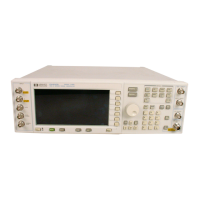
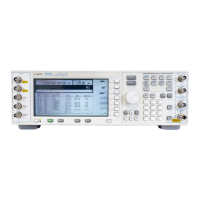
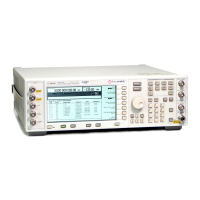
Agilent Technologies E4438C - User Manual

Agilent Technologies E4438C
700 pages
Print Icon
To Next Page IconTo Next Page
Loading...
User’s Guide
Agilent Technologies
E4428C/38C ESG Signal Generators
This guide applies to the following signal generator models:
E4428C ESG Analog Signal Generator
E4438C ESG Vector Signal Generator
Due to our continuing efforts to improve our products through firmware and hardware revisions, signal
generator design and operation may vary from descriptions in this guide. We recommend that you use the
latest revision of this guide to ensure you have up-to-date product information. Compare the print date of this
guide (see bottom of page) with the latest revision, which can be downloaded from the following website:
http://www.agilent.com/find/esg
Manufacturing Part Number: E4400-90503
Printed in USA
September 2007
© Copyright 2001-2007 Agilent Technologies, Inc.

Table of Contents

Other manuals for Agilent Technologies E4438C

Questions and Answers

  • L
    Leonard WeberJul 25, 2025
    What to do if I get ERROR 628, DAC over range on my Agilent Technologies Inverter?
    • B
      Brittney RossJul 26, 2025
      The 'ERROR 628, DAC over range' on your Agilent Technologies Inverter can occur due to a couple of reasons. One reason is that the signal's amplitude is exceeding the DAC input range, in which case you should scale or reduce the DAC input values. Another reason, specifically on the Agilent MXG, is downloading an encrypted file (.SECUREWAVE) from a PC or USB with an incorrect suffix. If this is the case, use the Use as or Copy File to Instrument softkey menus to correctly download the encrypted file to the instrument.
  • J
    John RamirezAug 2, 2025
    How to fix ERROR -321, Out of memory on Agilent Technologies Inverter?
    • J
      justindownsAug 2, 2025
      If you're encountering 'ERROR -321, Out of memory' on your Agilent Technologies Inverter, it means there isn't enough space in the ARB memory for the waveform file you're trying to download. To resolve this, either reduce the file size of the waveform file or delete unnecessary files from the ARB memory.
  • C
    charlene71Aug 9, 2025
    Why is there no RF output from my Agilent Technologies Inverter?
    • K
      Kenneth PierceAug 9, 2025
      If your Agilent Technologies Inverter has no RF output, the marker RF blanking function might be active. Check and turn RF blanking off to restore the output.
  • J
    Jason HouseAug 17, 2025
    What to do if I receive ERROR 224, Text file busy on my Agilent Technologies Inverter?
    • J
      Joann HowardAug 17, 2025
      The 'ERROR 224, Text file busy' on your Agilent Technologies Inverter happens when you try to download a waveform with the same name as one currently playing on the signal generator. You can either change the name of the waveform you're downloading or turn off the ARB to fix this.

Agilent Technologies E4438C Specifications

General IconGeneral
Frequency Range250 kHz to 6 GHz
Modulation TypesAM, FM, PM, Pulse, I/Q
I/Q ModulationYes
Frequency Resolution0.001 Hz
ARB Waveform MemoryUp to 64 MSa
Harmonics≤ -30 dBc
AM Depth0 to 100%

Related product manuals