CHAPTER 5 REFERENCE GUIDE
EFD1000/500 MFD Pilot’s Guide
Page 5-64 091-00006-001 REV B
EFD1000/500 MFD Pilot’s Guide
Page 5-65091-00006-001 REV B
The pilot adjusts the altitude lter value by pressing the ABV/BLW/NRM/UNR Hot Key,
which cycles through each of the lter levels.
Change the Trac Altitude Filter
• Press the ABV/BLW/NRM/UNR Hot Key to select the desired altitude lter.
5.3.2.2. Trac Advisories
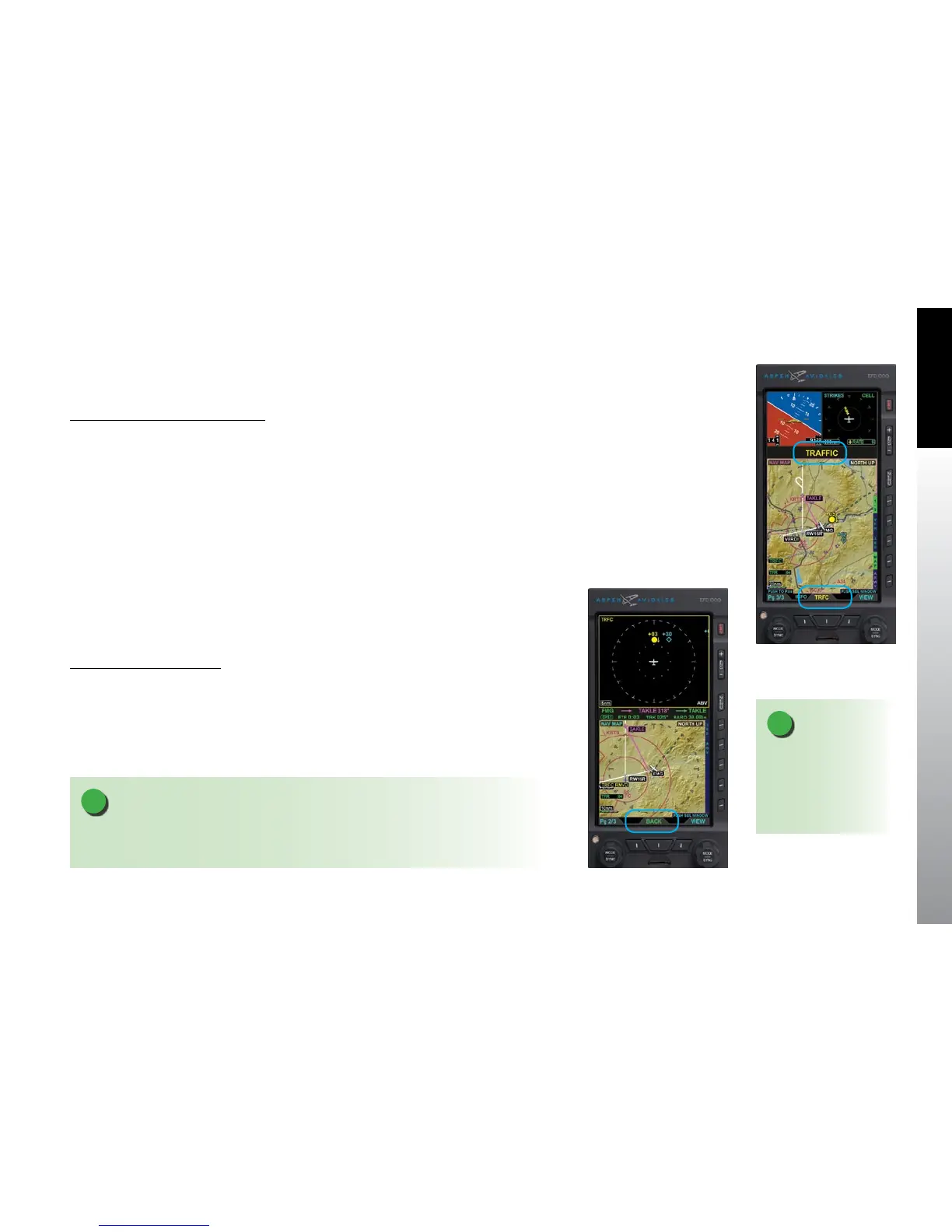
When the aircraft’s trac sensor reports a Trac Advisory, and the Dedicated
Trac VIEW is not displayed, the EFD1000/500 MFD will display an amber TRAFFIC
annunciation in the data bar (Figure 5-76). Additionally the lower middle button
displays the label TRFC in amber. Once the intruder is no longer a threat, or the pilot
presses the lower middle button, the annunciation is removed from the data bar.
Pressing the lower middle TRFC button switches the display to the split screen PAGE
displaying the Trac VIEW in the top WINDOW for situational awareness. The lower
middle button label changes to BACK to enable the pilot to quickly switch back to the
previous display.
Display a Trac Advisory
1. When a Trac Advisory occurs, press the amber TRFC button.
The dedicated Trac View displays in the top WINDOW of the split screen
layout (Figure 5-77).
2. Press the lower middle BACK button to return to the previous PAGE.
Figure 5-76
Trac Advisory
Figure 5-77
Displaying a Trac Advisory
NOTE
If the Main Menu is active when a Trac Advisory occurs the Trac Advisory will caused
the Menu to close.
NOTE
The BACK button will
time out after the
duration of the Trac
Advisory plus ten
seconds.



 To Next Page