CHAPTER 6 EXPANDED EMERGENCY AND ABNORMAL PROCEDURES
EFD1000/500 MFD Pilot’s Guide
Page 6-10 091-00006-001 REV B
EFD1000/500 MFD Pilot’s Guide
Page 6-11091-00006-001 REV B
Reset EFD1000 ADAHRS
1. ATTITUDE ....................................................................MAINTAIN STRAIGHT AND LEVEL
FLIGHT by visual reference, or by
standby instruments
2. AUTOPILOT .................................................................DISCONNECT
3. MENU.............................................................................Select GENERAL SETTINGS A page
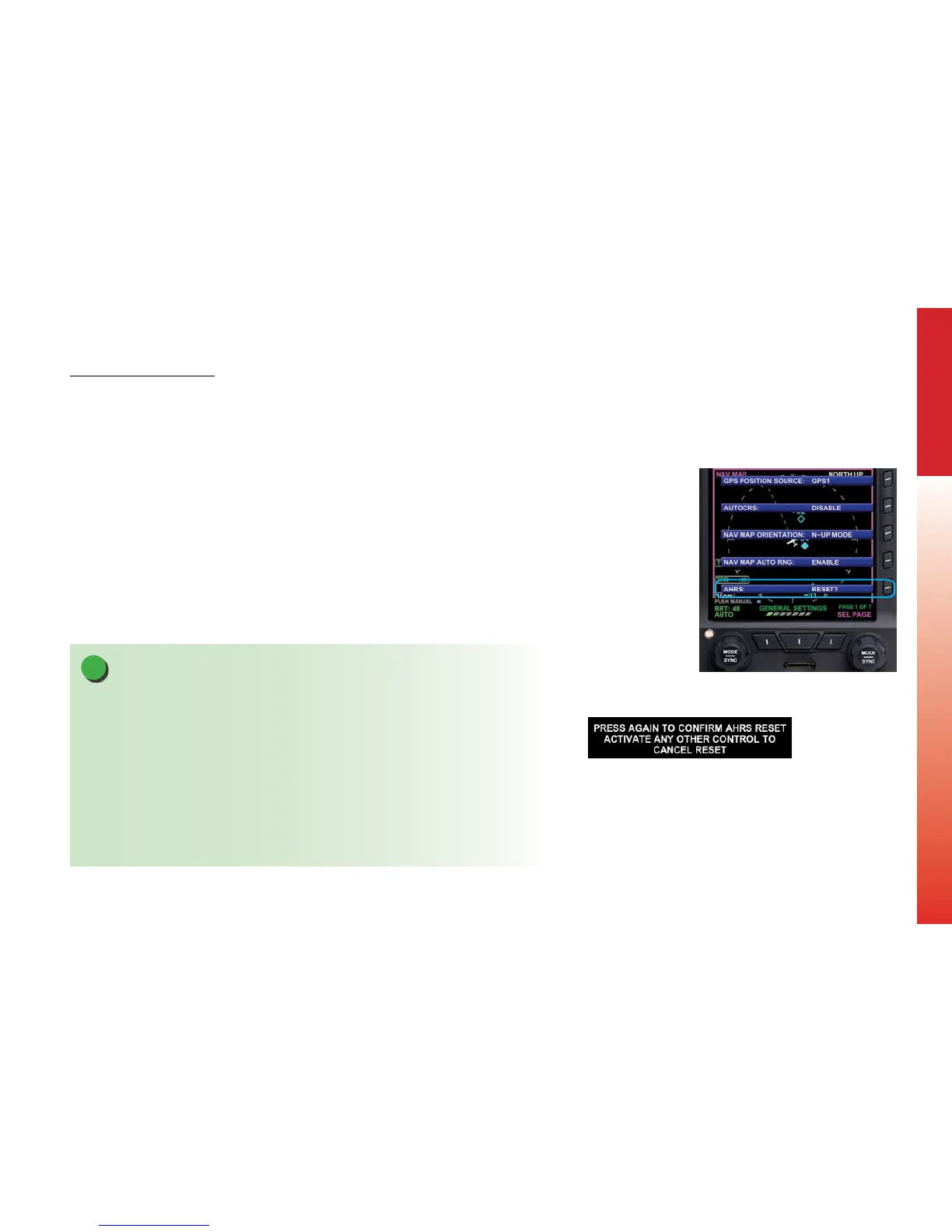
4. ADAHRS: RESET?”LINE SELECT KEY ..............PRESS (Figure 6-11)
5. ADAHRS: RESET? LINE SELECT KEY ..............PRESS AGAIN TO CONFIRM ADAHRS
RESET (Figure 6-12)
6. Activate any other control to cancel the reset
The EFD1000 ADAHRS is normally stable, self-correcting, and accurate. The pilot may
elect to manually reset it if pitch and roll indications disagree with the standby attitude
indicator, or the ADAHRS is suspected to be inaccurate (e.g., following aerobatic
maneuvers). The ADAHRS reset function is analogous to “caging” a gyroscopic attitude
indicator.
NOTE
When an EFD1000 ADAHRS is manually reset in ight, it performs an abbreviated
initialization that usually takes less than 30 seconds.
During the initialization, the attitude and direction information are removed and replaced
with red “X”s and the annunciations, “ATTITUDE FAIL” and “DIRECTION INDICATOR FAIL” are
presented.
Gentle maneuvering during the initialization is permitted.
The ADAHRS reset is considered complete when the EFD1000 attitude and heading are
once again displayed and the attitude display is stable and correct with respect to other
sources of attitude information.
Figure 6-11
Main Menu GENERAL
SETTINGS Page
Figure 6-12
AHRS Reset Menu Key



 To Next Page