CHAPTER 4 GETTING STARTED
EFD1000/500 MFD Pilot’s Guide
Page 4-2 091-00006-001 REV B
EFD1000/500 MFD Pilot’s Guide
Page 4-3091-00006-001 REV B
4.1. Startup
When the EFD1000/500 MFD initializes you are presented with the default PAGES
pre-congured with what we thought would be the most useful VIEWS. This section
will give you a quick overview of the default settings so that you can start ying with
the EFD1000/500 MFD right away. You will learn how to change the backlighting, the
Emergency Backup Battery (EBB) features (on the EFD1000 MFD only), how to manually
power the system o and on, and how to navigate PAGES, VIEWS, Data Link Weather
Products, and other screen elements.
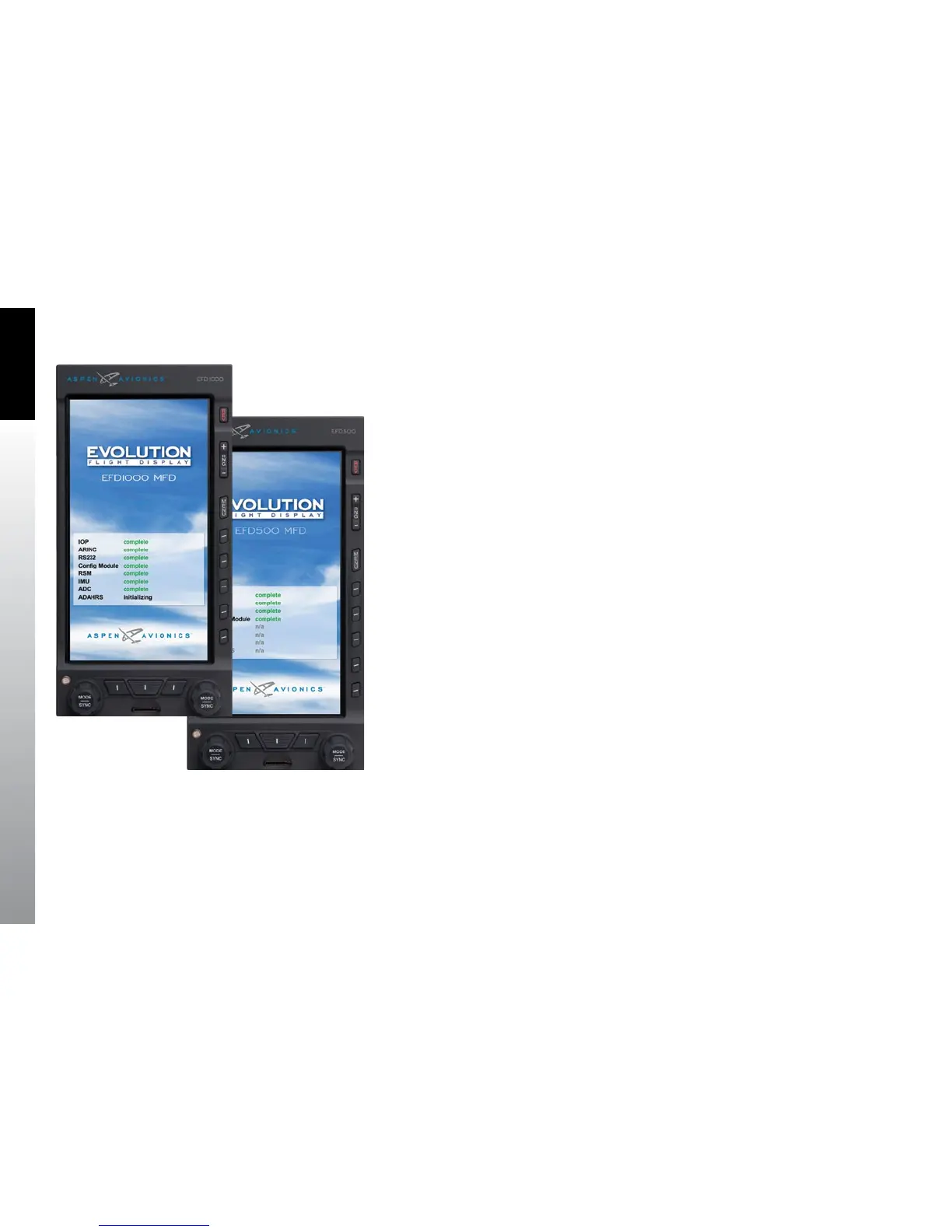
When the EFD1000/500 MFD powers up the rst screen you see is the Initializing Screen
which displays the system conguration and any status annunciations (Figure 4-1).
After the Initializing Screen, the EFD1000/500 MFD presents the Jeppesen Database
Conrmation Screen, overlaid on the lower half of the EFD1000/500 MFD display.
The conrmation screen displays the validity dates of the currently loaded Jeppesen
Database and the terrain awareness message (Figure 4-2).
Press either the Left or Right Knob to acknowledge and accept the information and
display the rst PAGE of the EFD1000/500 MFD. The validity and expiration date of all
databases is displayed in the Main Menu, on the Database Menu page.
Figure 4-1
EFD1000/500 MFD Initializing Screen



 To Next Page