CHAPTER 5 REFERENCE GUIDE
EFD1000/500 MFD Pilot’s Guide
Page 5-2 091-00006-001 REV B
EFD1000/500 MFD Pilot’s Guide
Page 5-3091-00006-001 REV B
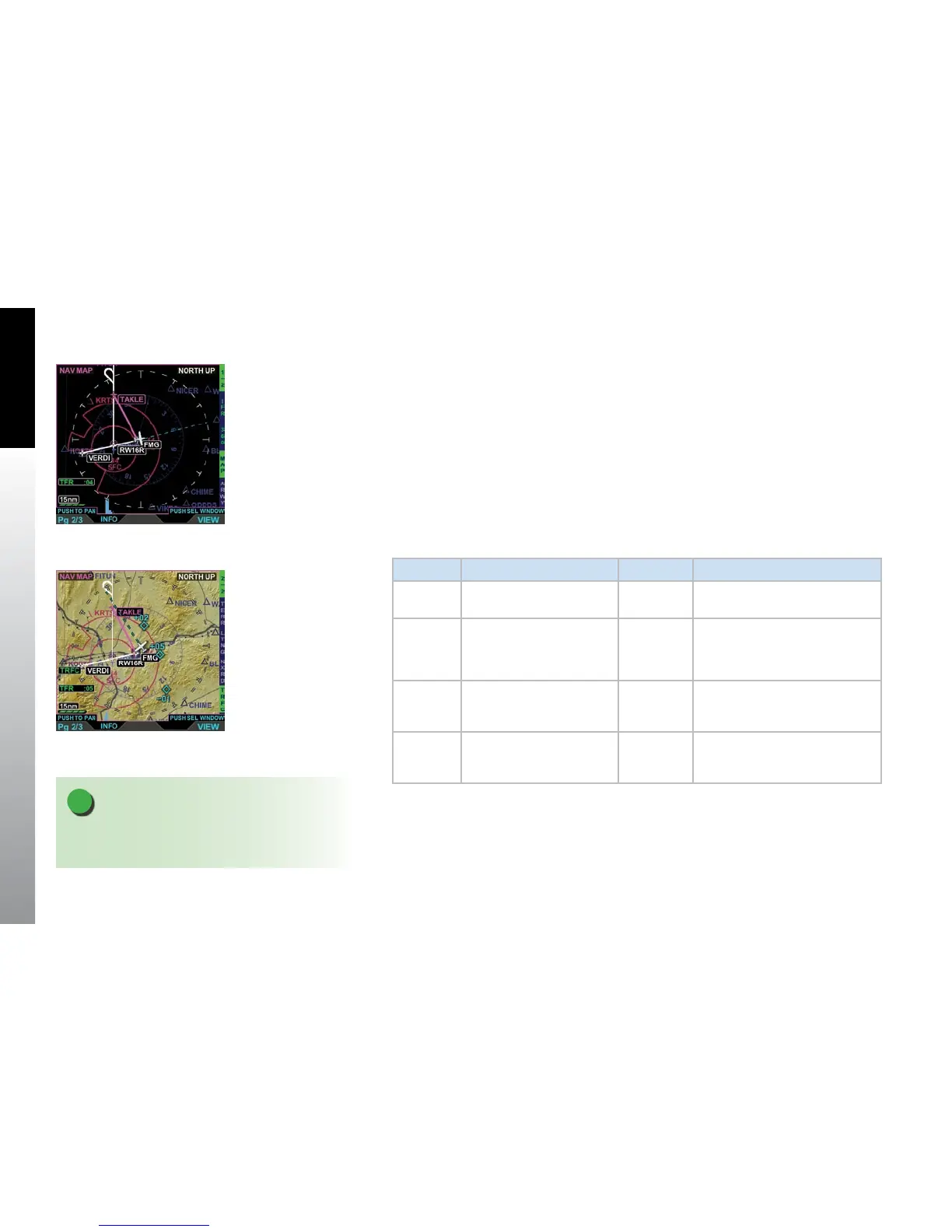
Figure 5-2
Navigation Map VIEW,
VFRStyle Map, Showing
HotKey Menu, Page 2/2
5.1. Navigation Map
The Navigation Map VIEW is a pilot congurable, moving map. The Navigation Map
VIEW’s default map style is a VFR map, oriented North-Up with the Ownship symbol
located at the center of rotation of the map displaying a 360° range ring. The pilot can
select either an IFR or VFR style map via a Hot Key. The remaining Hot Keys provide the
pilot options to select the range ring type, change the map declutter settings, and will
display airways, terrain, trac, and weather overlays (Figure 5-1 and 5-2).
The Navigation Map VIEW has eight Hot Keys (two menus) with the rst Hot Key labeled
1/2 or 2/2 (depending on the menu you are viewing) as outlined in Table 5-1.
Hot Key Menu 1/2 Hot Key Menu 2/2
VFR
IFR
Selects the Navigation Map
type.
TERR
Turns the terrain overlay on or o.
(see note)
360
ARC
Selects the range ring type.
LTNG
STRK
CELL
Turns on satellite lightning (LTNG),
WX-500 cell (CELL), or WX-500
strike (STRK) mode.
MAP Selects declutter level. NXRD
Turns the Data Link Weather
overlay on including areas of no
coverage. (see note)
ARWY
LO
HI
Turns the Airways overlay on
(HI or LO) or o.
TRFC Turns the Trac overlay on or o.
Table 5-1 Navigation Map Hot Keys
Figure 5-1
Navigation Map VIEW,
IFRStyle Map, Showing
HotKey Menu 1/2
NOTE
If the TRAFFIC, ERW50, and WX-500 ports are set to
none the respective Hot Key labels will be blank.



 To Next Page