CHAPTER 4 GETTING STARTED
EFD1000/500 MFD Pilot’s Guide
Page 4-8 091-00006-001 REV B
EFD1000/500 MFD Pilot’s Guide
Page 4-9091-00006-001 REV B
NOTE
The TEXT function is a smart function. It only selects a METAR capable airport rather than
permitting selection of a random string of letters. Additionally, editing is done using only
one hand — twist to the desired letter then press to advance.
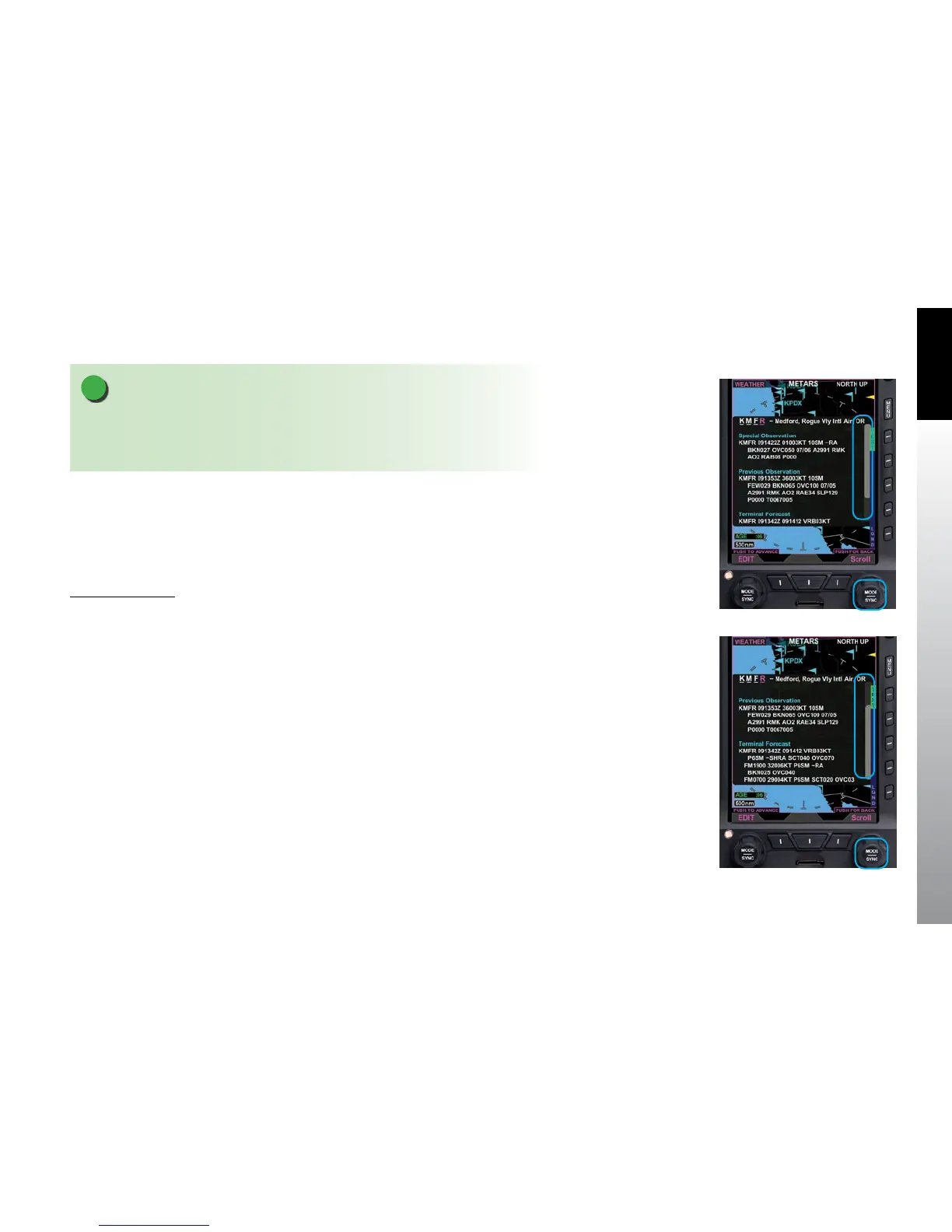
4.1.5. Scroll Bar
When text information is displayed (i.e. Airport, AIRMET/SIGMET, METAR, TFR) that
exceeds the displayable limits of the WINDOW, a scroll bar is presented to the right of
the text. The Right Knob label changes to Scroll and is magenta in color (Figure 4-15).
Use the Scroll Bar
• When a scroll bar is presented in a text display rotate the Right Knob
clockwise to scroll down the viewable text (Figure 4.16), or counter-
clockwise to scroll up the viewable text.
Figure 4-15
METAR with Information
Viewable by Scrolling
Figure 4-16
Use the Scroll Feature to
View a METAR



 To Next Page