CHAPTER 5 REFERENCE GUIDE
EFD1000/500 MFD Pilot’s Guide
Page 5-66 091-00006-001 REV B
EFD1000/500 MFD Pilot’s Guide
Page 5-67091-00006-001 REV B
Display WX-500 Strikes
• Press the STRK/CELL Hot Key until the Hot Key label displays STRK, in green
text. A STRK label displays in the upper right corner of the display and the
current strike rate displays lower right corner.
Display WX-500 Cells
• Press the STRK/CELL Hot Key until the Hot Key label displays CELL, in green
text. A CELL label displays in the upper right corner of the display and the
current cell rate displays lower right corner.
Clear WX-500 Rate
• Press the CLR Hot Key. The rate is reset to zero (0) and all symbols are removed
from the display.
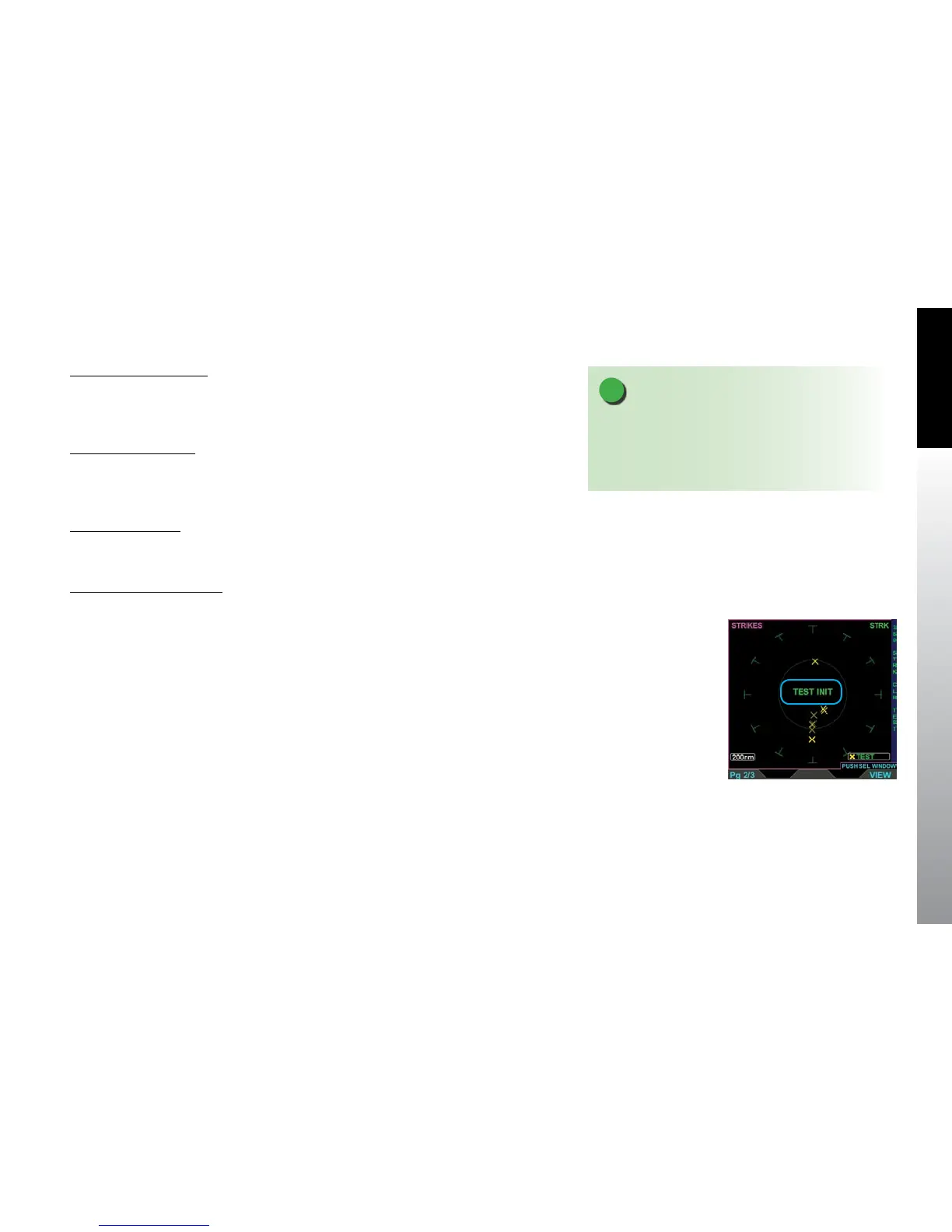
Activate WX-500 Self-Test
• Press the TEST Hot Key. The lower right label reads TEST, the ownship is
removed, and TEST INIT displays in the center of the display (Figure 5-84).
When the test is complete the WX-500 display returns to the previous mode.
Figure 5-84
WX-500 VIEW in Self-Test Mode
NOTE
Refer to the Stormscope® WX-500 User Guide for
detailed information about storm mapping, operation,
and weather display interpretation of the Stormscope®
WX-500 receiver.



 To Next Page