CHAPTER 4 GETTING STARTED
EFD1000/500 MFD Pilot’s Guide
Page 4-18 091-00006-001 REV B
EFD1000/500 MFD Pilot’s Guide
Page 4-19091-00006-001 REV B
4.5. Power O/REV Button
The EFD1000/500 MFD is typically powered through a dedicated Power Control switch
that is connected to the aircraft Battery bus. The system will power up, based on the
position of the Power Control switch
Like the PFD, the power for the EFD1000/500 MFD is normally routed through a switch
on the main battery bus. This permits continued PFD reversion capability even if it
becomes necessary to turn o the avionics master switch.
Power O Manually
• Press and hold the REV Button for 5 seconds.
OR
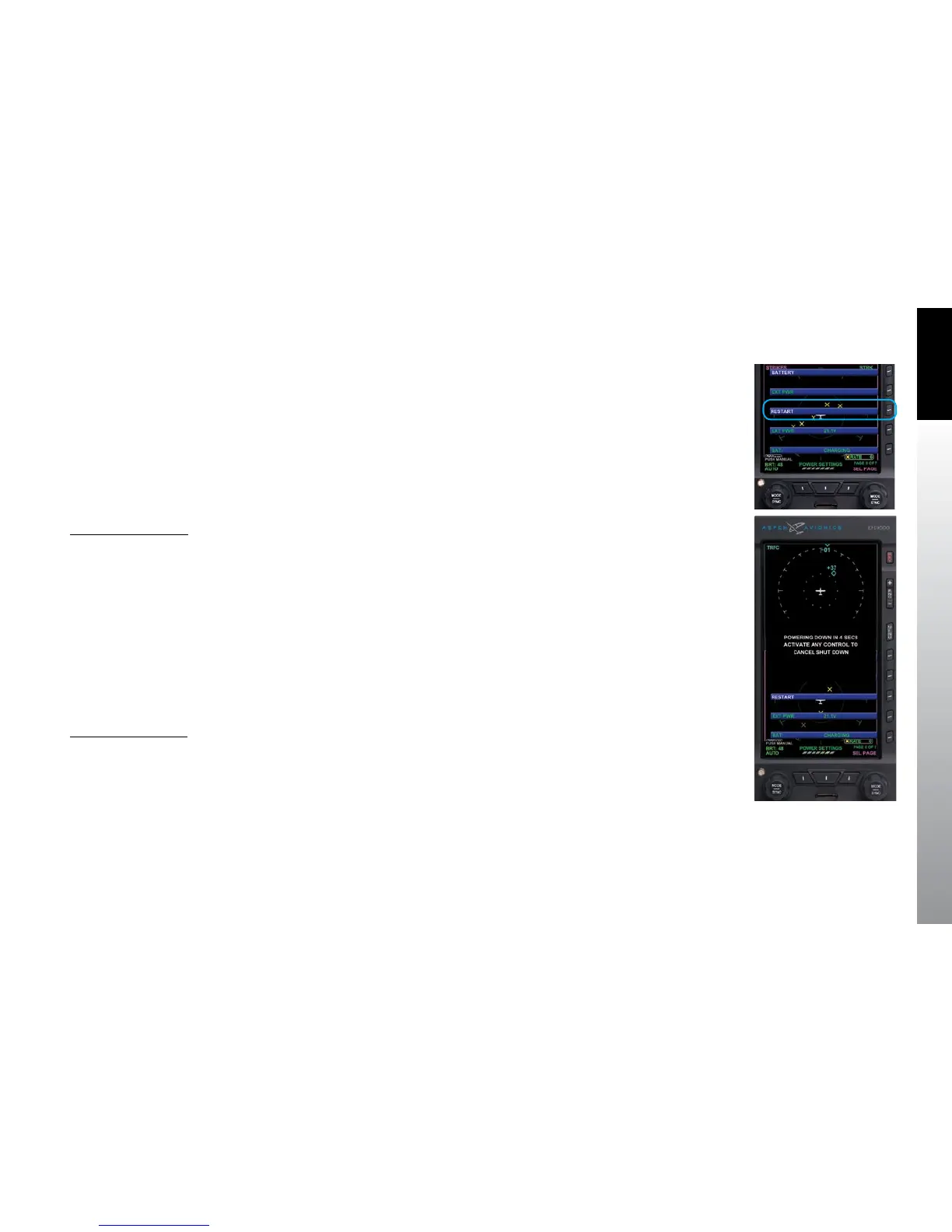
1. Push the MENU Button. The Main Menu displays.
2. Rotate the Right Knob until the POWER SETTINGS Menu page displays
(Figure 4-33).
3. Press the RESTART MENU Button. The power down sequence initiates
(Figure 4-34).
A powering o annunciation displays indicating that the unit will shut down in 5
seconds. The pilot can press any control to abort the power-down sequence.
Power On Manually
• Press and hold the REV Button until the EFD1000/500 MFD powers on.
Figure 4-33
Main Menu, Power Settings,
RESTART Menu Button
Figure 4-34
EFD1000/500 MFD Powering O



 To Next Page