CHAPTER 3 DISPLAY &CONTROLS
EFD1000/500 MFD Pilot’s Guide
Page 3-6 091-00006-001 REV B
EFD1000/500 MFD Pilot’s Guide
Page 3-7091-00006-001 REV B
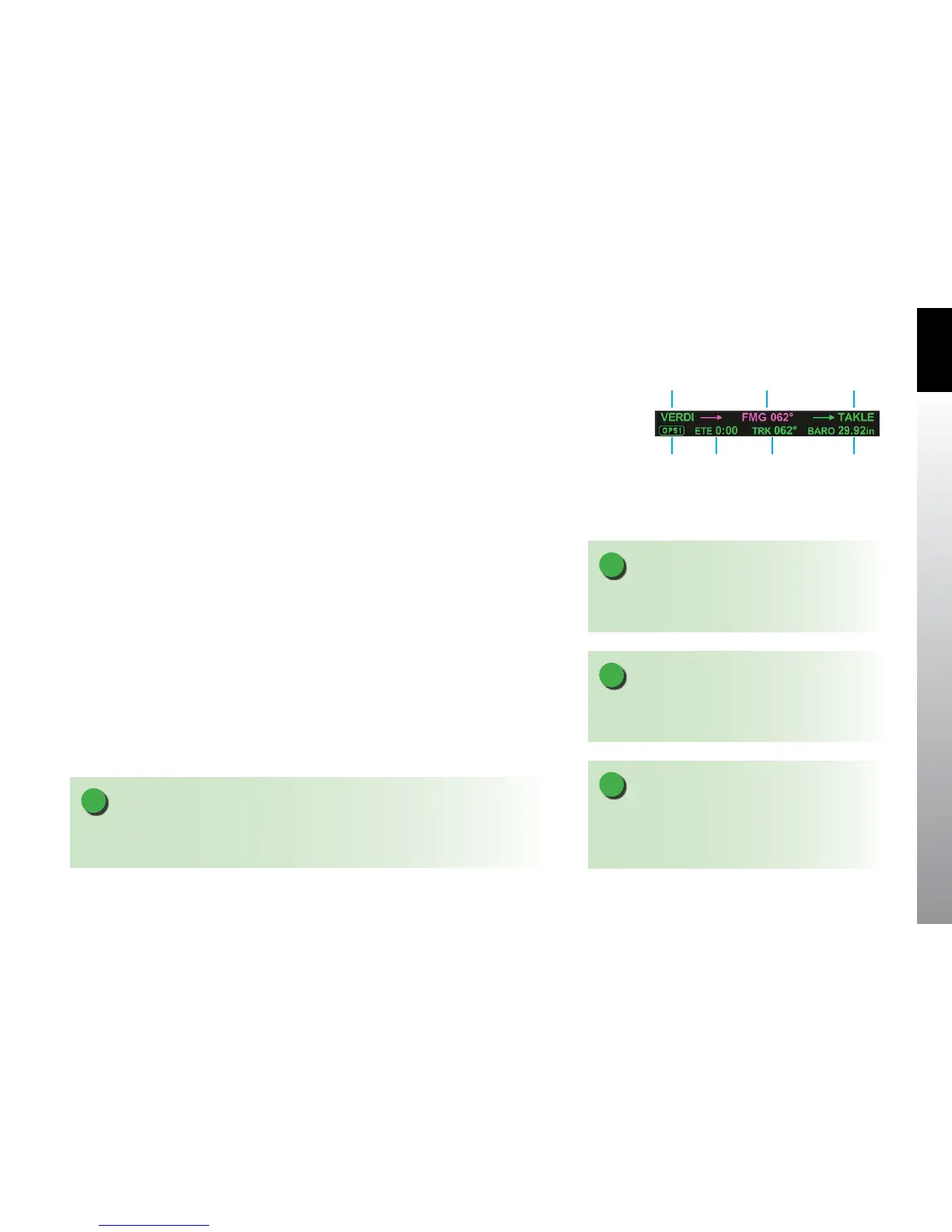
3.1.1. Data Bar
The Data Bar is a multi-purpose text area that displays the information about the current
ight plan and other relevant ight information. The Data Bar is not editable. The rst
line of the Data Bar displays ight plan information (Figure 3-8):
• Last ight plan waypoint
• Active ight plan waypoint and desired track
• Next non-active ight plan waypoint
The second line of the Data Bar displays:
• GPS Source
• Estimated Time En route (ETE)
• Aircraft ground track (TRK)
• Barometer setting (BARO)
The active ight plan leg and TRK text are displayed in magenta text. All other
information is displayed with green text. The next ight plan waypoint identiers shall
be displayed as depicted by the selected GPS unit (indicated on the second row of
the data bar). The ETE is displayed in the format H:MM (where H is hours and MM is
minutes). Active waypoint and ground track are displayed numerically with a resolution
of 1 and a range of 001° to 360°.
NOTE
The next ight plan waypoint identiers are displayed as depicted by the GPS navigator.
When the GPS data is unavailable all ight plan leg information is dashed.
NOTE
When ground track is unavailable or invalid the
numerical value is dashed.
NOTE
When the ETE is unavailable or invalid the numerical
value is blank.
NOTE
If a trac advisory occurs, the Data Bar will display the
word TRAFFIC in amber as discussed in Chapter 5,
Section 5.3.2. Trac.
Figure 3-8 Data Bar
GPS
Source
Last
Waypoint
Active
Waypoint
Next
Waypoint
Aircraft
Ground
Track
(TRK)
Barometer
Setting (BARO)
Estimated
Time
Enroute
(ETE)



 To Next Page