CHAPTER 5 REFERENCE GUIDE
EFD1000/500 MFD Pilot’s Guide
Page 5-6 091-00006-001 REV B
EFD1000/500 MFD Pilot’s Guide
Page 5-7091-00006-001 REV B
Change Map Orientation
1. Access the Main Menu.
2. Navigate to the GENERAL SETTINGS menu page.
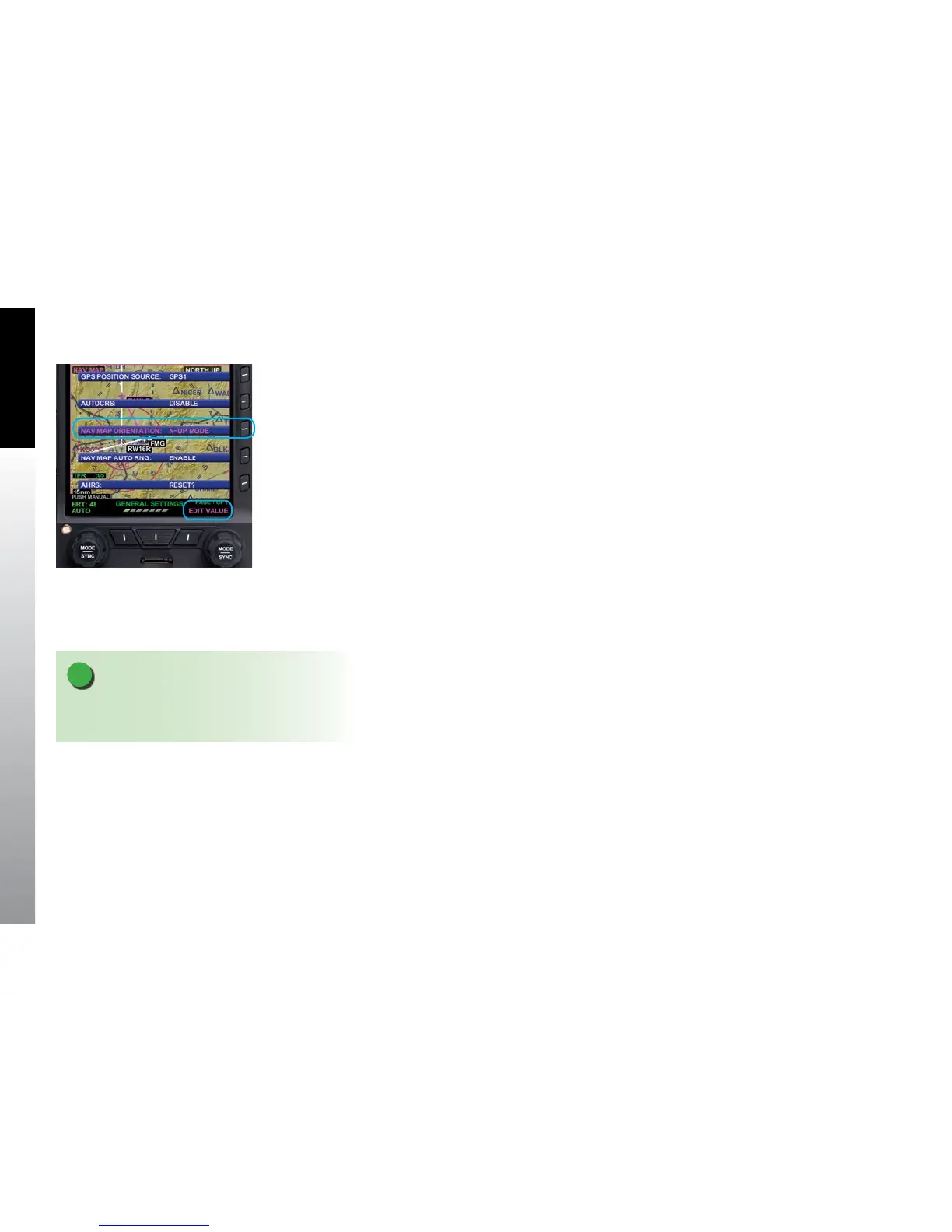
3. Push the NAV MAP ORIENTATION Menu Key. The menu label turns magenta
and the EDIT VALUE label displays above the Right Knob
(Figure 5-3).
4. Rotate the Right Knob to the desired value, HDG-UP, N-UP, or TRK-UP
(seeTable 5-4).
5. Push the Right Knob to return to menu navigation mode.
6. Push the MENU Button to exit the Main Menu.
5.1.2. Map Symbols
The EFD1000/500 MFD Navigation Map VIEW oers several feature groups that display
as symbols on the map. The data source for rendering all but the active ight plan is
the Jeppesen Database information on the micro SD card. If the Jeppesen Database is
invalid or unavailable database information is not available outside of the viewable area.
The symbols are layered on the map in the order outlined in Table 5-5.
The declutter options for each feature group is pilot selectable from the Main Menu as
either automatic (AUTO), or always o (OFF). Feature groups that are set to AUTO will
display based on the Declutter settings selected by the pilot and the selected Range as
outlined in Table 5-5. When a feature group is turned OFF, the feature group will not
display, regardless of the map range or declutter settings.
Figure 5-3
Map General Settings Page
NOTE
Appendix 7.5. contains a complete listing of all map
symbology.



 To Next Page