CHAPTER 5 REFERENCE GUIDE
EFD1000/500 MFD Pilot’s Guide
Page 5-20 091-00006-001 REV B
EFD1000/500 MFD Pilot’s Guide
Page 5-21091-00006-001 REV B
5.1.9. Overlays
There are several additional map features that can be displayed on the Navigation Map
VIEW, Airways, Relative Terrain, Stormscope® WX-500, Data Link Weather, and Trac.
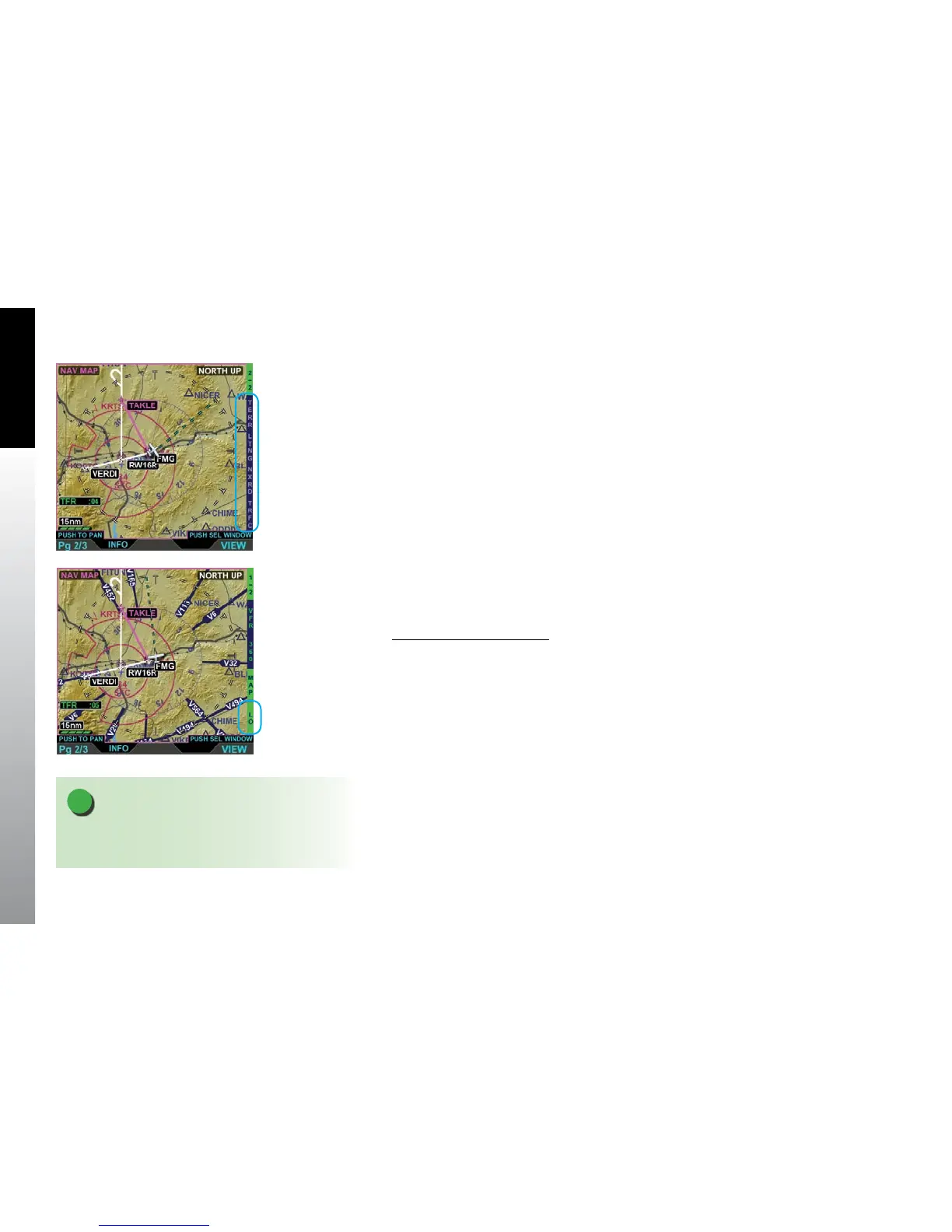
Each of these overlays is enabled or disabled via Hot Keys (Figure 5-23).
5.1.9.1. Airways Overlay
The Airways Hot Key enables airway display and allows the pilot to select the type
of airways that overlay the Navigation Map VIEW. When enabled, the Airway overlay
displays airway legs and identiers. Airways will display for 10 seconds, to provide
orientation, then they are removed. The Hot Key label will display either LO, HI, or ARWY
(OFF):
• Selecting LO displays Low Level (Victor) Airways
• Selecting HI displays High Level (Jet) Airways
Show the Airways Overlay
• With the Navigation Map VIEW selected, press the ARWY Hot Key until the
desired Airway setting (LO/HI/ARWY) is displayed on the Hot Key label
(Figure 5-24).
Figure 5-23
Navigation Map VIEW
Overlay Hot Keys, All
Overlays Disabled
NOTE
When the selected Map Range is higher than the airway
max range of 200 nm, Airways will not display.
Figure 5-24
LO Airways Overlay On



 To Next Page