CHAPTER 5 REFERENCE GUIDE
EFD1000/500 MFD Pilot’s Guide
Page 5-70 091-00006-001 REV B
EFD1000/500 MFD Pilot’s Guide
Page 5-71091-00006-001 REV B
5.4.2. Secondary Horizontal Situation Indicator (HSI)
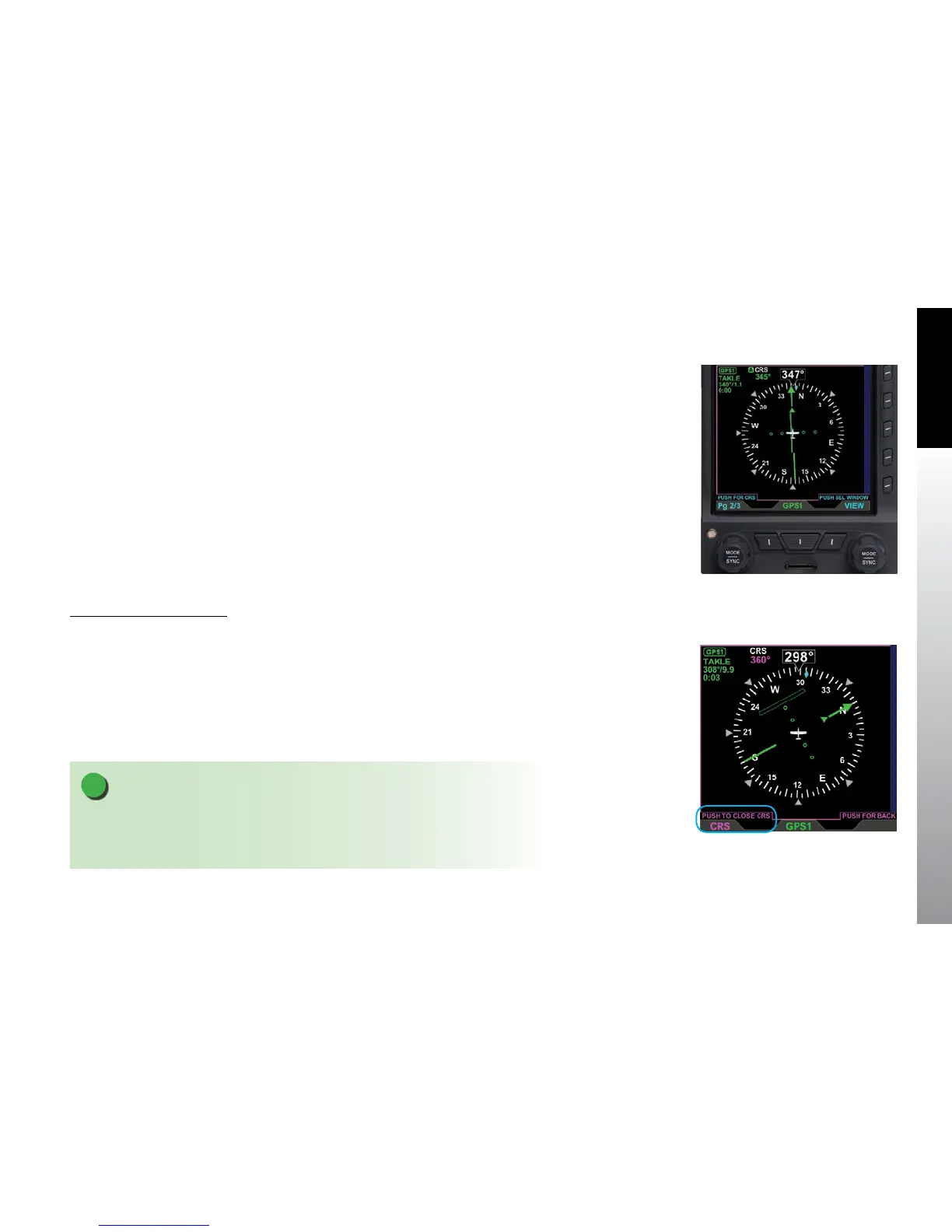
The Secondary HSI VIEW provides a secondary display of the Direction Indicator and
Course Direction Indicator (CDI). The Secondary HSI displays on a black background
with a 360° compass, the ownship symbol, and digital display of aircraft direction of
ight on the bottom WINDOW of the split screen LAYOUT (PAGE 2/3) (Figure 5-88).
All GPS annunciations that display on the PFD (i.e., TERM, WPT, MSG, and APPR) will
display on the Secondary HSI. A Vertical Deviation Indicator (VDI) is displayed to the left
of the HSI using the same logic as the PFD VDI. The navigation source is pilot selectable,
from any of the congured navigation sources for the PFD CDI, using the lower center
button. The course value is selectable via the Left Knob. Refer to the EFD1000 PFD
Pilot’s Guide for detailed information about GPS annunciations, the VDI, and navigation
source selection.
Modify the Course Setting
1. Select the Secondary HSI VIEW WINDOW.
2. Press the Left Knob. The Course eld is rendered in magenta (Figure 5-89).
3. Rotate the Left Knob change the value of the Course eld. Rotate clockwise to
increase, or counterclockwise to decrease, the value.
4. Press the Left Knob to save the new Course setting.
Figure 5-88
Secondary HSI
NOTE
When course selection has been activated, pressing and holding the Left Knob will
activate a course SYNC, i.e. the MFD will select the current heading as the selected course.
See the EFD1000 Pilot’s Guide for detailed information on course SYNC.
Figure 5-89
Editing Course Value



 To Next Page