CHAPTER 5 REFERENCE GUIDE
EFD1000/500 MFD Pilot’s Guide
Page 5-28 091-00006-001 REV B
EFD1000/500 MFD Pilot’s Guide
Page 5-29091-00006-001 REV B
5.2.1. Selecting Data Link Weather Products
The Data Link Weather VIEW oers several types of weather product information, each
displayed in a dierent screen of the Data Link Weather VIEW. There is a screen for each
of the following Data Link Weather VIEW options:
• Convection (NEXRAD, Lighting, Convective)
• METARs
• Echo Tops
• Cloud Tops
• AIRMETs/SIGMETs
• TFRs
• Winds Aloft
• XM Status
The current weather product name displays in the center of the Data Link Weather
VIEW. Use the bottom Right Button to activate VIEW control mode and select another
Data Link Weather product screen.
View Dierent Data Link Weather Products
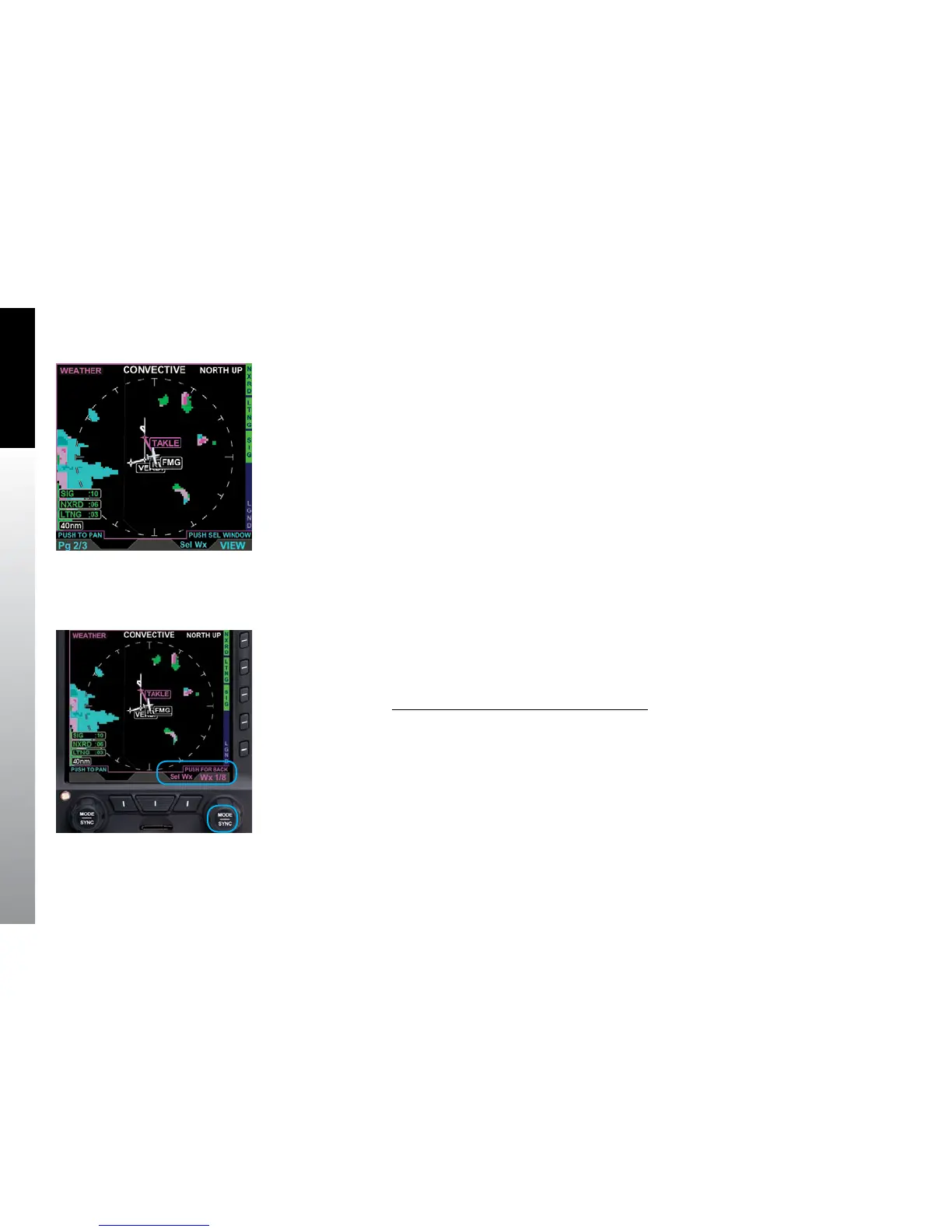
1. Select the WINDOW that contains the Data Link Weather VIEW (Figure5-31).
2. Press the lower Right Button, labeled Sel Wx, to activate Weather Product
Selection. The Right Button and Knob labels turn magenta and the Right
Knob label changes to Wx #/8 (the # represents the current weather product
screen) (Figure 5-32).
3. Rotate the Right Knob to select another weather product screen. The Data
Link Weather VIEW, hot keys, and Right Knob label change as you select
dierent Weather product screens.
4. Press the lower Right Button to deactivate Weather Product Selection.
Figure 5-31
Data Link Weather
VIEW Selected
Figure 5-32
Weather Product
Selection Activated



 To Next Page