CHAPTER 5 REFERENCE GUIDE
EFD1000/500 MFD Pilot’s Guide
Page 5-14 091-00006-001 REV B
EFD1000/500 MFD Pilot’s Guide
Page 5-15091-00006-001 REV B
5.1.6. Airport/VOR Information
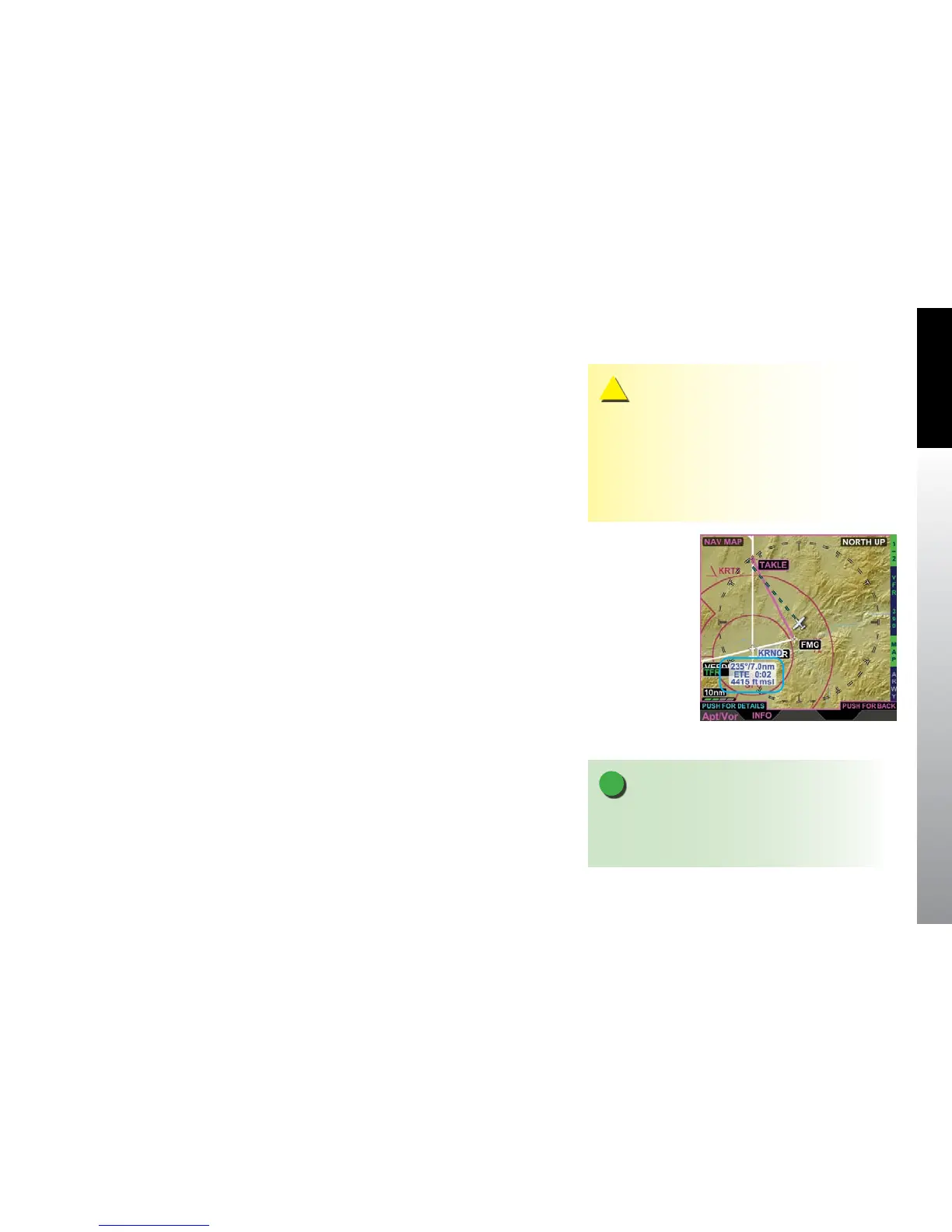
The Navigation Map provides detailed information about airports and VORs that are
shown on the display. The lower left button is labeled INFO and when pressed, the
EFD1000/500 MFD displays a label for the selected airport or VOR (Figure 5-13). The
label text color matches the airport (airports with control towers are blue, all others are
magenta) or VOR color and displays three lines of text as follows:
• Bearing and distance to the selected object
• Estimate time en route (ETE)
• VOR or NDB frequency or airport elevation
If the range is set to a low setting there may not be any airports, VORs or NBDs showing
in the display area. If there are no objects displayed the lower left button will not display
the INFO label. Changing the range to a larger scale will usually bring some objects into
view and the INFO label will display. You can also pan to an area that has objects and
get information about those objects.
The Left Knob label changes to read Apt/Vor in magenta, with PUSH FOR DETAILS in
cyan directly above the Left Knob label. When the Left Knob is pushed, the selected
airport/VOR/NBD textual information is displayed (Figure 5-14). The Navigation Map
hot keys are replaced with either a VOR, NBD, or Airport Hot Key(s). There is only one
page of textual information for VORs and NBDs, and the Hot Key has no function.
Airports have four pages of information to view, selectable by the hot keys as outlined
in Table 5-6.
Figure 5-13
Navigation Map INFO
Selection
NOTE
If GPS position is not available the display of bearing,
distance, and ETE are dashed. If ETE is more than 9:59
hours the ETE is dashed.
CAUTION
When the aircraft position is unavailable, the ownship
symbol is removed from the Navigation Map VIEW,
Terrain VIEW, and Weather VIEW and the VIEW is
centered over the last known position or Albuquerque,
New Mexico, USA if the last known position is not
available.



 To Next Page