CHAPTER 5 REFERENCE GUIDE
EFD1000/500 MFD Pilot’s Guide
Page 5-16 091-00006-001 REV B
EFD1000/500 MFD Pilot’s Guide
Page 5-17091-00006-001 REV B
NOTE
Rotating the Left Knob will select another airport either before or after the textual
information is displayed.
Hot Key Information Displayed (if available) Figure
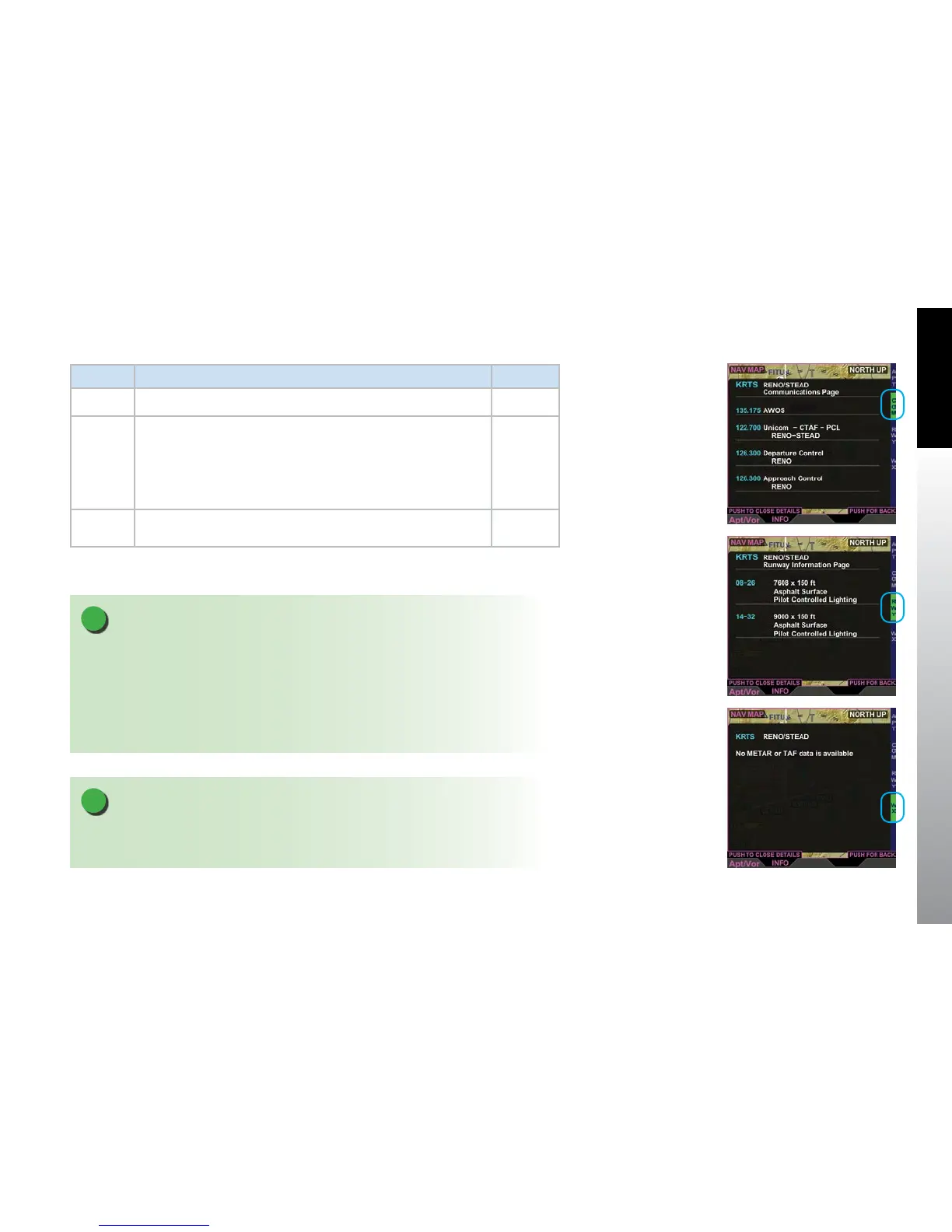
COM • Selected airport’s frequencies and callsigns 5-17
RWY
• Airport Identier
• Name of Airport
• Runway
• Runway Lengths and Widths
• Runway Surface Type
• Type of Runway Lighting
5-18
WX
• Selected airport’s METAR and TAF information
(displayed as described in Section 5.2.3. METAR)
5-19
Table 5-6 Airport/VOR Information
Figure 5-17
Airport Communication
Information Page
Figure 5-18
Airport Runway
Information Page
Figure 5-19
Airport Weather
Information Page
NOTE
It is possible to select an item that is not in the current viewable display area. Use the
Range+/- button to zoom out or in (respectively) to see selectable items. When viewing
the map at a lower map range the selected item may be at the edge of the map display.
and the selection will not be visible. In rare cases at larger zoom scales, it may be that the
selected item is so small as to be less than one pixel in size. In this case, zooming in will
reveal the selected item.



 To Next Page