EFD1000/500 MFD Pilot’s Guide
Page xxviii 091-00006-001 REV B
EFD1000/500 MFD Pilot’s Guide
Page xxix091-00006-001 REV B
Term Denition
VIEW
A VIEW is the graphical content of a WINDOW. The VIEW presents specic
information such as terrain, trac, or weather. A VIEW is the same size as the
WINDOW which holds it. The VIEW name is displayed in the upper left corner
of the VIEW. See the Reference Guide chapter for detailed information about
individual VIEWS.
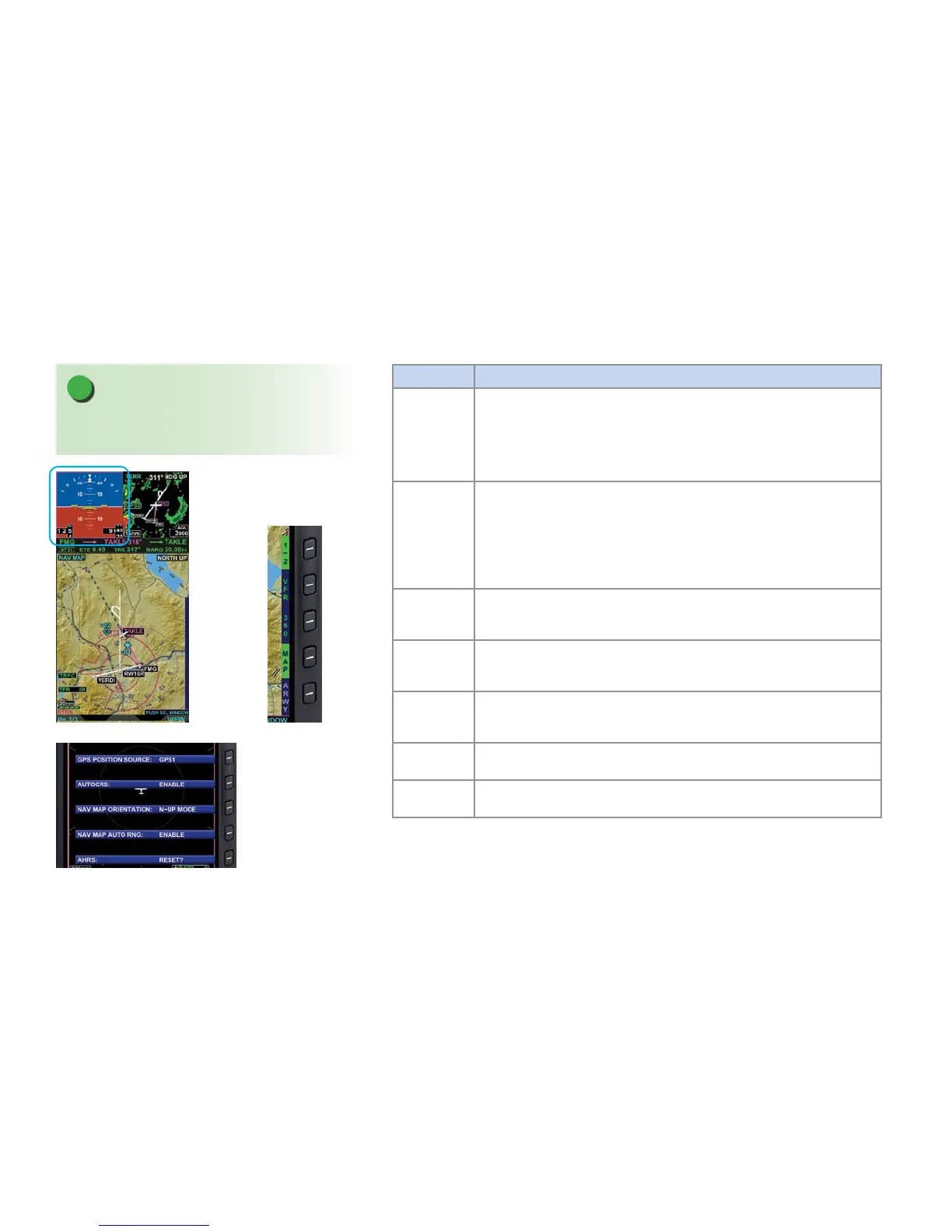
FOCUS
FOCUS describes which WINDOW and VIEW are aected by pilot actions,
i.e changing the VIEW or obtaining information. When a WINDOW and
corresponding VIEW are selected they have the FOCUS, visually represented by
a magenta border around the WINDOW (Figure 4). When the FOCUS is on a
WINDOW, content-sensitive controls such as the range button, Hot Keys, and
knob actions apply to the WINDOW and VIEW with the FOCUS.
Menu Key
Refers to the ve hot keys on the right side of the display when the Main Menu
has been enabled (Figure 5).
Hot Key
Refers to the ve hot keys on the right side of the display when the Main Menu
is not enabled (Figure 6).
North-Up
True North-Up, i.e. in the direction of the geographic North Pole. All North-Up
maps are true North-Up.
Heading-Up Aircraft magnetic heading.
Track-Up Aircraft Magnetic track-up.
Table 1 EFD1000/500 MFD Terminology
NOTE
The Secondary AI and HSI VIEWS do not display a
name label.
Figure 4
The Secondary Attitude
Indicator has the FOCUS
Figure 6
Hot Keys
Figure 5
Main Menu Keys



 To Next Page