CHAPTER 3 DISPLAY & CONTROLS
EFD1000/500 MFD Pilot’s Guide
Page 3-10 091-00006-001 REV B
EFD1000/500 MFD Pilot’s Guide
Page 3-11091-00006-001 REV B
3.2.1.5. Right Knob
Pressing the Right Knob moves the FOCUS and selects dierent WINDOWS on a
PAGE. When a WINDOW has FOCUS, rotating the Right Knob changes the VIEW of the
WINDOW. If the Right Knob is not pushed (to activate WINDOW selection) the initial
rotation of the Right Knob will activate the selection process, and continued rotation
will select dierent WINDOWs. This feature helps to minimize inadvertent PAGE changes.
The Right Knob is also used to back up through multiple information pages. The label
PUSH FOR BACK displays above the Right Knob when this feature is available. Pushing
the Right Knob will back the EFD1000/500 MFD out of information and panning, one
level at a time, to return to the basic VIEW.
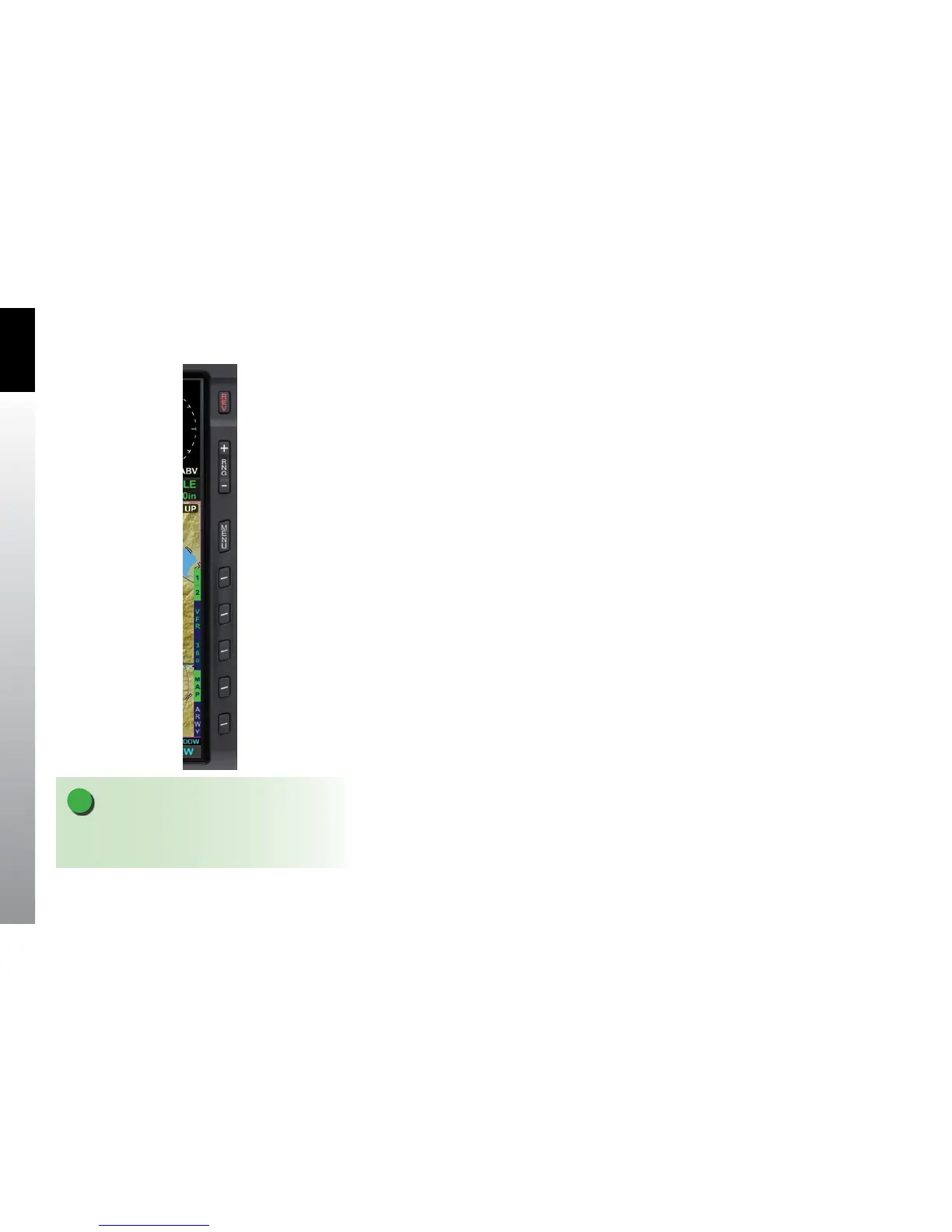
3.2.2. Side Buttons
There are several buttons along the right side of the EFD1000/500 MFD display. There is
a REV button for reversionary and power control, two range buttons that allow the pilot
to zoom in or out of the selected VIEW, a MENU button that activates the Main Menu,
and ve Hot Keys that provide access to VIEW content sensitive functionality or Main
Menu options (Figure 3-10).
3.2.2.1. Reversion (REV) Button
The REV Button is used to either manually turn o the MFD or switch (revert) the
EFD1000 MFD between the MFD and PFD operating state.
3.2.2.2. Range +/- Button
The RNG+/- Button changes the map scale range for the selected VIEW, if it has a range
function (i.e. the Navigation Map VIEW). Press the RNG+ Button to zoom out (i.e. from
20nm to 30nm) or press the RNG- Button to zoom in (i.e. from 30nm to 20nm). See
Section 5.1, Navigation Map for more detailed information.
NOTE
The reversion function is only available on EFD1000
MFD units that are congured with an EFD1000 PFD.
Figure 3-10
Right Side Display Controls



 To Next Page