To configure media security:
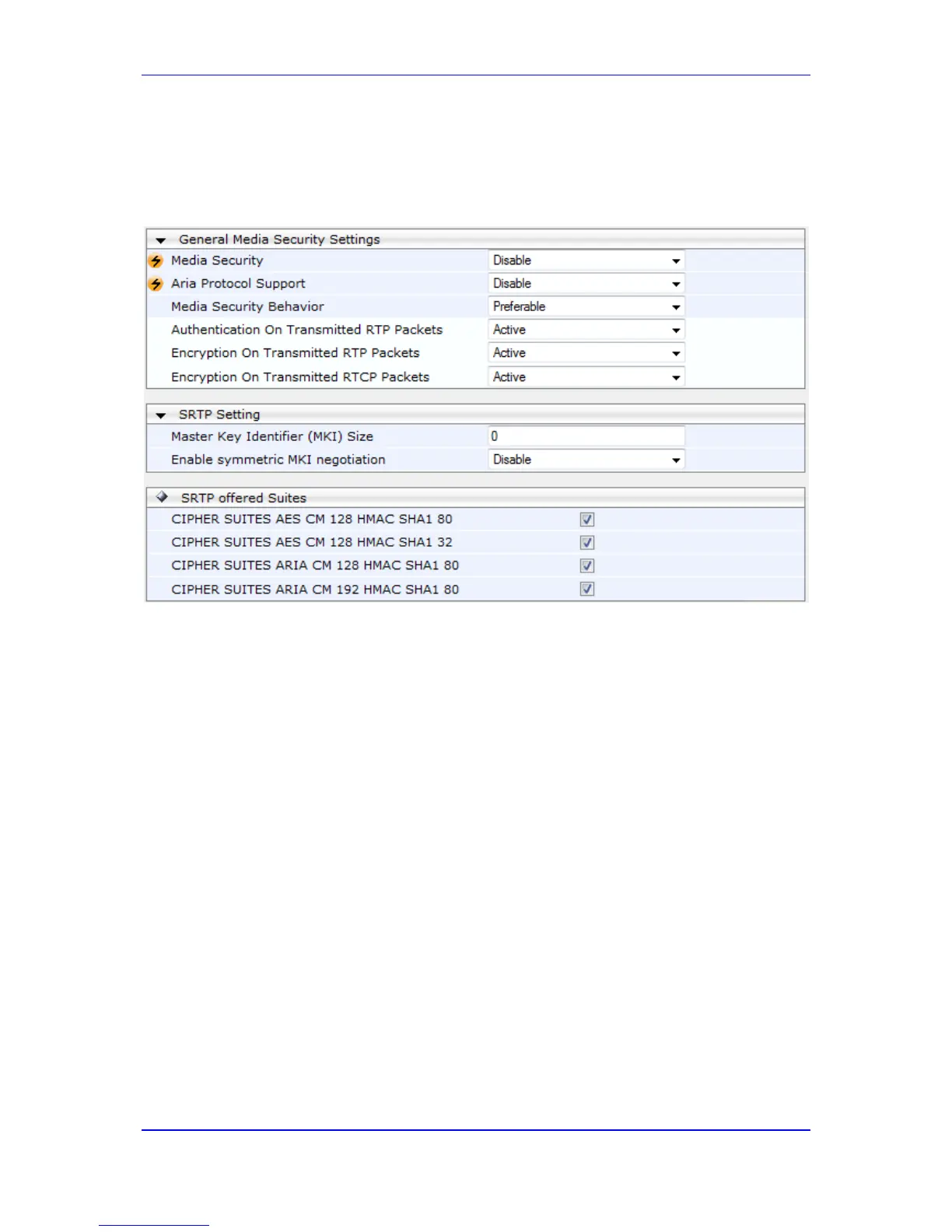
1. Open the Media Security page (Configuration tab > VoIP menu > Media submenu >
Media Security).
Figure 16-14: Media Security Page
2. Configure the parameters as required.
3. Click Submit to apply your changes.
4. To save the changes to flash memory, see 'Saving Configuration' on page 624.


 To Next Page
 Loading...