Item # Description
(green): Link is working
(gray): Link is not configured
(red): Link error
To view detailed port information, click the port icon (see Viewing Ethernet Port
Information on page 671).
9 Fast Ethernet LAN port status icons. See Item 8 for a description.
8 & 9 Power-over-Ethernet status for LAN ports:
(gray with dark gray frame): Link is not connected
(green with dark gray frame): Ethernet delivered
(gray with orange frame): Power delivered
(green with orange frame): Ethernet and power delivered
5.2.1 Assigning a Port Name
The Home page allows you to assign an arbitrary name or a brief description to each port.
This description appears as a tooltip when you move your mouse over the port.
Note: Only alphanumerical characters can be used in the port description.
To add a port description:
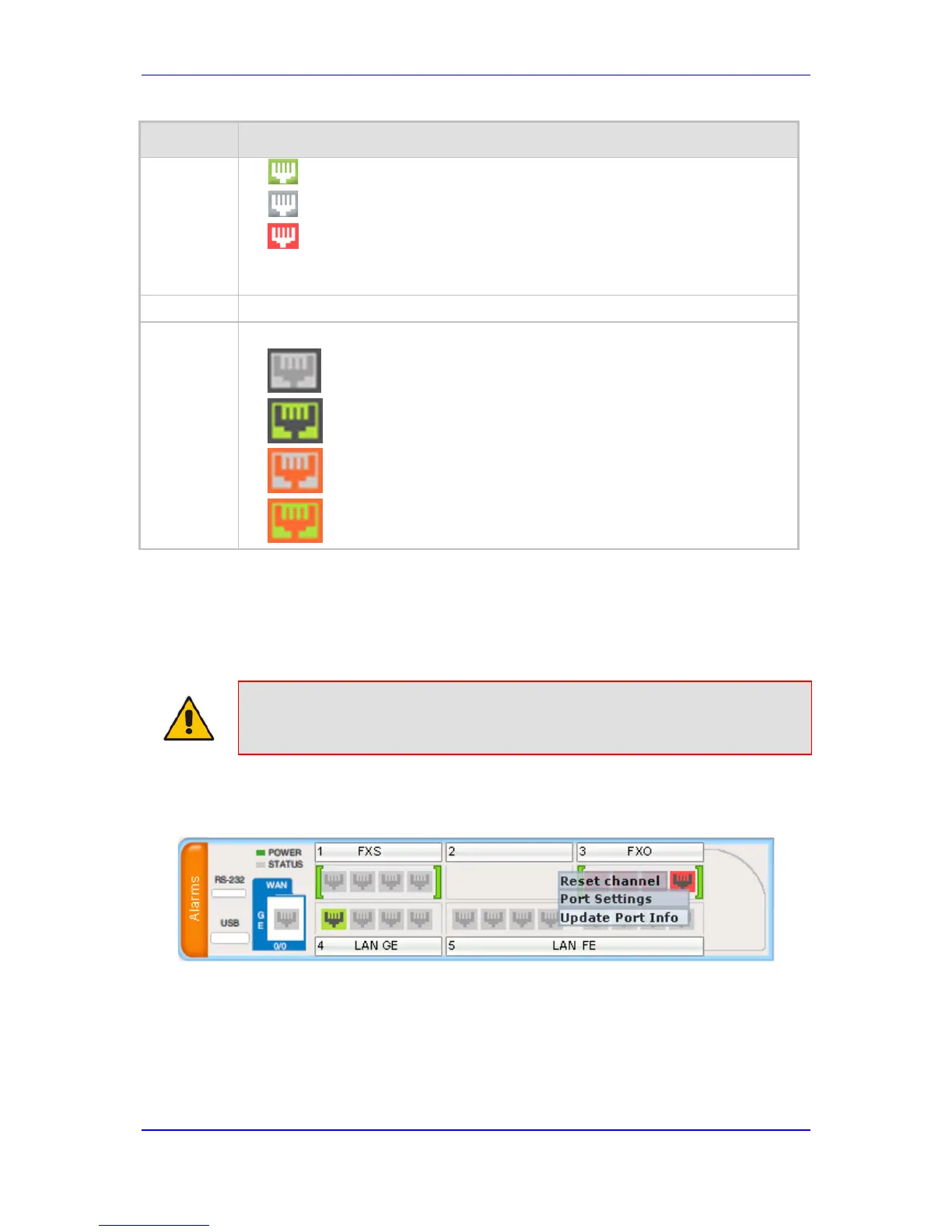
1. Click the required port icon; a shortcut menu appears, as shown below:
2. From the shortcut menu, choose Update Port Info; a text box appears.


 To Next Page
 Loading...