2-110
CHAPTER 2 NEW FUNCTIONS
COPYRIGHT
©
2001 CANON INC. 2000 2000 2000 2000 CANON CLC5000 REV.0 JAN. 2001
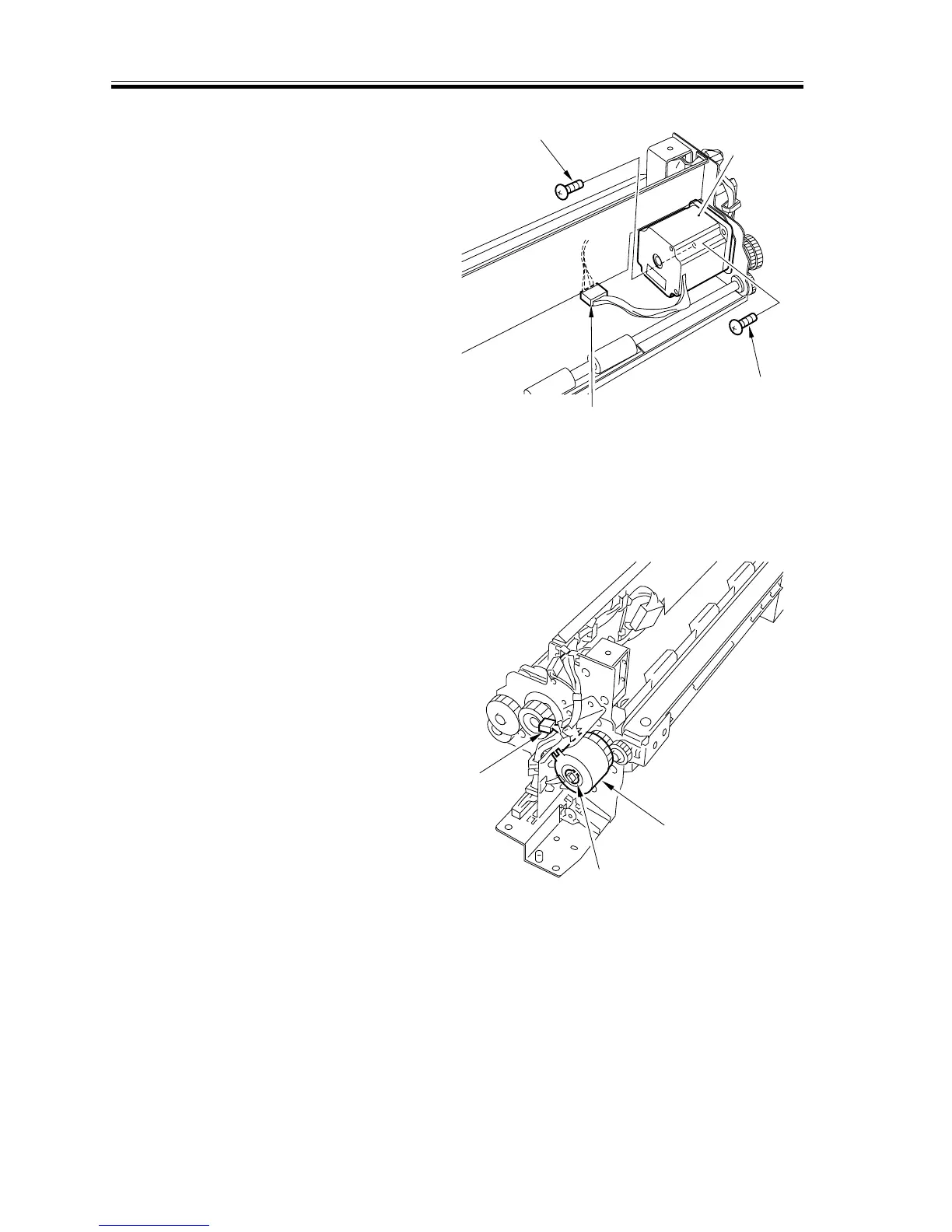
4) Remove the two screws [4], and discon-
nect the connector [5]; then, detach the
re-pickup motor [7].
F02-507-10
5.7.5 Removing the Re-Pickup Unit Clutch
1) Remove the right cover. (See F02-507-
02.)
2) Remove the re-pickup assembly. (See
5.7.3 “Removing the Re-Pickup Assem-
bly.”)
3) Remove the grip ring [1], and discon-
nect the connector [2]; then, detach the
re-pickup clutch [3].
F02-507-11
[4]
[4]
[5]
[6]
[2]
[1]
[3]














 To Next Page