2-27
CHAPTER 2 NEW FUNCTIONS
COPYRIGHT
©
2001 CANON INC. 2000 2000 2000 2000 CANON CLC5000 REV.0 JAN. 2001
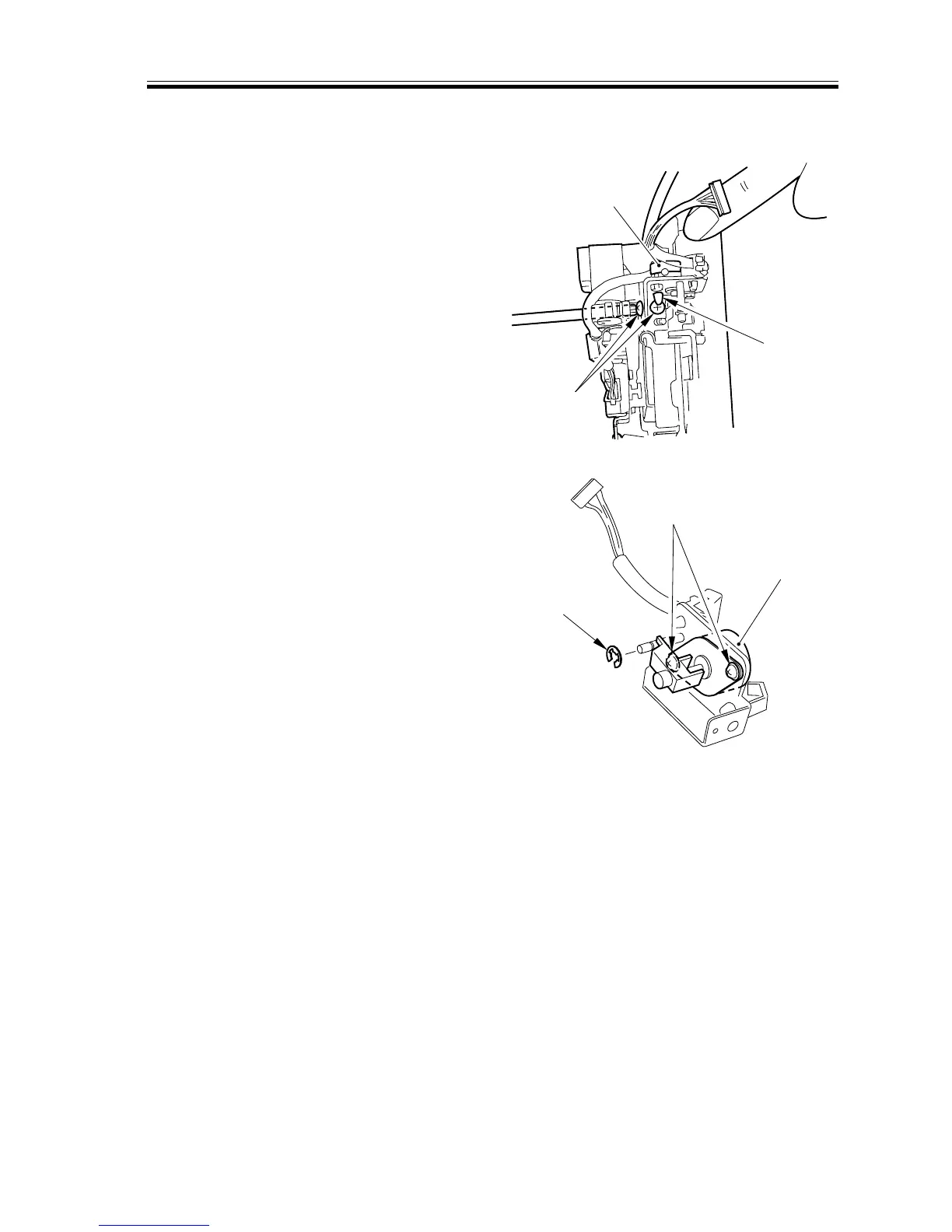
3.5.5 Removing the C Slant Correction Motor
1) Remove the C image position correction
mirror unit. (CLC1000 Chap. 4>VI.>B;
however, keep in mind that the
CLC1000 has different Cyan and Yel-
low positions)
2) Remove the wire saddle [1] and two
screws [2]; then, detach the slant correc-
tion motor unit [3].
[1]
[2]
[3]
F02-305-13
3) Remove the E-ring [4] and two screws
[5]; then, detach the slant correction
Motor [6].
[4]
[5]
[6]
F02-305-14














 To Next Page