COPYRIGHT
©
2001 CANON INC. 2000 2000 2000 2000 CANON CLC5000 REV.0 JAN. 2001
CHAPTER 5 TROUBLESHOOTING IMAGE FAULTS/MALFUNCTIONS
5-21
[2]
2.3 Photosensitive Drum-Related Parts
2.3.1 Removing the Photosensitive Drum
1) Draw out the process unit mount from
the copier, and remove the process unit.
Points to Note When Removing
the Process Unit
If you have to remove the pro-
cess unit, perform the following
to release the cleaning blade;
otherwise, the plastic sheets
found inside the unit can de-
form.
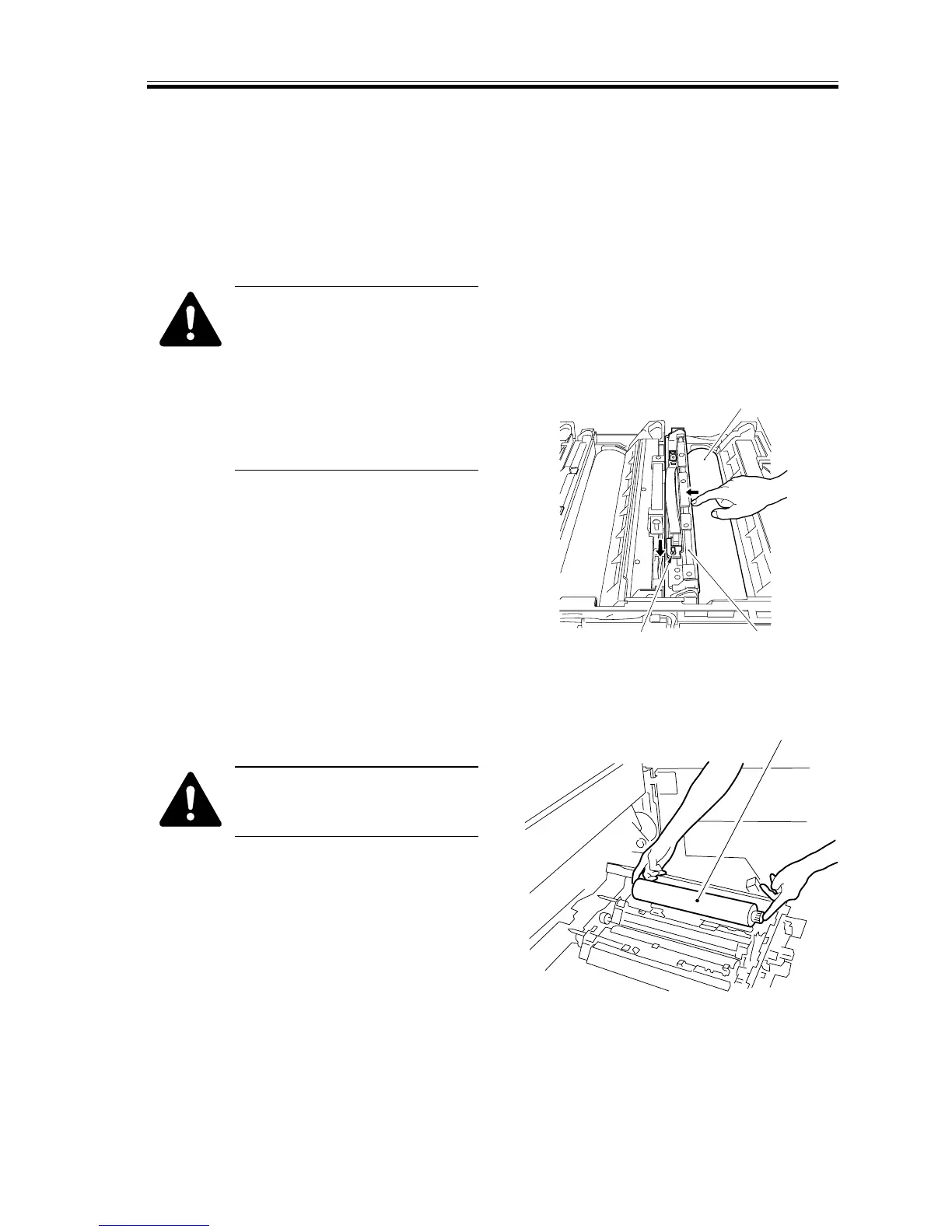
2) Push the middle of the cleaning blade
[1] with your finger to keep it away
from the drum [2]; then, move the pres-
sure releasing pin [3] in the direction of
the arrow to free the cleaning blade.
F05-203-01
3) Holding both ends of the drum [2], lift
the drum to remove.
Take out the photosensitive
drum, being careful not to dam-
age it.
F05-203-02














 To Next Page