COPYRIGHT
©
2001 CANON INC.
2000 2000 2000 2000
CANON CLC5000 REV.0 JAN. 2001
CHAPTER 3 INSTALLATION
3-5
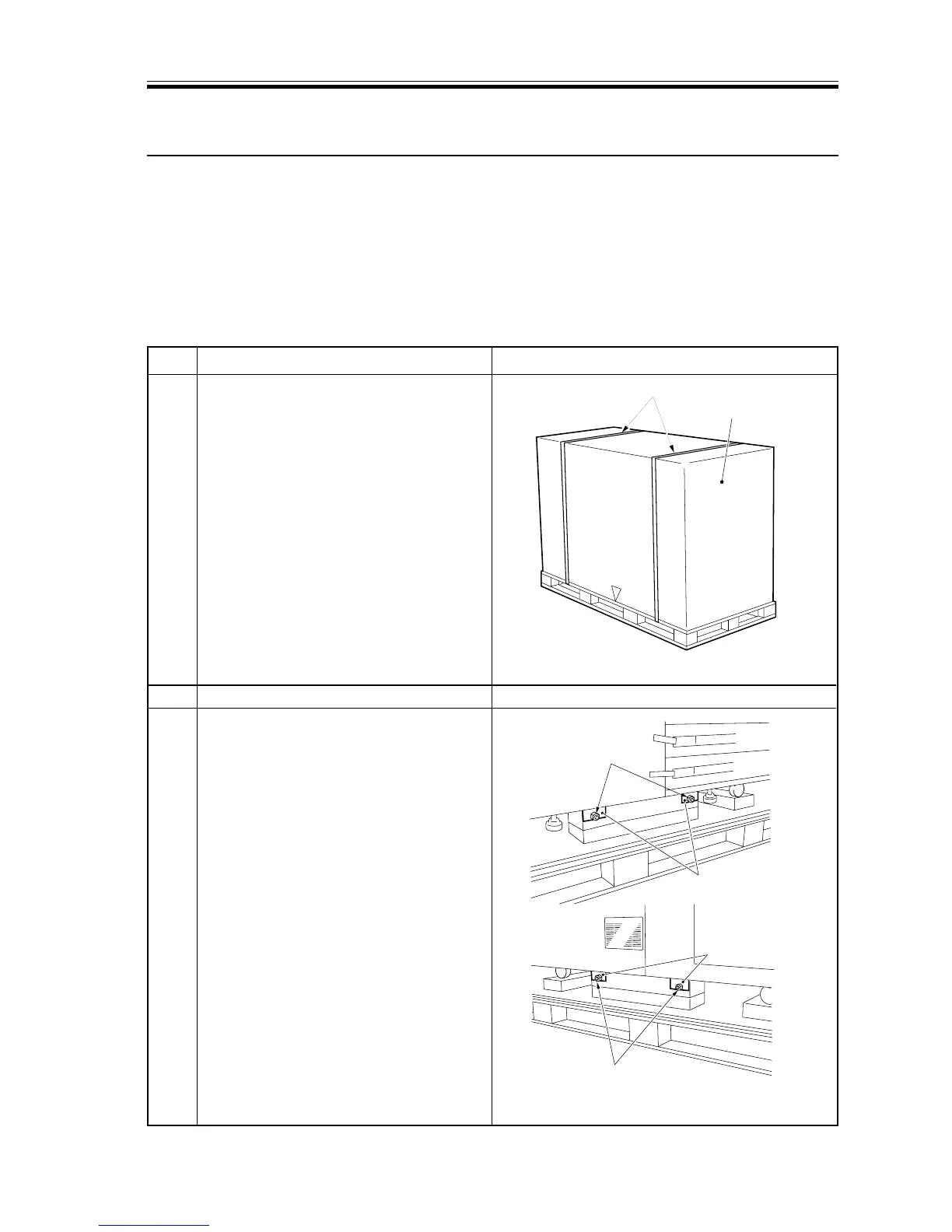
Bands
Shipping box
(front)
(rear)
Nuts
Nuts
Metal fixings
Metal fixings
3 Installation
When a metal object is brought in from a cold to a warm place, droplets of water can de-
velop on its surface. This phenomenon is known as condensation, and copiers subjected to
condensation tend to generate faulty images.
If the copier has been brought in from a cold place, leave it alone at the site of installation
for at least one hour before starting the work.
3.1 Unpacking
Step Work Remarks
1 Cut the two bands used to hold the
shipping box, and free the shipping box.
2 Tear off and remove the plastic bag.
3 Turn the nuts, and remove the metal
fixings (2 each at front and rear) used to
keep the skids.
F03-301-01
F03-301-02














 To Next Page