COPYRIGHT
©
2001 CANON INC. 2000 2000 2000 2000 CANON CLC5000 REV.0 JAN. 2001
CHAPTER 5 TROUBLESHOOTING IMAGE FAULTS/MALFUNCTIONS
5-44
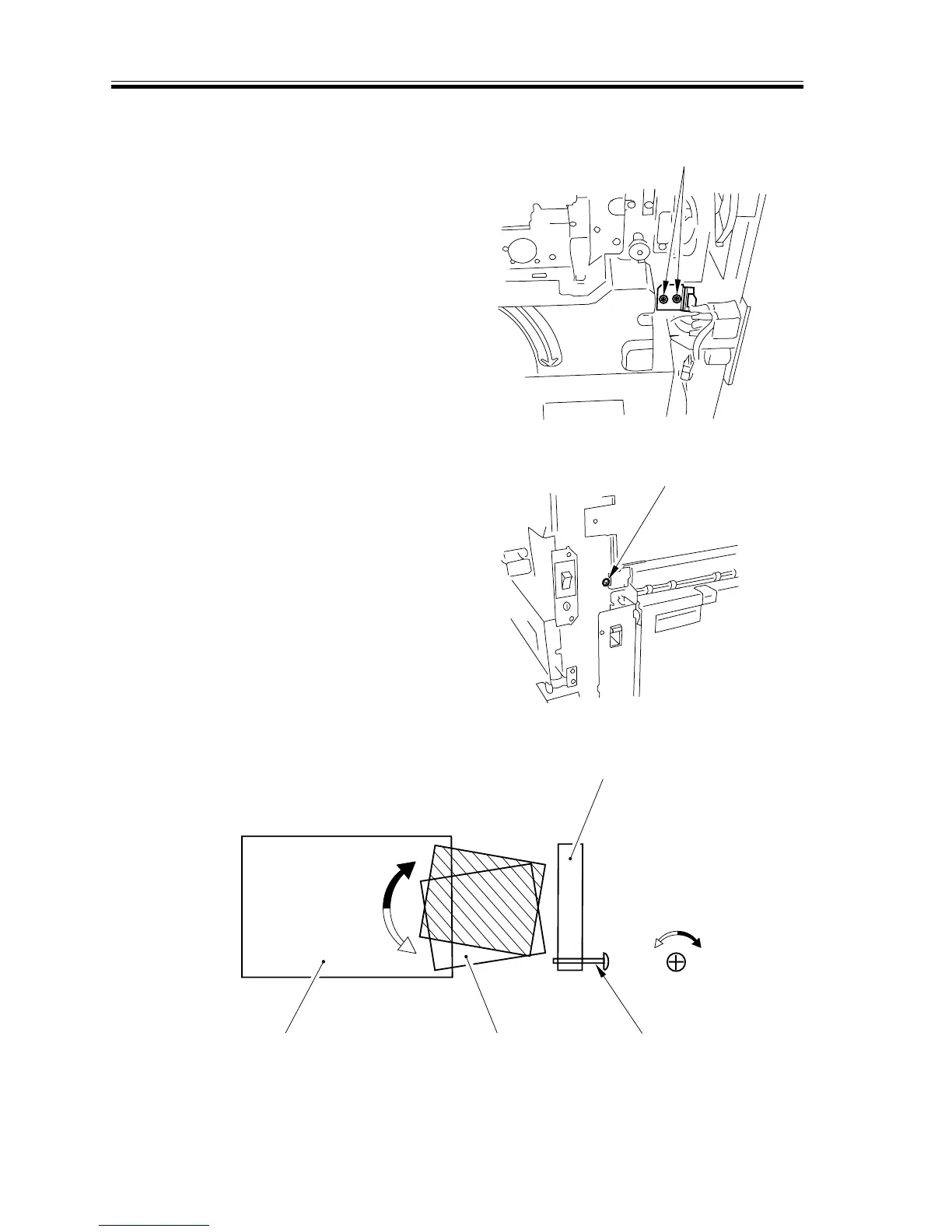
2.7.22 Correcting Skew Movement(slope of the registration roller unit)
If you must correct skew movement after
replacing the registration roller unit, per-
form the following:
1) Remove the transfer right cover and the
front right cover.(CLC1000 Service
Manual>Chap 4>I. “External Control
System”)
2) Loosen the two mounting screws [1] on
the registration roller unit.
F05-207-23
3) Adjust the screw [2] used to position
the fixing plate.
• The leading edge of paper will be
toward the front in relation to the
movement of feeding (CW).
F05-207-24
F05-207-25
4) After making adjustments, fully tighten
the screw loosened in step 2).
[1]
[2]
ccw
cw
Screw 2
Registration
roller unit
Transfer belt Paper
Conceptual diagram
cw
ccw














 To Next Page