2-144
COPYRIGHT
©
2001 CANON INC. 2000 2000 2000 2000 CANON CLC5000 REV.0 JAN. 2001
CHAPTER 2 NEW FUNCTIONS
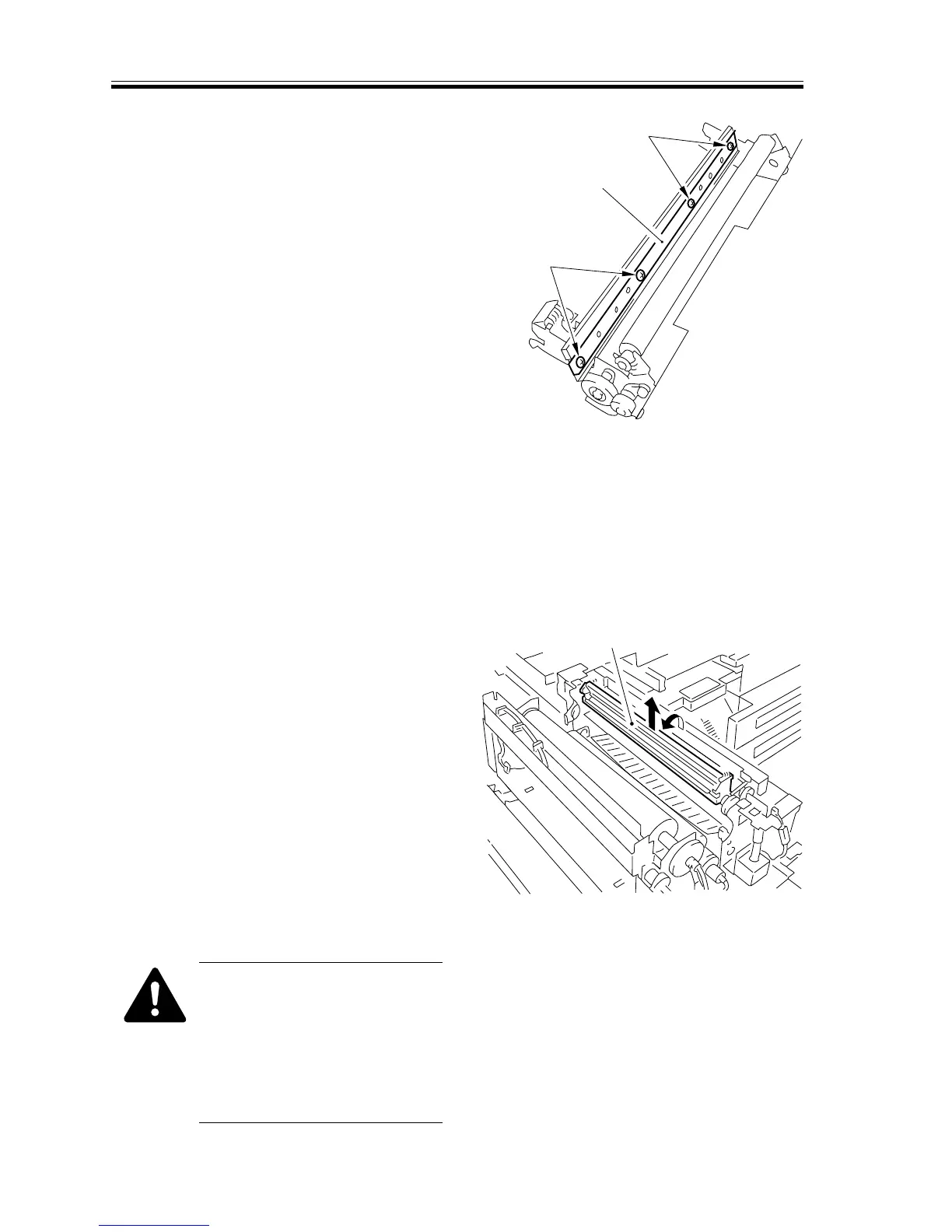
7) Remove the four screws [7], and detach
the lower fixing blade [7].
F02-610-19
6.10.4 Fixing Oil Applying Unit
a.Removing the Oil Applying Blade Unit
1) Open the upper fixing roller unit. (See
Service Manual CLC1000, Chapter 4,
the instructions on how to open the up-
per fixing roller unit.)
2) Shift down the oil applying blade unit
[1] in the direction of the arrow; then,
pull it up.
F02-610-20
When mounting the blade unit,
be sure to return the blade unit
to the point indicated in the fig-
ure to avoid damage to the fix-
ing roller; in addition, be sure to
mount the blade plate to the in-
side of the applying stay.
[6]
[6]
[7]
[1]














 To Next Page